EasyManua.ls Logo

MSA DR-209M - Page 36

MSA DR-209M
50 pages
Print Icon
To Next Page IconTo Next Page
To Previous Page IconTo Previous Page
Loading...
Operating manual
Page 36
Table 24 «Rx» tab page
Name
Function
Clear
To delete a list of data transmitted by the given port
ОК
To confirm the select
Apply
To apply the selected settings
Cancel
To cancel the selected settings
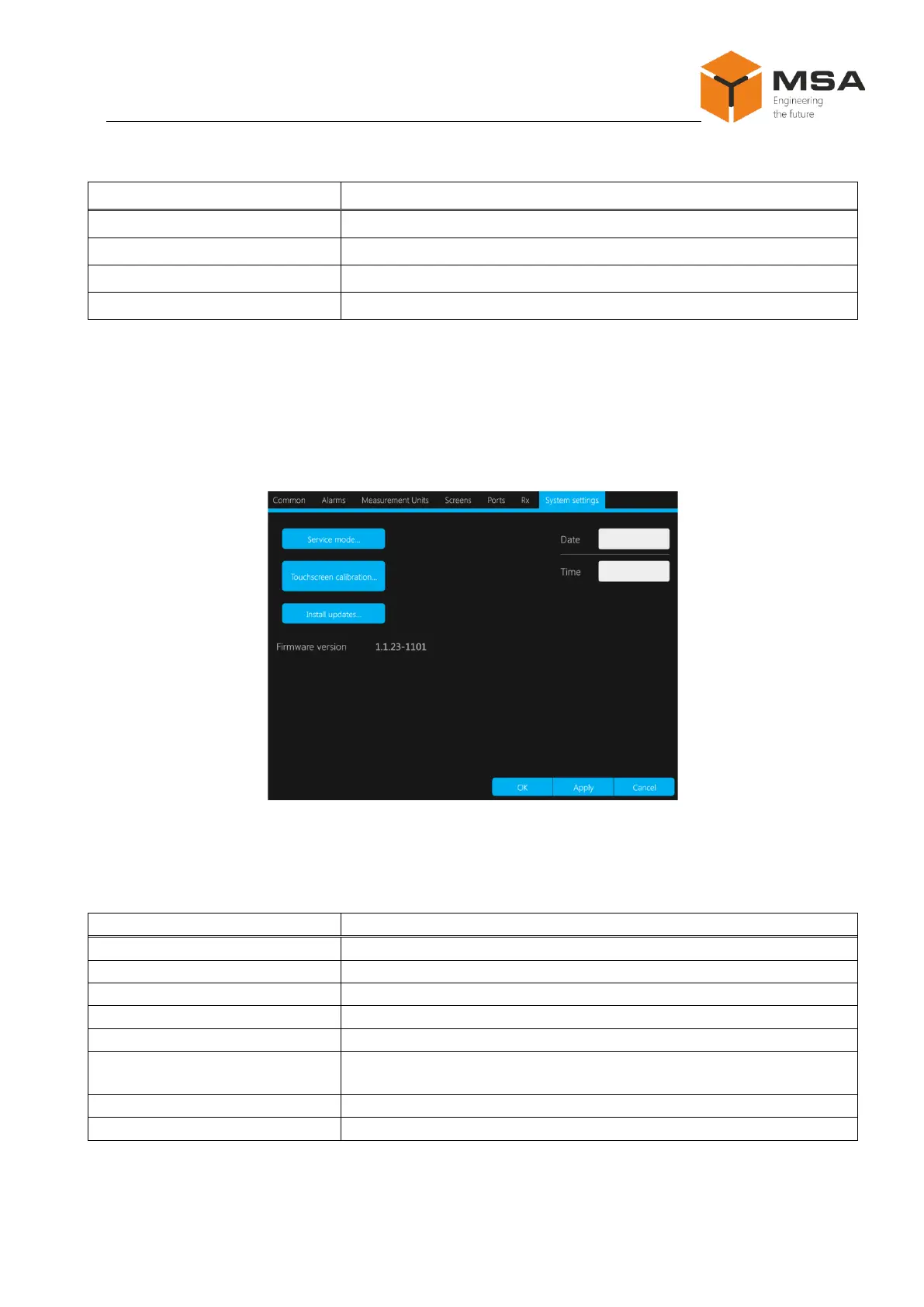
2.3.15 System tab page
System tab page is used to ensure the TS, install or update OS, and to set up date
and time, see Figure 28. From this tab page a user can transfer to the service mode, carry
out touch screen calibration and install OS update. The current version of OS is repre-
sented in this tab page.
Figure 28 System tab page
The controls of System tab page are represented in Table 25.
Table 25 System tab page
Name
Function
ОК
To confirm the select
Apply
To apply the selected settings
Cancel
To cancel the selected settings
Service mode
Unavailable for user (only for manufacturer’s service engineers)
Touchscreen calibration
Automatic touch screen calibration
Install updates
To download and install updates from the removable data carrier
via USB port
Date
To set up current date
Time
To set up current time