24
3103-1001 Rev. 0
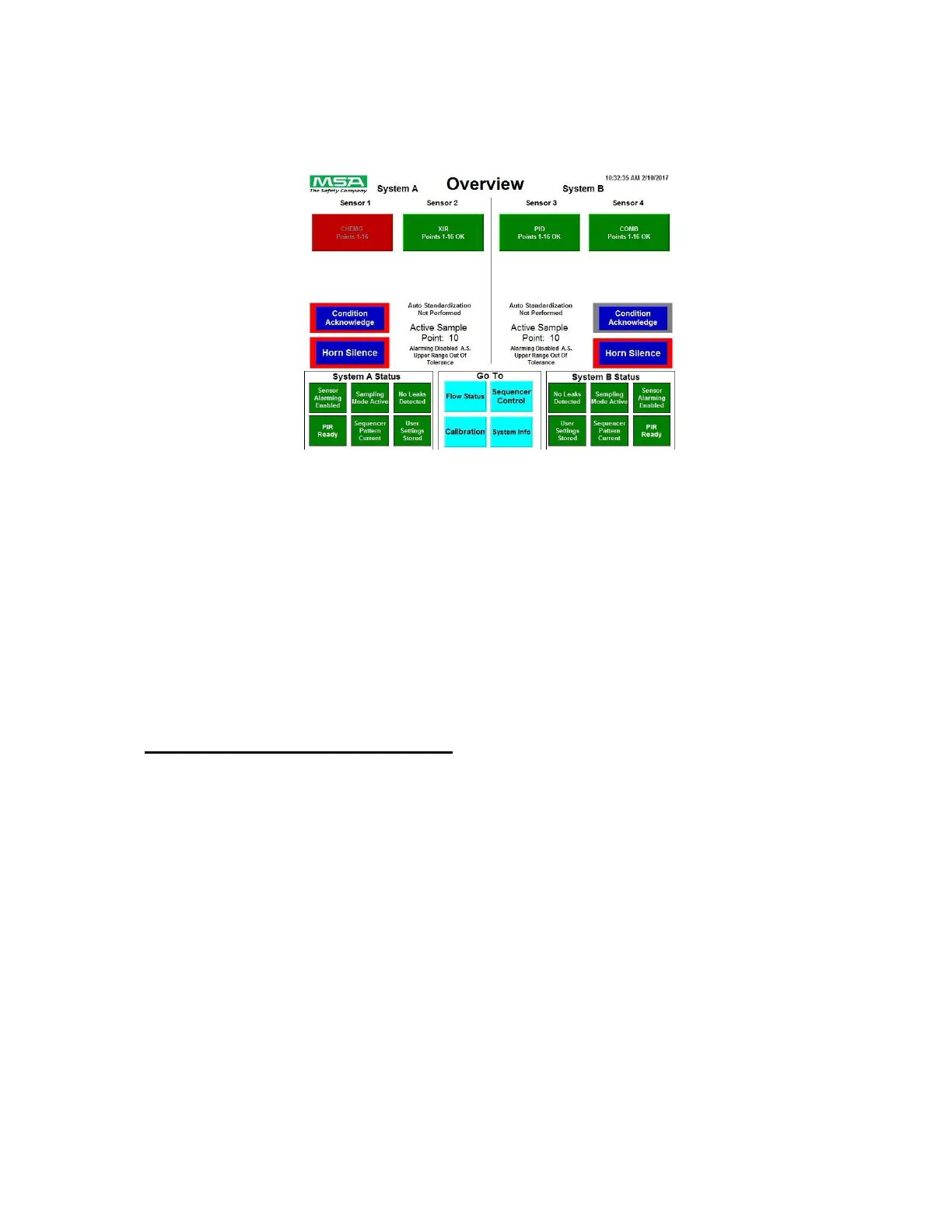
Below is one example screen using the rules described above where appropriate.
MultiGard 5000 Dual 8/16
Figure 3: Overview (Dual 16 Point System)
All MultiGard 5000 touchscreen displays have a screen saver feature enabled. The screen will turn
off after 30 minutes of touch inactivity. After it turns off, the first touch will restore the screen to
normal operation.
The following sections describe the screen package of the MultiGard 5000 unit which and is divided
into an open access part for use by anyone and a secured access part for the responsible system
operator.
4.1 Operational Screens - OPEN ACCESS
The first of two parts which make up the screen package is open access. This part is intended to
provide everything an operator needs to know about the gases being monitored and the operation of
MultiGard 5000 unit.



 To Next Page