2-21
Hardware Setup
Slots
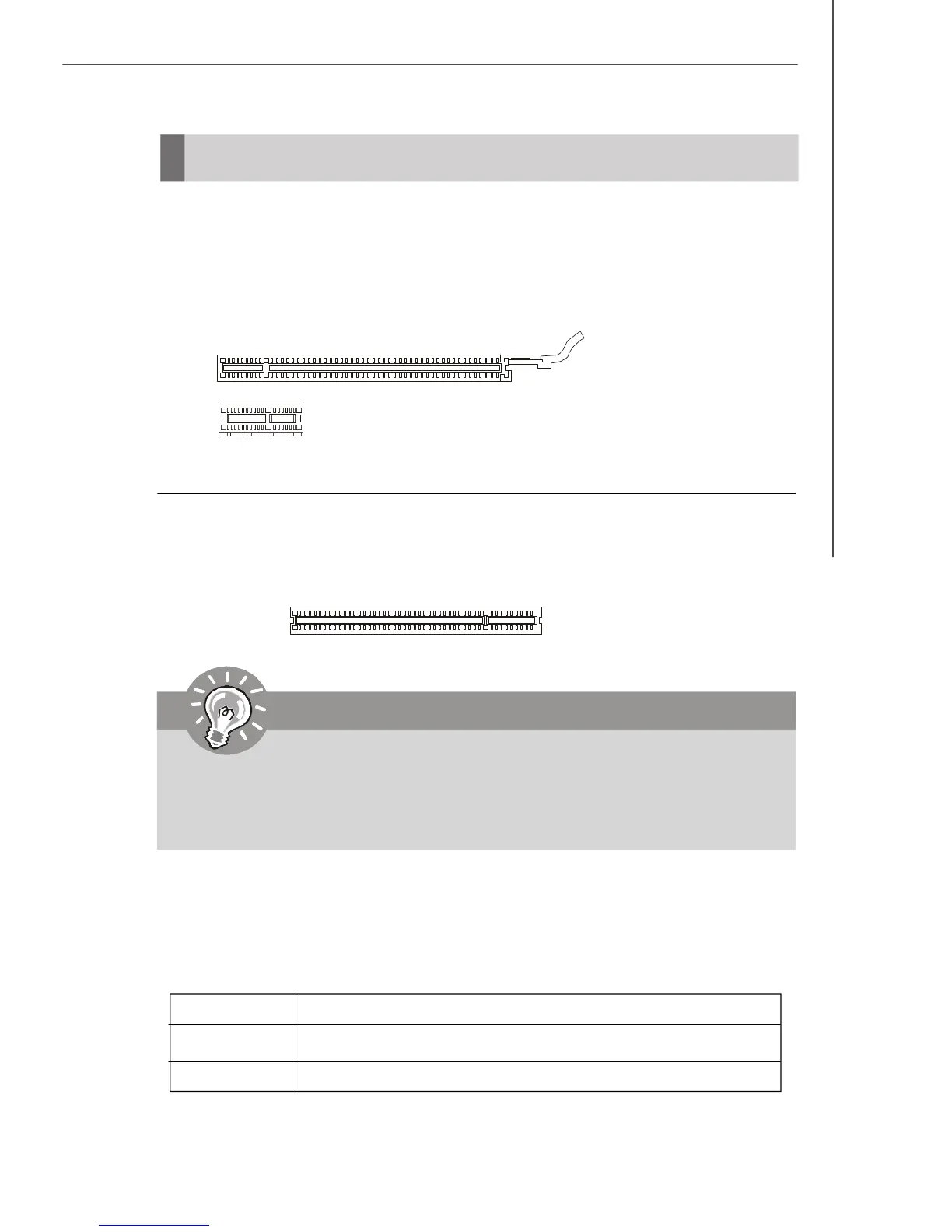
PCI-E (Peripheral Component Interconnect-Express) Slot
The PCI Express slots are compliant with PCIE 2.0 spec and support the PCI Express
interface expansion card.
The PCI Express x16 slot supports up to 8.0 GB/s transfer rate.
The PCI Express x1 slot supports up to 500 MB/s transfer rate.
PCI Express x16 Slot
PCI Express x1 Slot
32-bit PCI Slot
PCI Interrupt Request Routing
The IRQ, acronym of interrupt request line and pronounced I-R-Q, are hardware lines
over which devices can send interrupt signals to the microprocessor. The PCI IRQ
pins are typically connected to the PCI bus pins as follows:
Order 1 Order 2 Order 3 Order 4
PCI Slot 1 INT Y# INT Z# INT W# INT X#
PCI Slot 2 INT Z# INT W# INT X# INT Y#
Important
When adding or removing expansion cards, make sure that you unplug the
power supply first. Meanwhile, read the documentation for the expansion
card to configure any necessary hardware or software settings for the expan-
sion card, such as jumpers, switches or BIOS configuration.
PCI (Peripheral Component Interconnect) Slot
The PCI slot supports LAN card, SCSI card, USB card, and other add-on cards that
comply with PCI specifications.



 To Next Page