3-10
BIOS Setup MS-99A1
takes over. When set to higher values, every PCI device can conduct
transactions for a longer time and thus improve the effective PCI bandwidth.
For better PCI performance, you should set the item to higher values.
▶Legacy USB Support
Set to [Enabled] if you need to use any USB 1.1/2.0 device in the operating
system that does not support or have any USB 1.1/2.0 driver installed, such
as DOS and SCO Unix.
▶Audio Controller
This setting enables/disables the onboard audio controller.
▶Launch OnBoard LAN OpROM
These settings enable/disable the initialization of the onboard/onchip LAN
Boot ROM during bootup. Selecting [Disabled] will speed up the boot process.
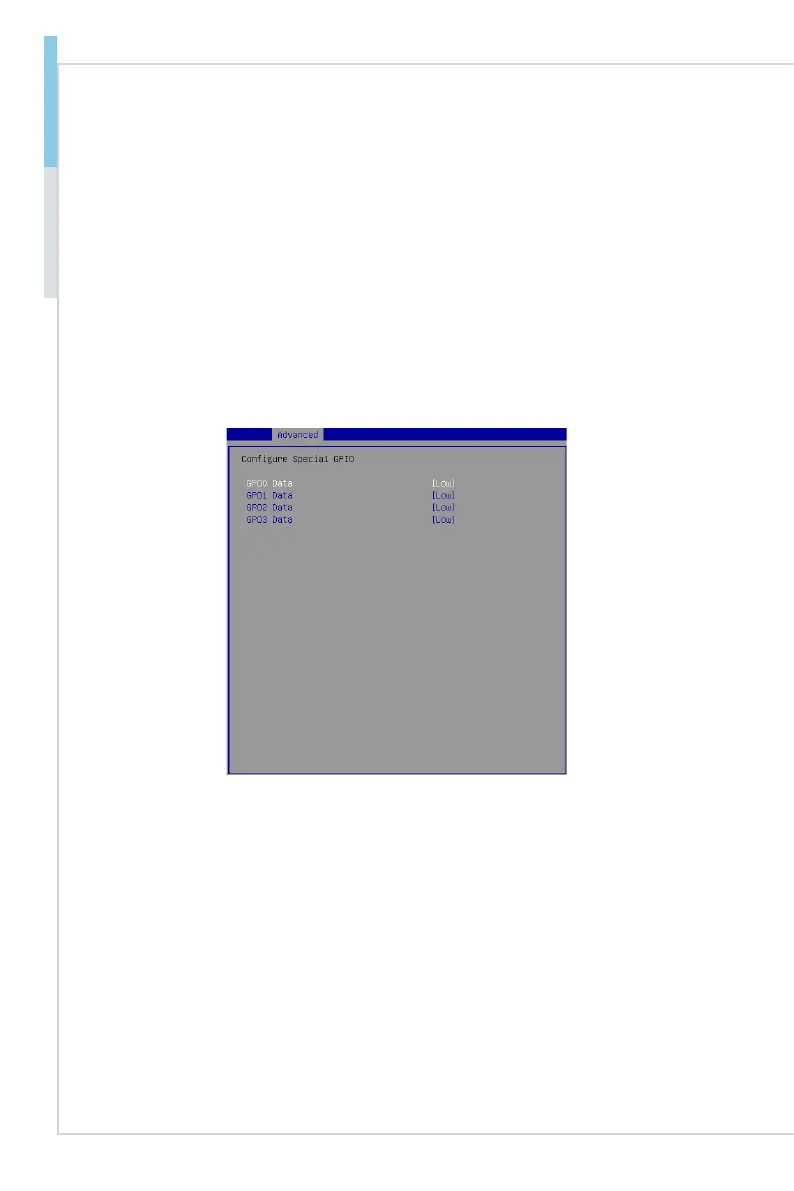
▶GPIO Group Conguration
▶GPO0 ~ GPO3 Data
These settings control the operation mode of the specied GPIO.



 To Next Page