EasyManua.ls Logo

MTD 145-660A - INSTALLING THE BATTERY

MTD 145-660A
34 pages
Print Icon
To Next Page IconTo Next Page
To Previous Page IconTo Previous Page
Loading...
DO
NOT
OVERFILL
C.
After
filling
cells,
wait
five
to
ten
minutes
and
add
additional
electrolyte
if
necessary
to
ring
electro¬
lyte
to
proper
level.
D.
Replace
fill
caps.
E.
Charge
battery
for
10
to
15
minutes
at
25-30
amps,
or
for
30
minutes
at
4-6
amps.
^
WARNING
^
Electrolyte
is
a
mixture
of
sulphuric
acid
and
water.
Avoid
contact
with
skin,
eyes,
and
clothing.
If
electrolyte
is
spilled
flush
area
with
clear
water
and
neutralize
with
solution
of
water
and
baking
soda
or
water
and
ammonia.
INSTALLING
THE
BATTERY
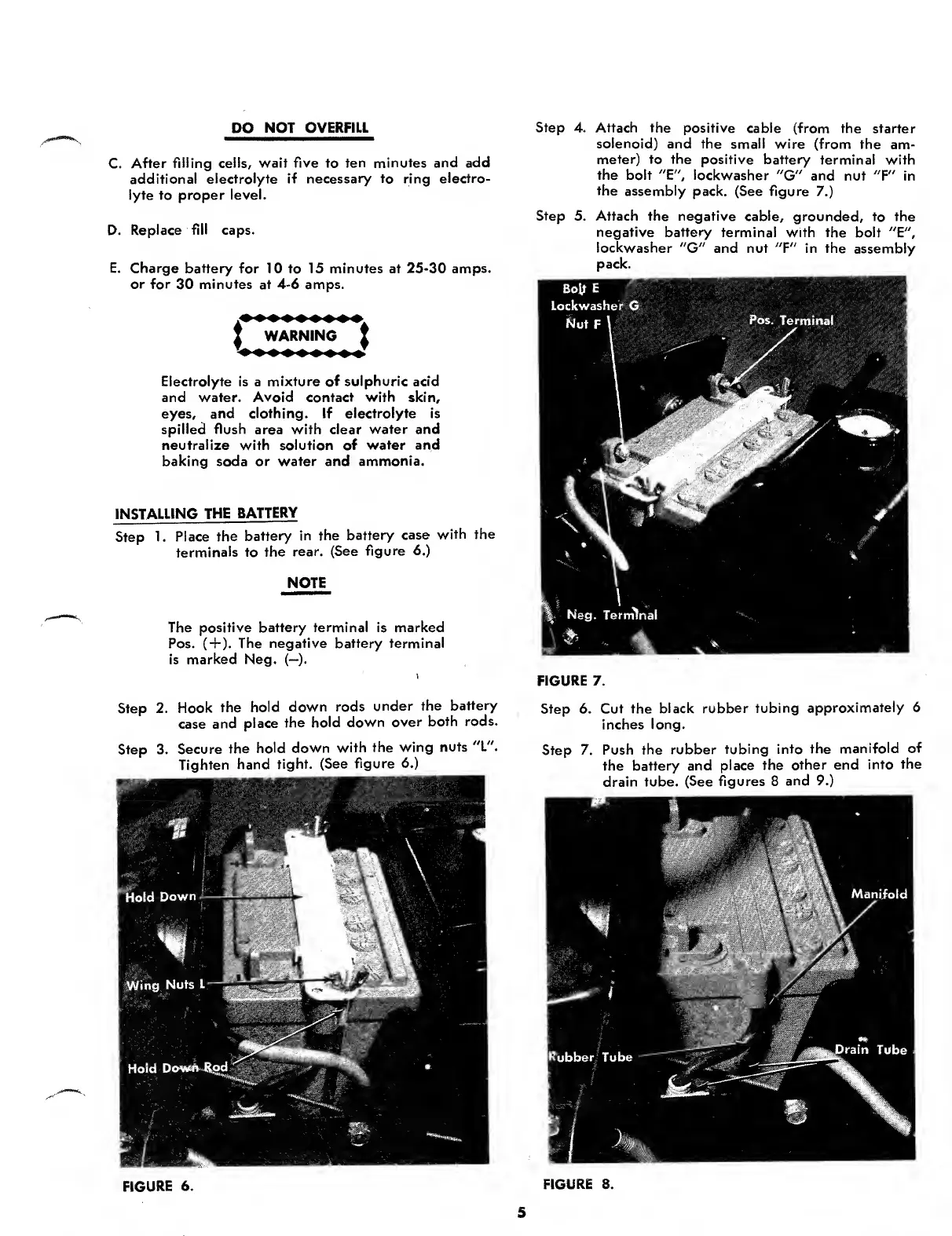
Step
1.
Place
the
battery
in
the
battery
case
with
the
terminals
to
the
rear.
(See
figure
6.)
NOTE
The
positive
battery
terminal
is
marked
Pos.
(
+
).
The
negative
battery
terminal
is
marked
Neg.
(—).
Step
2.
Hook
the
hold
down
rods
under
the
battery
case
and
place
the
hold
down
over
both
rods.
Step
3.
Secure
the
hold
down
with
the
wing
nuts
"L".
Tighten
hand
tight.
(See
figure
6.)
FIGURE
6.
Step
4.
Attach
the
positive
cable
(from
the
starter
solenoid)
and
the
small
wire
(from
the
am¬
meter)
to
the
positive
battery
terminal
with
the
bolt
"E",
lockwasher
"G"
and
nut
"F"
in
the
assembly
pack.
(See
figure
7.)
Step
5.
Attach
the
negative
cable,
grounded,
to
the
negative
battery
terminal
with
the
bolt
"E",
lockwasher
"G"
and
nut
"F"
in
the
assembly
pack.
FIGURE
8.
FIGURE
7.
Step
6.
Cut
the
black
rubber
tubing
approximately
6
inches
long.
Step
7.
Push
the
rubber
tubing
into
the
manifold
of
the
battery
and
place
the
other
end
into
the
drain
tube.
(See
figures
8
and
9.)
5

Other manuals for MTD 145-660A

Related product manuals