EasyManua.ls Logo

MTD 310 - Trouble Shooting Chart.15

MTD 310
21 pages
Print Icon
To Next Page IconTo Next Page
To Previous Page IconTo Previous Page
Loading...
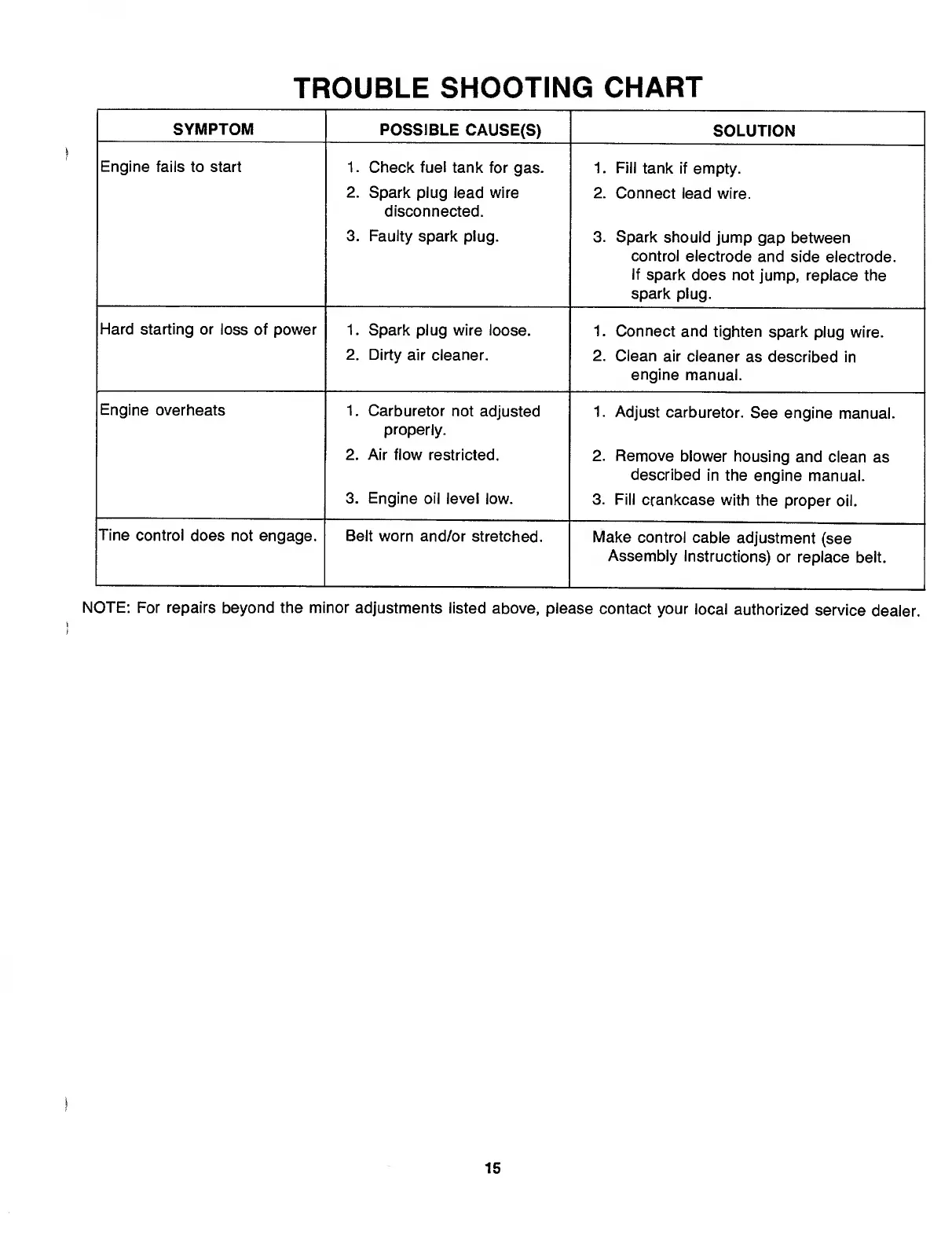
TROUBLE
SHOOTING
CHART
SYMPTOM
POSSIBLE
CAUSE(S)
SOLUTION
Engine
fails
to
start
1.
Check
fuel
tank
for
gas.
1.
Fill
tank
if
empty.
2.
Spark
plug
lead
wire
disconnected.
2.
Connect
lead
wire.
3.
Faulty
spark
plug.
3.
Spark
should
jump
gap
between
control
electrode
and
side
electrode.
If
spark
does
not
jump,
replace
the
spark
plug.
Hard
starting
or
loss
of
power
1.
Spark
plug
wire
loose.
1.
Connect
and
tighten
spark
plug
wire.
2.
Dirty
air
cleaner.
2.
Clean
air
cleaner
as
described
in
engine
manual.
Engine
overheats
1.
Carburetor
not
adjusted
properly.
1.
Adjust
carburetor.
See
engine
manual.
2.
Air
flow
restricted.
2.
Remove
blower
housing
and
clean
as
described
in
the
engine
manual.
3.
Engine
oil
level
low.
3.
Fill
crankcase
with
the
proper
oil.
Tine
control
does
not
engage.
Belt
worn
and/or
stretched.
Make
control
cable
adjustment
(see
Assembly
Instructions)
or
replace
belt.
NOTE:
For
repairs
beyond
the
minor
adjustments
listed
above,
please
contact
your
local
authorized
service
dealer.
15

Related product manuals