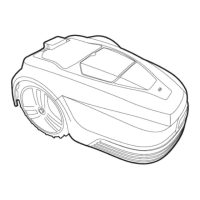
Mower is outside the perimeter.
Place the mower inside the
perimeter.
Mower is lifted away from the
ground.
Move the mower to a flat part of
the lawn.
Mower is tilted too much.
Move the mower to a flat part of
the lawn.
Return the mower to its normal
position.
Mower is trapped by obstacles.
Power supply or the wire is not
connected to the station, or wire
is broken.
Check the power supply, station
and wire are connected normally.
Identify wire break and repair
with wire splicer.
Blade motor or drive motor is
stuck. The motor current is too
high
Clear the grass or soil in cutting
means and driving wheels. Cut
the high and thick grass with a
conventional lawn mower.
The battery temperature is too
high.
Wait until the temperature
decreases.
Wheel spinning faults where the mower will stop in a single spot and wheel(s) spin is a combination of
uneven and/or wet ground. The solution is to add soil to level the ground. Ensure good drainage of the lawn
before mowing, and not to mow during heavy rain and water logging.
If the boundary wires are in the wrong connectors (so the signal is clockwise not counter-clockwise) then the
mower will attempt to be outside the perimeter. If the mower leaves the area constantly then change the
wires around at the charging station (moving the wire in red connector to black and vice versa).


 To Next Page