84
REPAIRING THE BOUNDARY WIRE
If the boundary wire gets cut or breaks for any
reason (indicated by solid red light on charging
station), you need to locate and repair it. You will
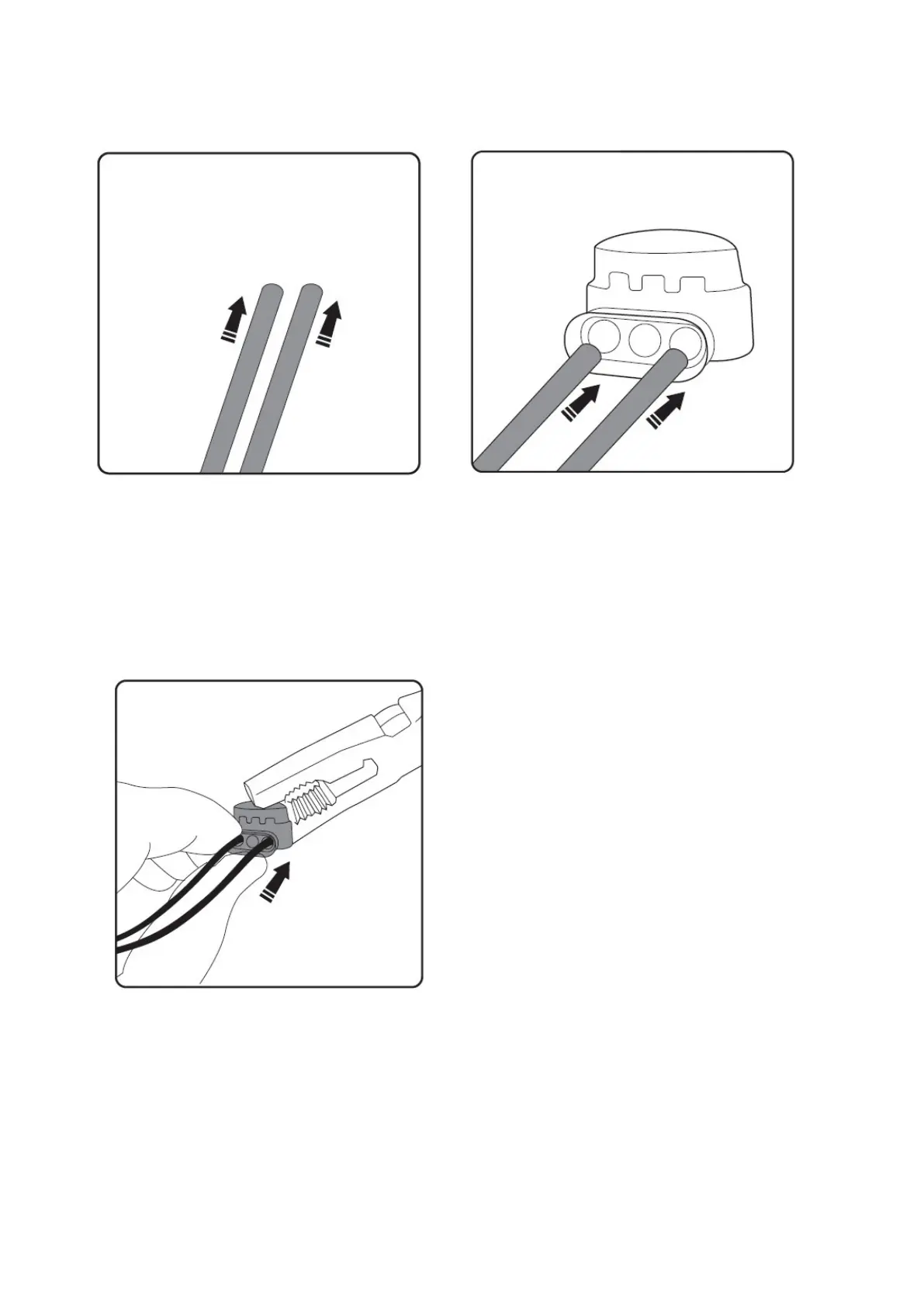
need to use one of the splicing clips provided. First
take up the slack in the wire so there is some
overlap.
The clip has two channels in it. Push one end into
one channel and the other end into the other. The
wire needs to go right in. Do not remove the plastic
insulation from the end of the wire.
Taking a pair of pliers, crimp the metal tab onto the
inserted wires. This will form a connection
between the wires.
When the boundary wire is repaired the charging station will display a solid blue light. If the light is still red
there are more breaks in the loop, which will need locating and repairing.


 To Next Page