Lighting (continued)
The headlight functions under rule 17 and dims when stopped for a time or while
backing up. Of course, just as you begin to move forward, it goes bright to show
the way.
By default your ditch lights are set to ON. That means they are ON as soon as the
engine starts moving in forward. When you sound the horn they will alternately
flash and will continue to flash for 5 seconds after the horn button has been
released. When you set the ditch lights to OFF they will stay off regardless of
movement or horn sounds. NOTE – The Ditch Lights follow Rule 17 lighting.
That means when your engine is stopped the ditch lights will go off. Once you start
moving again in forward (when the headlight goes from dim to bright) they will
come back ON, provided you have them set to ON.
On the GE Evolution version of the ES-44 there is a new lighting feature that
existed on the Demonstrator model - Charge Lights. These lights showcase GE's
hybrid dynamic braking. At idle and during braking these lights chase in towards
the center of the body. When moving the lights chase out towards the traction
motors. The LMK softkey in DCS controls this lighting effect.
DCS Digital Control System
As you may have gathered by now, DCS is an M.T.H. exclusive Digital Control
System that provides easy access to dozens and dozens of features in our models.
We developed DCS to provide a powerful and advanced model train control system
that was simple and enjoyable to use. We've accomplished that goal. DCS further
expands the features available far beyond that of DCC. After all, in DCC, we only
had a limited number of “F” commands to fill.
As with DCC, we'll leave the detailed “how-to” system explanations to the DCS
system manuals. What you should know are all the cool features your engine has
built-in, waiting for you to experience.
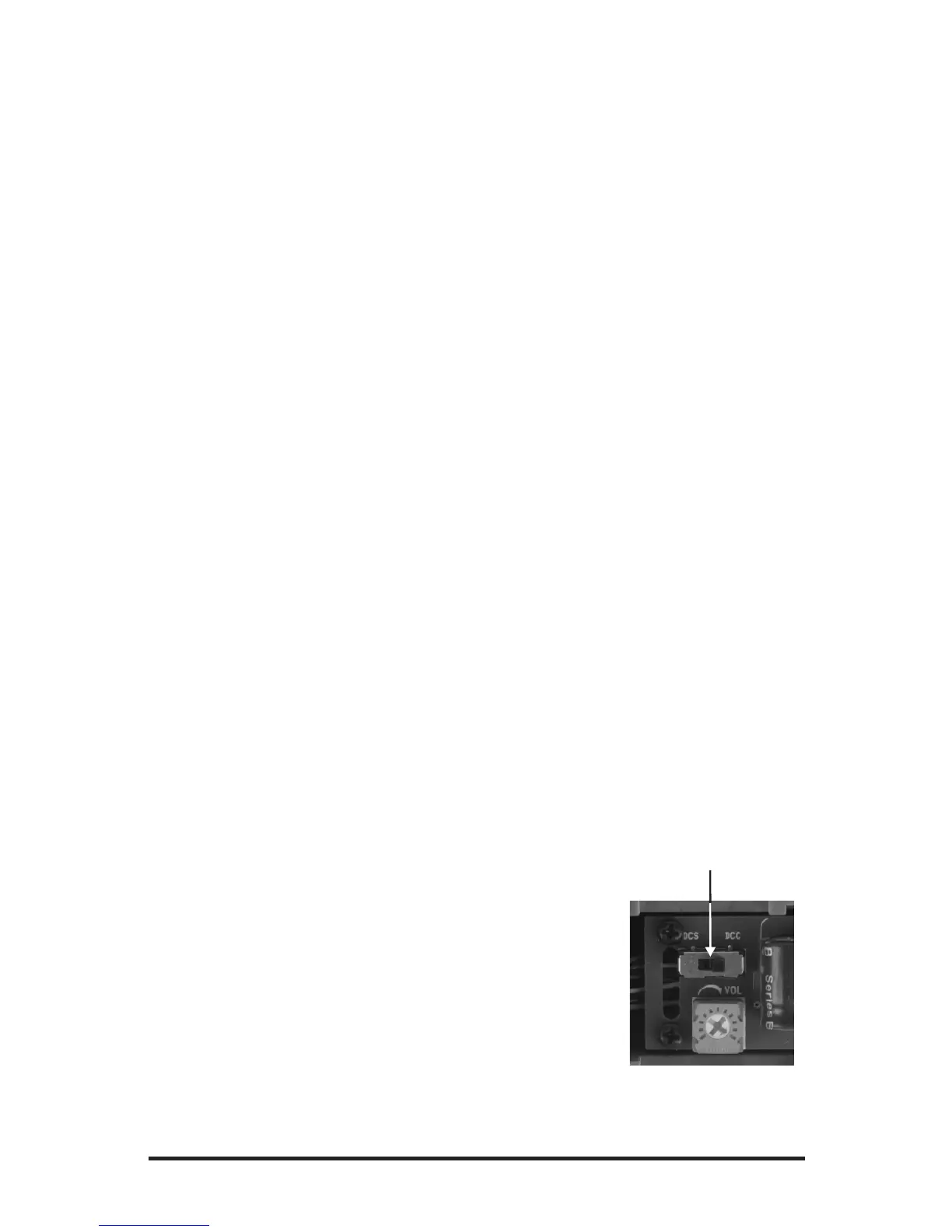
Don’t forget to switch your engine to DCS MODE!
Running the Engine
Once the DCS system is connected to your track and
powered up by an AC or DC Power Supply (even though
DCS can be controlled by AC and DC power supplies, your
M.T.H. HO locomotive will ONLY run on DC power), you
simply place your engine on the rails, press “ADD ENG”
and the system will scan the track and automatically upload
your engine into the controller. At this point, you can press “START UP”, roll the
throttle and pull out! That's it!
M.T.H. HO ES44AC PS3E+ Diesel Engine
13
DCC-DCS Switch


 To Next Page