25
Chapter 3 - Software Installation and Configuration
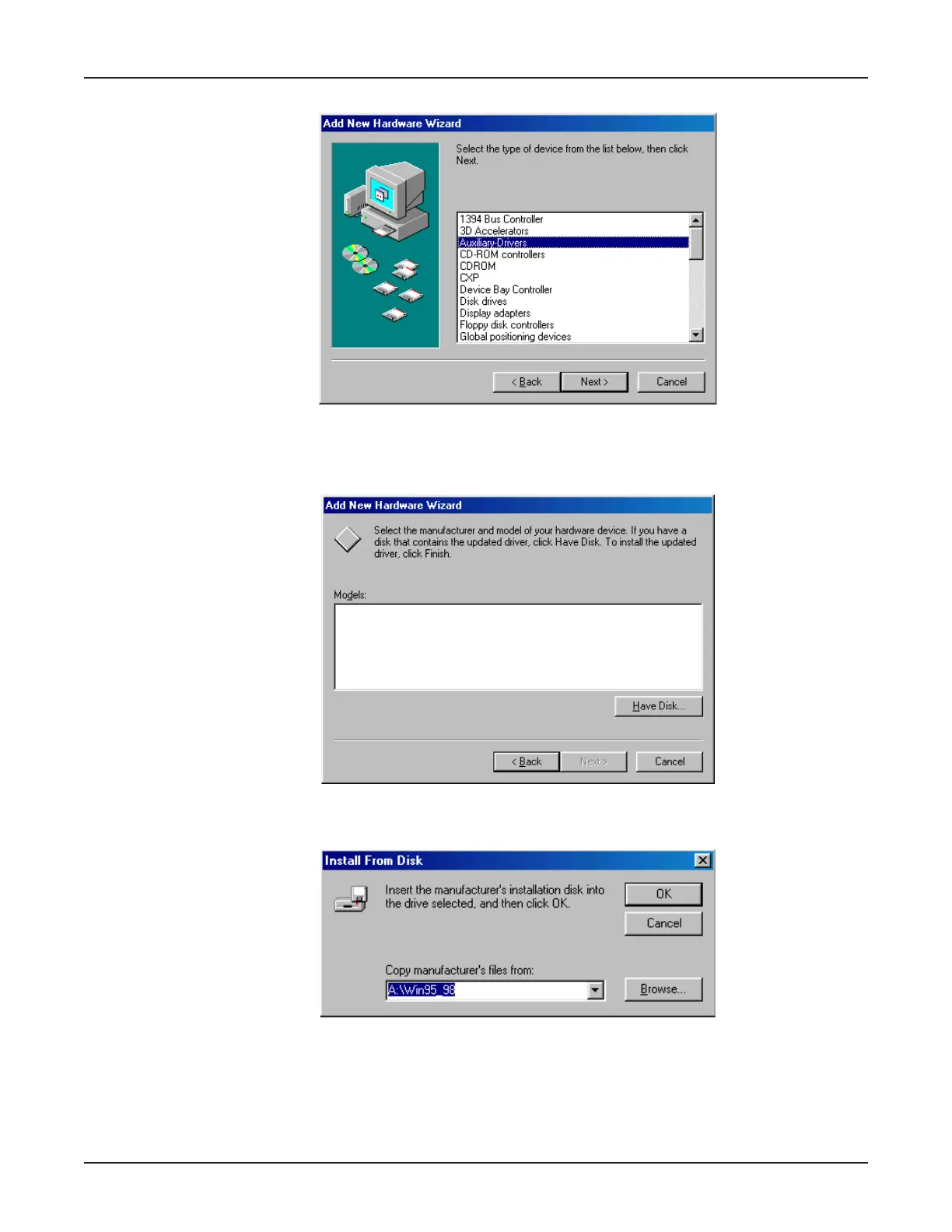
6. The Add New Hardware Wizard displays a list of device types.
Select Auxiliary-Drivers and click Next>.
7. The Add New Hardware Wizard displays, asking you to select the manufacturer and model of
your hardware device.
Click Have Disk....
8. The Install from Disk dialog box displays.
Ensure the MTA128ST-USB diskette has been inserted into the computer’s floppy disk drive (A:\ ).
In the
Copy manufacturer’s files from:
field, type A:\Win95_98, then click OK.



 To Next Page