PAGE 34 — MAYCO LS450 CONCRETE PUMP • OPERATION MANUAL — REV. #2 (02/23/21)
OPERATION
STARTING PROCEDURE
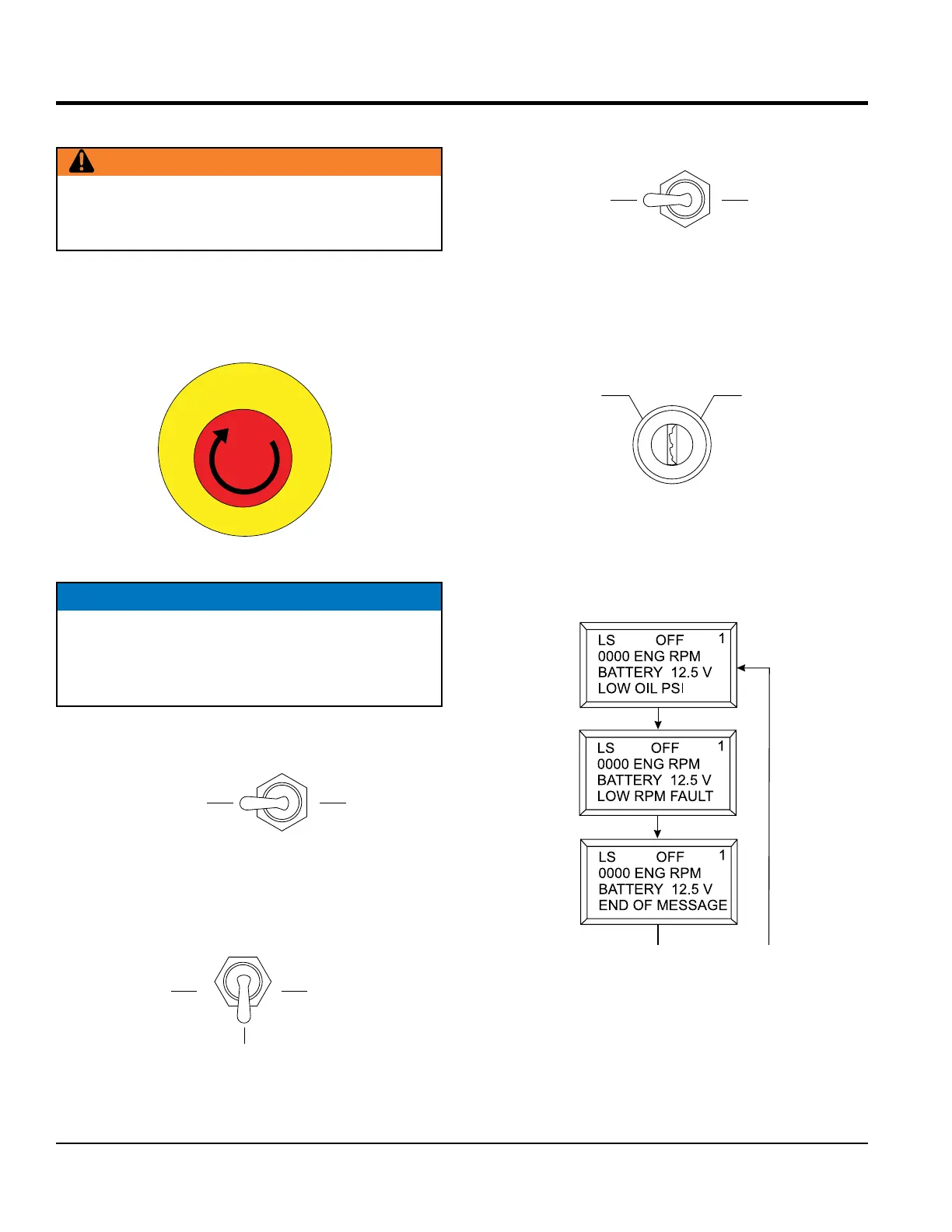
1. Locate the emergency stop switch (Figure 21) on
the digital control panel. Turn the emergency stop
switch clockwise and release (open). This will allow
the engine to start.
Figure 21. Emergency Stop Switch
2. Place the cylinder stroke control switch in the
AUTOMATIC position (Figure 22).
Figure 22. Cylinder Stroke Control Switch
(Automatic)
3. Place the pumping control switch in the CENTER OFF
position (Figure 23) for normal pumping operation.
Figure 23. Pumping Control Switch (OFF)
WARNING
DO NOT attempt to operate this concrete pump until
the Safety Information, General Information, and
Inspection sections have been read and understood.
n
c
e
y
g
r
S
e
t
o
m
p
E
NOTICE
If the emergency stop switch is in the closed position
(STOP), the engine will not start. To start the engine, make
sure the emergency stop switch is in the OPEN (fully
extended) position.
AUTOMATIC
LOCAL
CENTER
OFF
4. Place the direction control switch in the FORWARD
position (Figure 24).
Figure 24. Direction Control Switch
(FORWARD)
5. To start the engine, insert the ignition key (Figure 25)
into the ignition switch and turn the key to the ON
position.
Figure 25. Ignition Switch
6. When the ignition key is in the ON position, the digital
readout screen (primary) will cycle through 3 displays
as shown in Figure 26.
Figure 26. Primary Screen (Ignition Key ON)
7. Turn the key to the START position and listen for the
engine to start. In warm weather, let the engine warm
up for 5 minutes. In cold weather, let the engine warm
up for 10 minutes.
WARD
ON
OFF
START
450
450
450


 To Next Page