SPECIFICATIONS
Conduit
®
Cat 4 for EU/UK MTCDT-L4E1 Hardware Guide 11
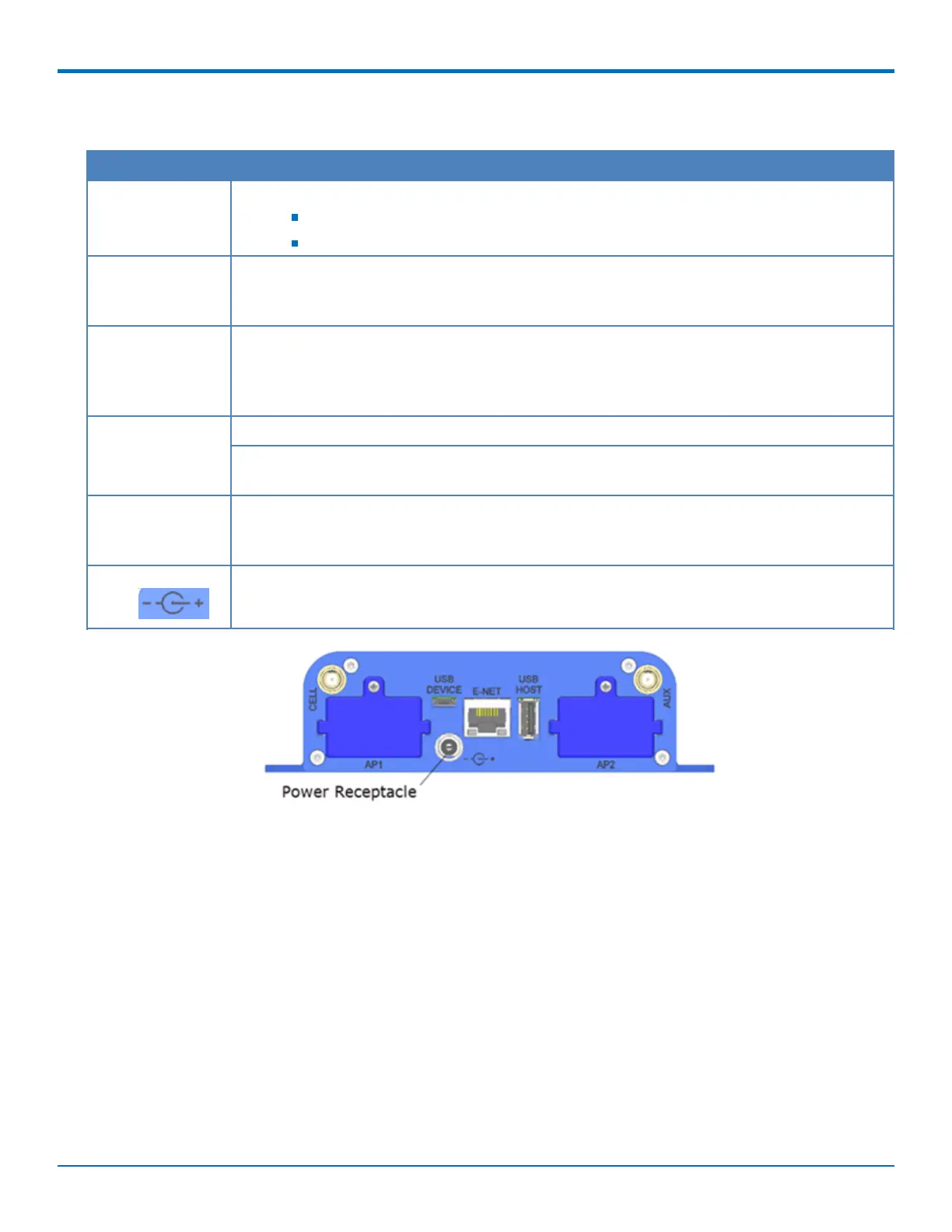
Backpanel Connectors
Label Description
CELL, AUX Cellular antenna inputs.
CELL - Primary.
AUX - Diversity.
AP1, AP2 Slots for MultiTech accessory cards. You can install an accessory card in either slot. Both slots
can be occupied at one time. An exception is an SDIO (Secure Digital Input/Output) card,
which can be used only in the AP1 slot.
USB DEVICE User-defined, high-speed 480 Mbps, standard USB 2.0 Micro B connector. Use this port to
connect the Conduit to a computer or another device. By default, this port is a serial port
terminal interface, but you can program it to act as another device such as a mass storage
device or an Ethernet port.
E-NET RJ-45 receptacle for standard Ethernet 10/100 Base-T.
Caution: Ethernet ports and command ports are not designed to be connected to a public
telecommunication network or used outside the building or campus.
USB HOST High-speed, standard USB 2.0 Type A connector. 500mA maximum current draw. You can
plug into the Host port a device such as a flash drive, camera, or printer if the Linux kernel
has the appropriate driver.
Power 9-32 Vdc power receptacle for provided power cord.



 To Next Page