SPECIFICATIONS
12 Conduit
®
Cat 4 for EU/UK MTCDT-L4E1 Hardware Guide
LED Descriptions
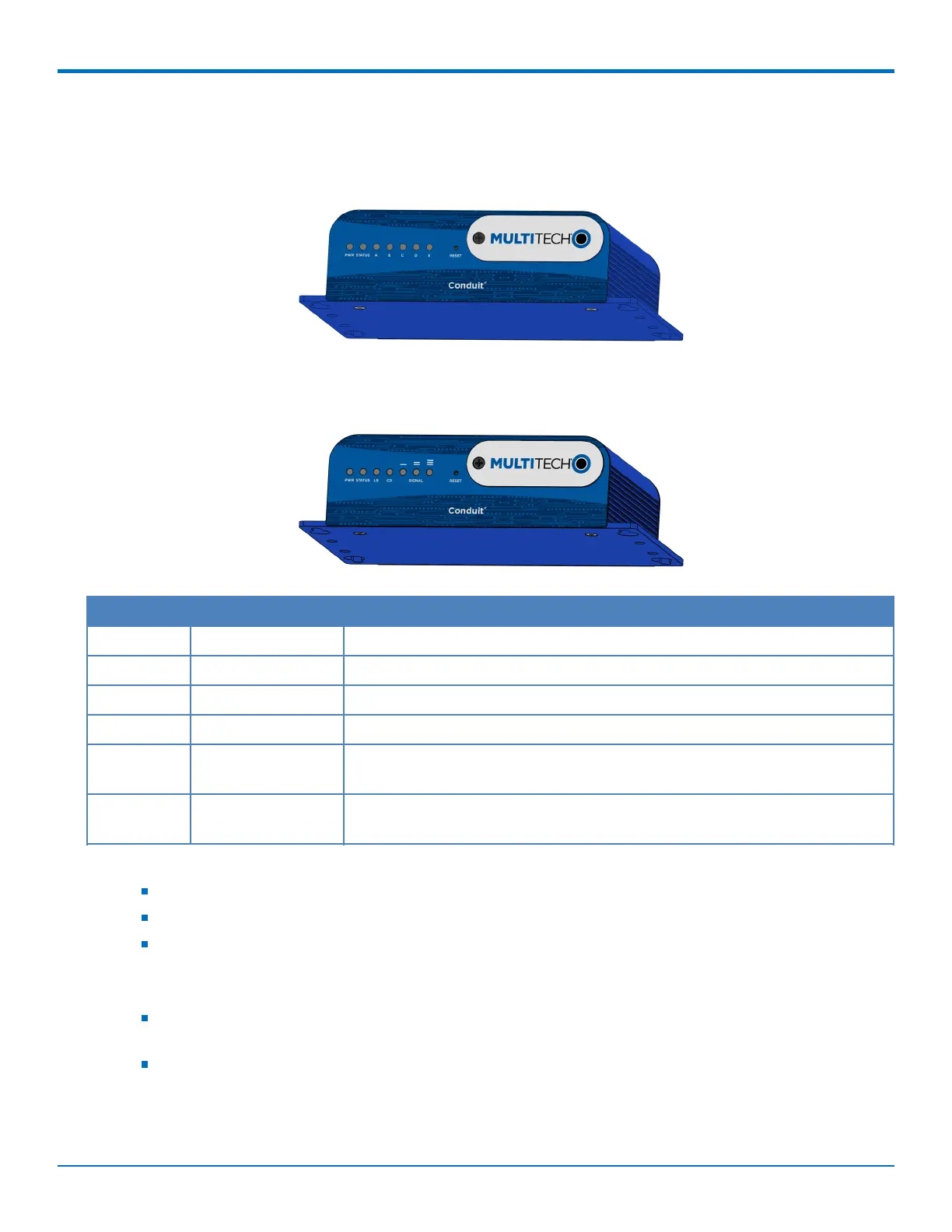
Conduit mLinux Model Front Panel
Conduit Application Model Front Panel
Label Name Description
PWR Power Solid (constant) green if unit is on indicating that DC power is present.
STATUS Power Status Default condition: LED blinks when mLinux is fully loaded.
LS Link Status Varies with radio model.
A-B-C-D -- These 4 LEDs are user-specified. Present on the Conduit mLinux model only.
CD Carrier Detect This LED is on when a cellular data connection is made. Present on the
Conduit Application model only.
Signal Signal Strength These 3 LEDs display the strength of the cellular signal. Present on the
Conduit Application model only.
If a cellular radio is installed, the typical LS (Link Status) LED behavior is the following:
OFF - No power to the cellular radio
Continuously Lit - Not registered
Slow Blink (-0.2Hz) - Registered or connected
On the back of the Conduit, the RJ-45 Ethernet LEDs (located at the bottom of the connector) are defined as
follows:
Orange LED (lower-left) indicated activity/link. Blinks when there is transmit and receive on the
Ethernet link. It shows a steady light when there is a valid Ethernet connection.
Green LED (lower-right) indicates link speed. Lit when Ethernet is linked at 100Mbps. If not lit, Ethernet
is linked at 10 Mbps.



 To Next Page