MultiTech Conduit Edge SDK Installation and Setup Guide
Verify the Connection on the Platform
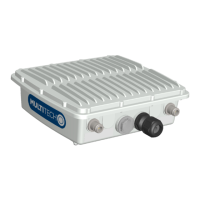
On your ThingWorx platform, navigate to the
“Monitoring” drop-down at the top-right of
the Composer, choose “subsystems”, and
then click “WS Communications” and
“Refresh Now”. You should see an active
websocket listed.
Verify that the “wsems” file is
executable by typing chmod 777
wsems.
Run the executable by typing the
following command:
./wsems
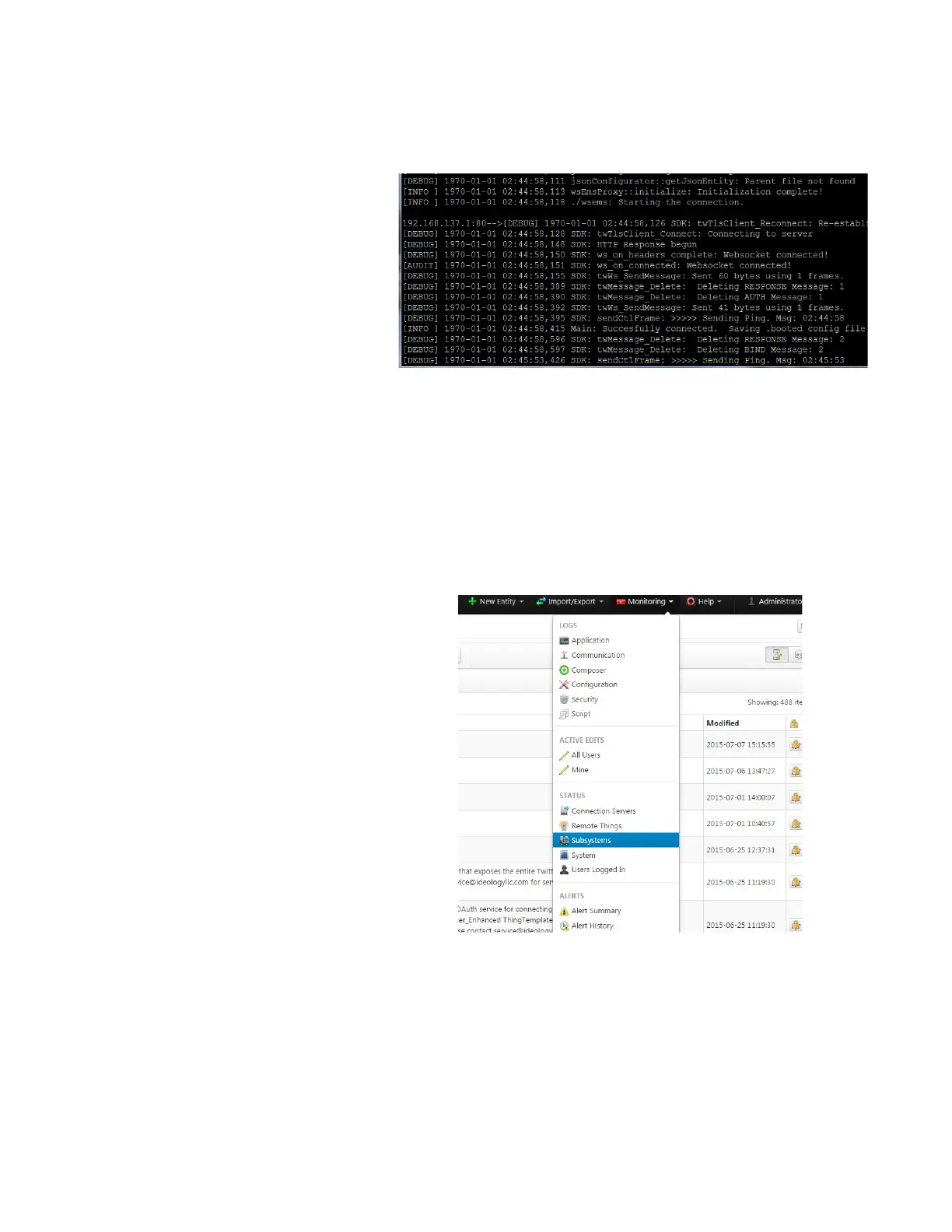
Verify that the executable is running
and in an idle state. You should see a
console similar to the screenshot at
right if it is running correctly.
Most important are the “Successfully
connected” and “Sending Ping”
responses.
Refer to the Troubleshooting section
for assistance with problems
encountered at this stage.


 To Next Page