Chapter 2 - Installation
Multi-Tech Systems, Inc. MT9234ZPX User Guide 11
DriverInstallationforWindows7
If you did not use the pre-installer for Windows, this is the process for installing your modem.
The following driver installation procedure is based on Windows 7 32-bit Operating System. The Windows 7 64-bit
Operating System installs in the same manner.
Windows 7 operates differently than the older Microsoft Operating Systems when it is installing drivers, in that it
goes out to Internet Windows Update site and searches for the device driver as soon as it detects a new device.
This is done in the background so you don’t even see it is happening. When it does not detect the driver for the new
device, it returns control to you. This is represented in the display of the desk top. In order to get the install going
you have to bring up Control Panel.
Card Driver Installation
This wizard installs the files for the MultiModem ZPX.
1. Power up your computer. Windows 7 goes out to Microsoft Windows Update and searches for the device
driver for the product it detected during the boot up sequence.
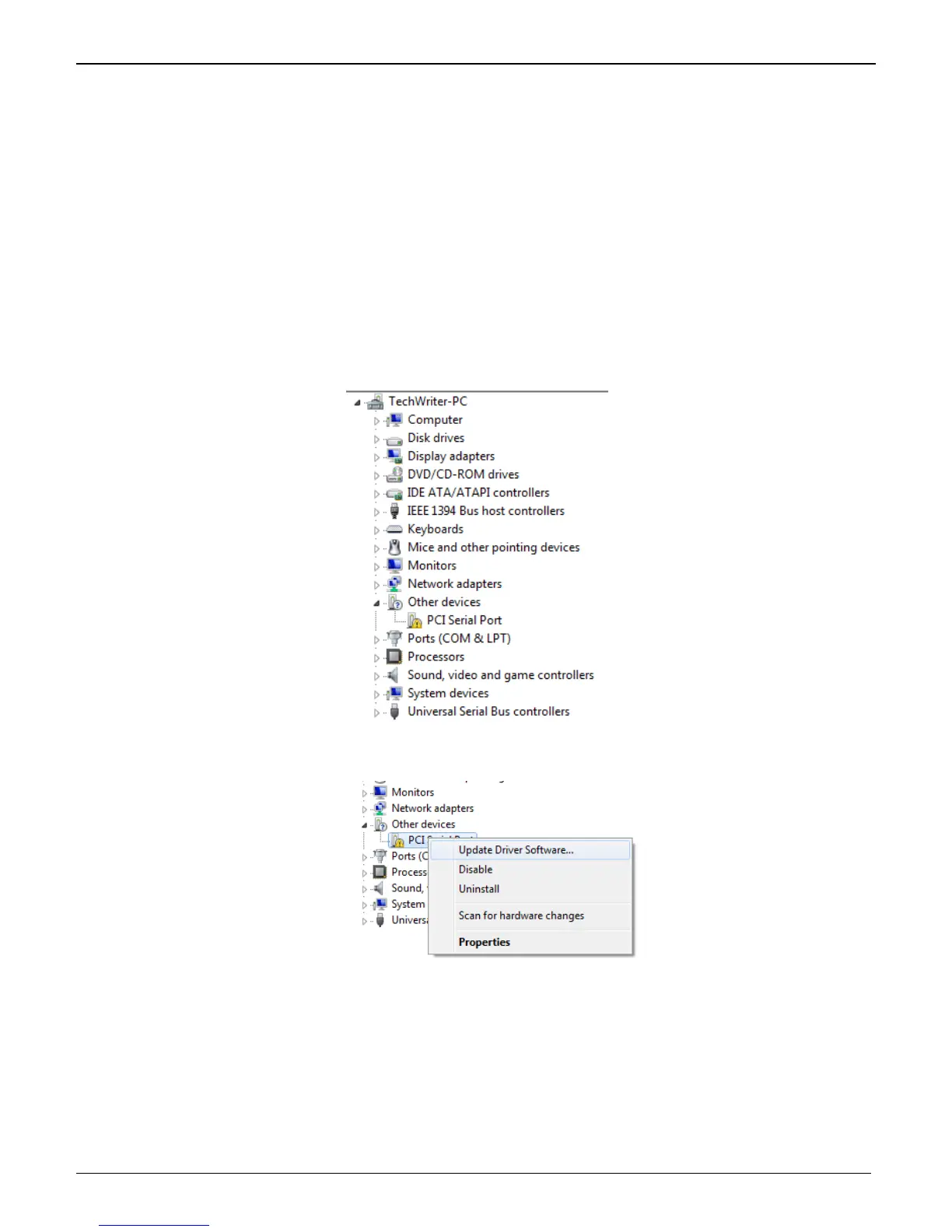
2. Go to Start | Control Panel | System and Security | System and click on Device Manager.
Click on PCI Serial Port and then right click. A submenu comes up; now click on Update Driver
Software.















 To Next Page