Chapter 2 - Installation
Multi-Tech Systems, Inc. MT9234ZPX User Guide 17
Installation of the COM port
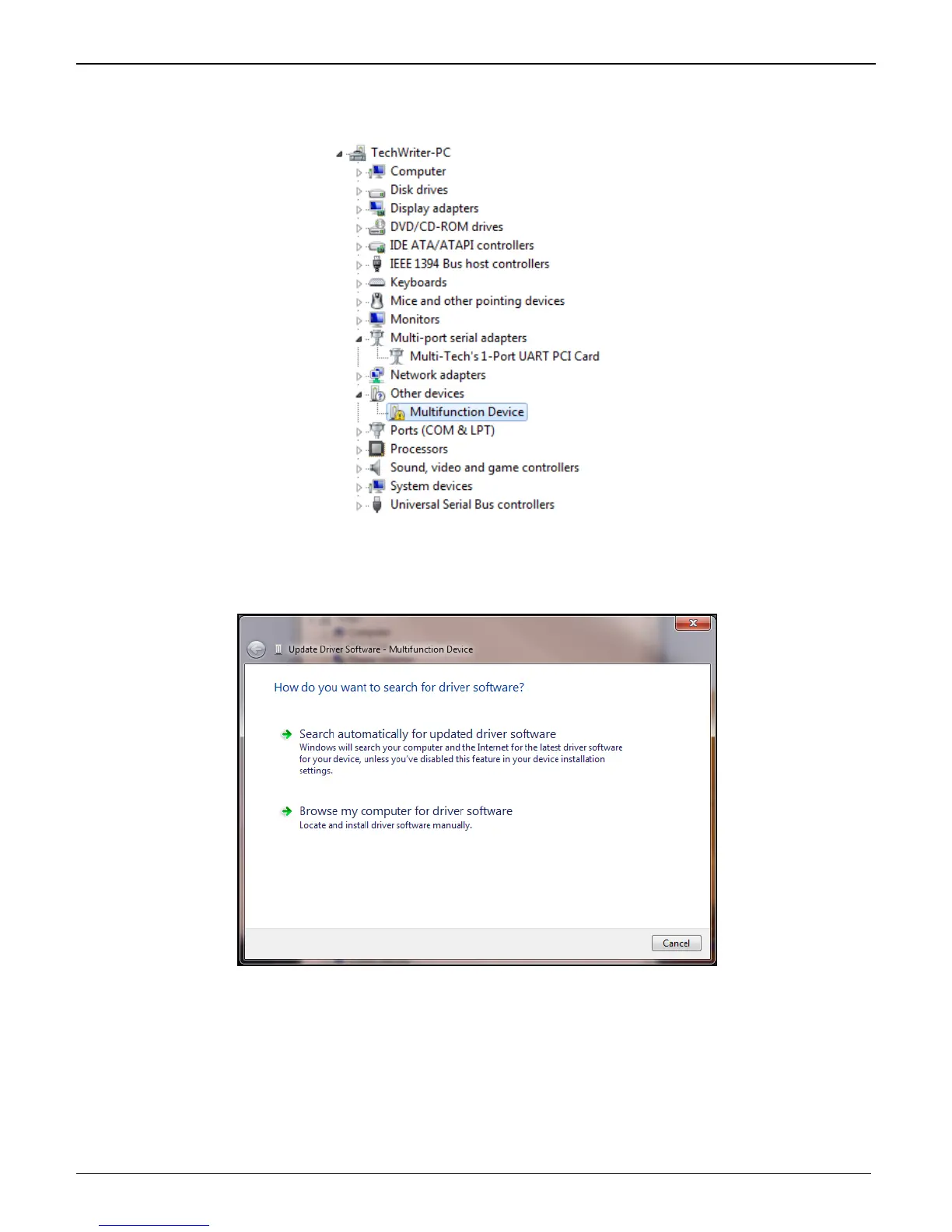
The Device Manager window will still be open (unless you have closed it – then you will need to open it again) and
there is a new entry in Other devices: Multifunction Device.
1. Right-Click on the Multifunction Device in Other devices and a submenu will come up; now click on
Update Driver Software.
Update Driver Software – Multifunction Device screen appears.
2. Select Browse my computer for driver software and select the folder appropriate for your operating
system, then click Next.















 To Next Page