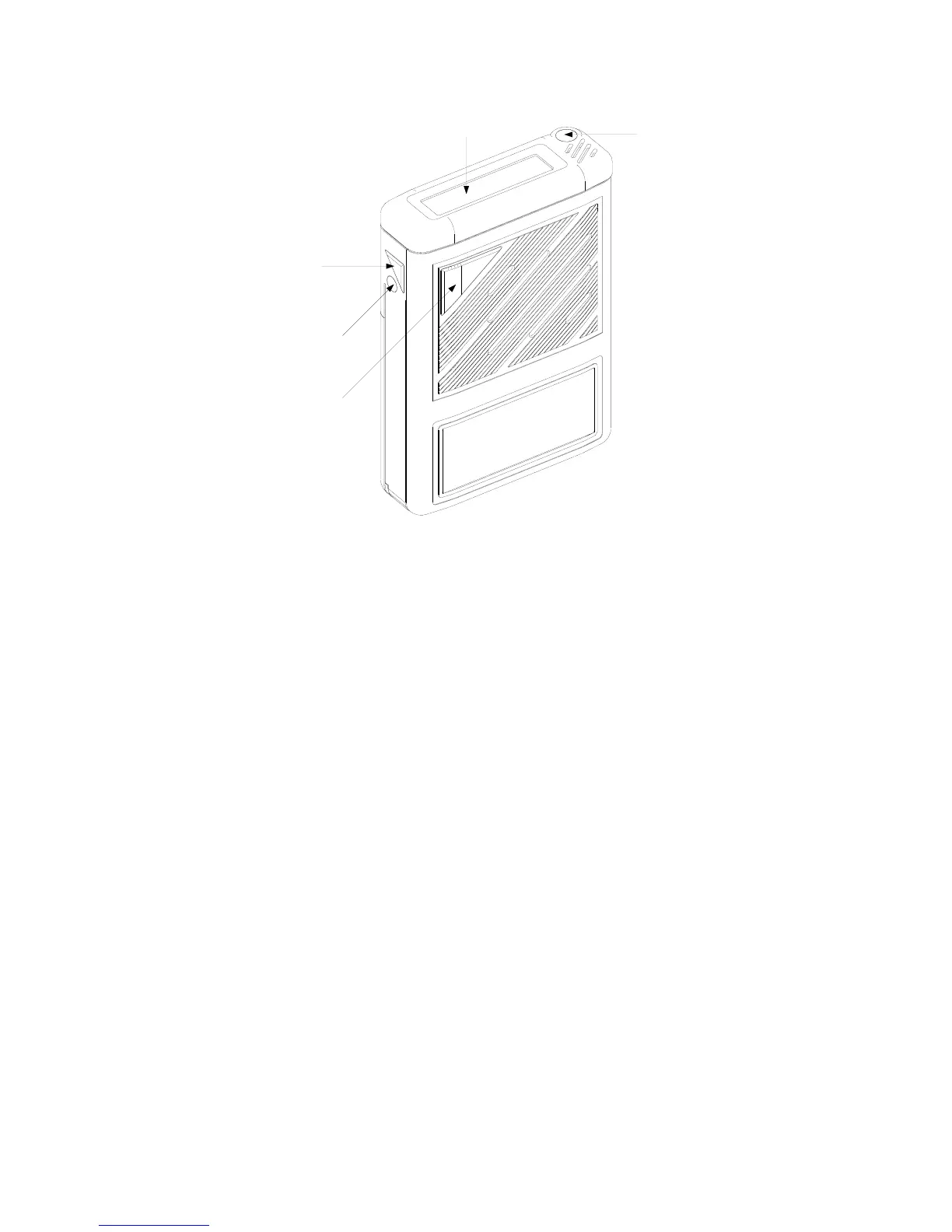
ALERT LED
DISPLAY
MUTE BUTTON
OFF BUTTON
ON/CANCEL/
MEMORY RECALL
BUTTON
PSG/10431/1
RPR 550IS Series
TM1188 Issue 1 Page 2 - 3
Figure 1: Controls and Indicators
WEARING THE PAGER
3. The pager is supplied with a detachable Griptite clip which is specially designed to
ensure tight fitting for `in pocket' or `on belt' application. Tighten the clip by moving the
clip slider towards the top of the pager.
OPERATION OF PAGER
Switching On
4. To switch on the pager press the On/Cancel/Memory Recall button once. For the first
0.5s the pager emits a 2.7kHz beep, the Light Emitting Diode (LED) illuminates, all
segments are displayed and the vibrate (if fitted) operates (see Figure 2). If the battery
is low the pager emits a buzz instead of a beep.
5. The system number and pager address are displayed for the next 3.5s, followed by the
programmable switch-on message for the remaining 4s. The pager display then enters
the quiescent condition and the pager is ready to receive calls.
6. If the EEPROM is faulty or incorrectly programmed the pager shows
`EEEEEEEEEEEEEE' flashing on the display when the pager is switched on. The only
functions available in this state are engineering mode, absence mode (for
re-programming) and switching off.



 To Next Page