Description
Control terminal
10.06.2014 27
2.2 Control terminal
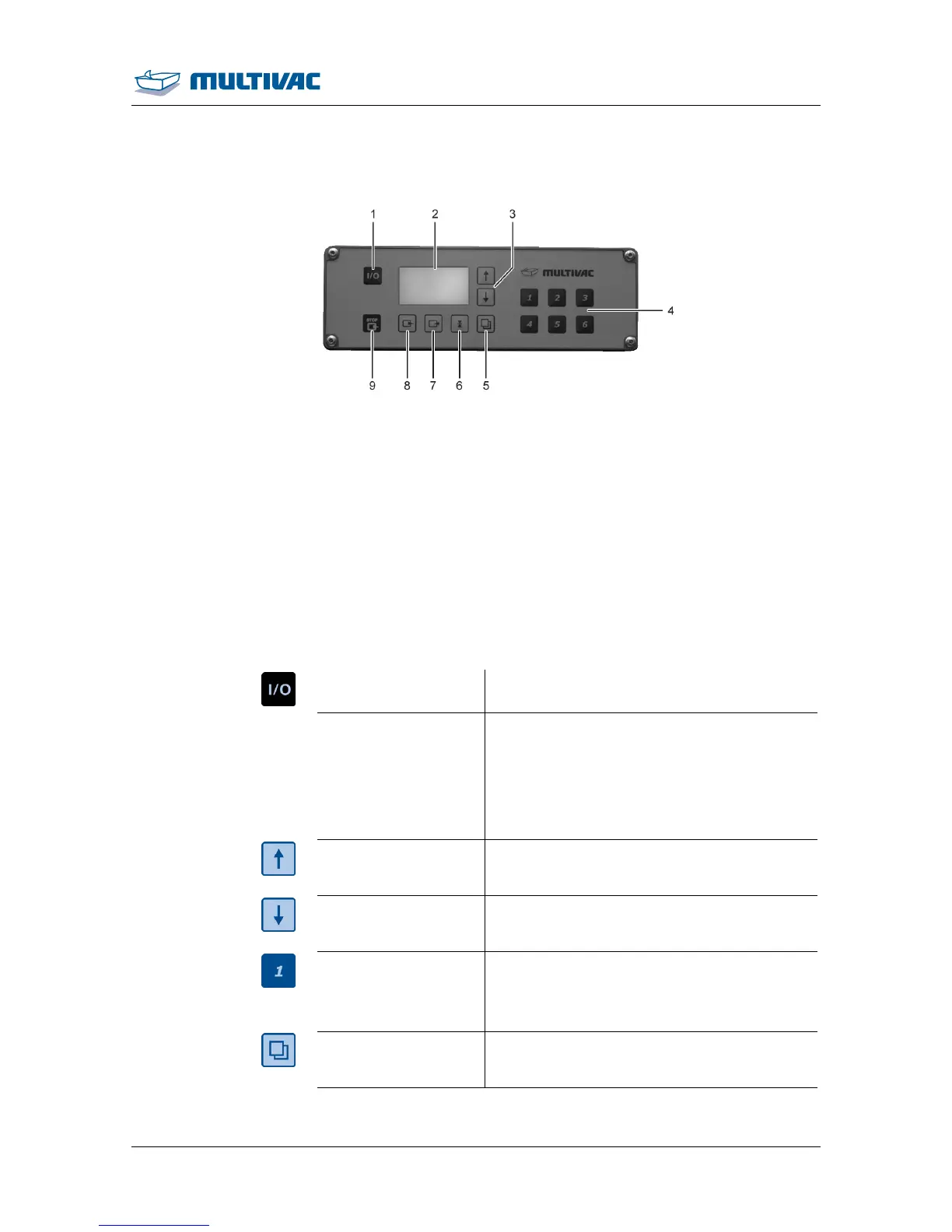
Fig. 21: Control terminal
1
<Machine control On/Off> key
2
Display
3
Keys <Arrow key>
4
Keys <1> to <6>
5
<Function selection> key
6
<Sealing> key
7
<Gas flushing> key
8
<Evacuation> key
9
<Stop> key
<Machine control
On/Off>
• Switch machine control on and off.
Display
• Display process data.
• Show menus.
• Show parameters and functions.
• Graphic support.
• Display diagnostic messages.
<Arrow key>
• Increase values.
• Navigation within menus.
<Arrow key>
• Decrease values.
• Navigation within menus.
Keys <1> to <6>
• Load and save recipes.
• Enter password.
• Enter the configuration code.
<Function selection>
• Call up additional menus.
• Scroll to previous screen.



 To Next Page