7
Support: +1 650 206 2250
8
Support: +1 650 206 2250
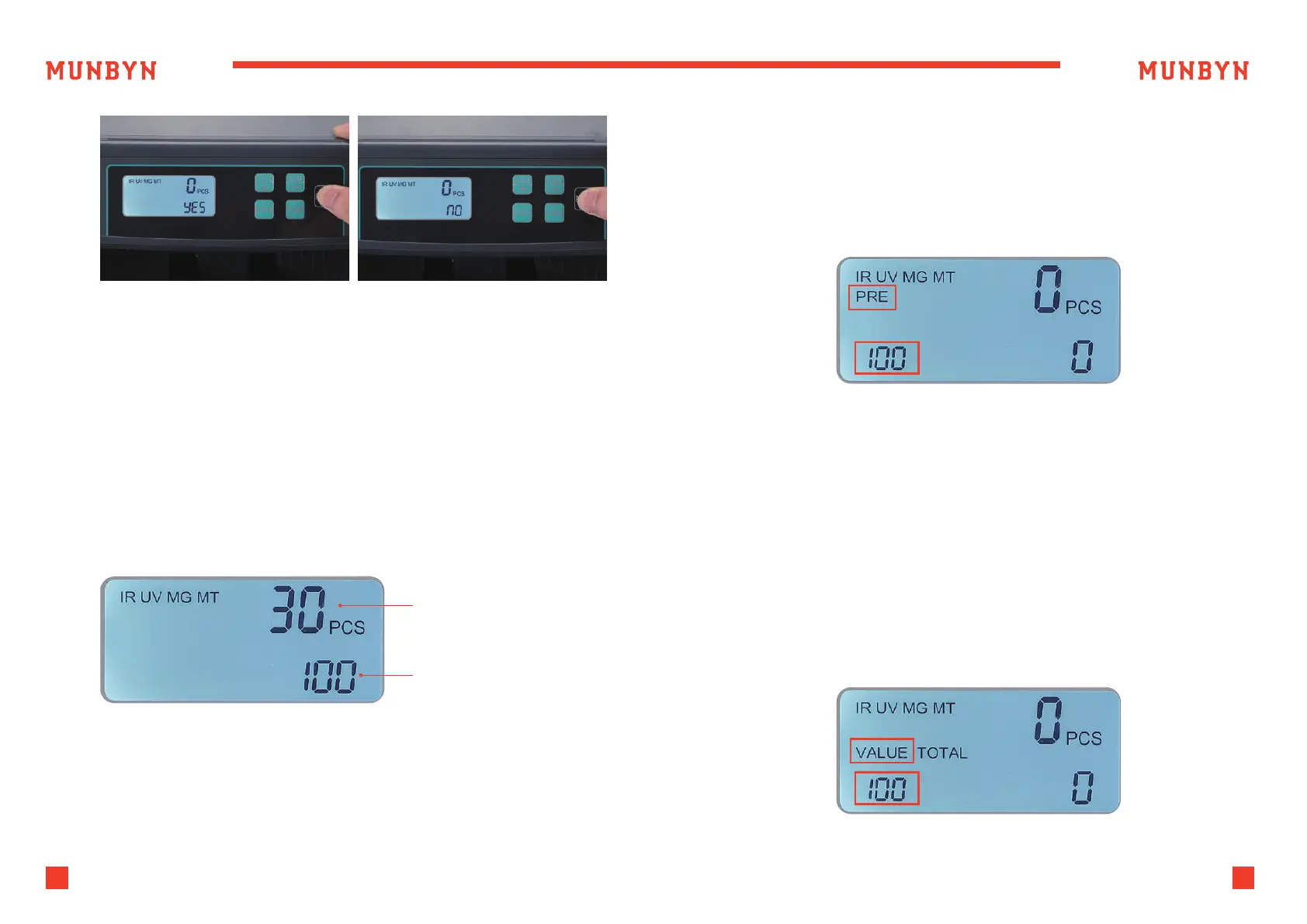
Figure 4-5 AUTO/Manual Mode
Figure 4-6 Count Display
Figure 4-7 Batch Number Setting
4.3.2. Counting Mode
To count bills, place them in the hopper. The IMC51 will start counting the
bills and will move the bills from the hopper to the stacker as it counts them.
The machine will stop counting when the hopper is completely emptied.
The counted number of bills will be displayed on the LCD screen.
When the machine starts to calculate the new stack, two calculation
results will appear on the screen. The upper count result is the calculation
result of the new stack, and the lower count result is the count result of the
old stack, as shown in the figure below.
4.3.3. Batch Mode
4.3.4. Value Counting Mode
Pressing the “BATCH” button of the control panel, the batch number will
be cyclically switched according to 100-50-20-10-null sequence. you can
also increase the number of batches by pressing the “+” key, and press “-”
Key to reduce the number of batches. The batch quantity will be
displayed on the screen.
The machine will start counting automatically once bills are placed in the
hopper. As soon as the machine counts the desired batch quantity, it will
stop. The screen will show the number of bills in the stacker.
When the stacker is emptied, the machine will automatically start
counting the next preset batch quantity.
This mode allows you to display the total value of bills counted.
The IMC51 uses a user-defined bill denomination as a multiplier, displaying
the total value of bills counted.
To activate this function, press the "VALUE" button.
Placing additional bills in the hopper:
Please be sure the stacker does not accumulate more bills than it can
hold (approximately 200 new bills or 150 bills), as this will cause jamming,
and may lead to a motor failure.
New count result
displaySupply
Results of the last
Figure 4-8 VALUE Mode



 To Next Page