EasyManua.ls Logo

Murata WIT2420 - User Manual

Murata WIT2420
37 pages
Print Icon
To Next Page IconTo Next Page
Loading...
WIT2420
2.4GHz Spread Spectrum
Wireless Industrial Transceiver
Integration Guide
June 2
nd
2021
Note: This unit has been tested and found to
comply with the limits for a class A digital device,
pursuant to part 15 of the FCC Rules. These
limits are designed to provide reasonable
protection against harmful interference when the
equipment is operated in a commercial
environment. This equipment generates, uses,
and can radiate radio frequency energy and, if not
installed and used in accordance with the
instruction manual, may cause harmful
interference to radio communications. Operation
of this equipment in a residential area is likely to
cause harmful interference in which case the user
will be required to correct the interference at his
own expense.
Question and Answer IconNeed help?

Do you have a question about the Murata WIT2420 and is the answer not in the manual?

Overview

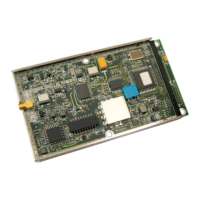
The Murata WIT2420 is a 2.4GHz Spread Spectrum Wireless Industrial Transceiver, designed for reliable wireless connectivity in point-to-point or multipoint applications. It utilizes frequency hopping spread spectrum technology to ensure maximum resistance to noise, multipath fading, and interference, operating in the license-free 2.4GHz ISM band for worldwide compliance.

Function Description

The WIT2420 offers a simple serial interface supporting asynchronous data up to 230400 bps. It includes an on-board 3KB buffer and an error-correcting over-the-air protocol (ARQ) to ensure smooth data flow and simplify integration. The device supports both point-to-point and point-to-multipoint network configurations. In point-to-multipoint, a star topology is used with one radio as the base station and others as remotes, facilitating communication between the base and any remote, but not directly between remotes.

The radio employs 75 frequency channels (2401-2475 MHz) for frequency hopping. Digital addressing supports up to 64 networks, with each base station capable of registering up to 62 remotes, identified by a 6-bit "handle" number. Data scrambling is built-in to reduce eavesdropping.

The WIT2420 operates in two modes: Control mode for parameter modification and Data mode for data transmission. Control mode can be entered by asserting the Configure (CFG) pin or by sending an escape sequence. A Sleep Mode is available for power saving, reducing current consumption to less than 50µA.

For guaranteed bandwidth, the TDMA mode assigns each remote a time slot for transmission. The base station dynamically adjusts slot sizes based on the number of registered remotes to maximize throughput. RF flow control mode is supported for point-to-point operations to prevent receive buffer overruns by stopping acknowledgments when the buffer is full.

Important Technical Specifications

Ordering Information:

  • WIT2420M: OEM Module, Serial connector pins down - Standard
  • WIT2420S: OEM Module, Serial connector pins up

Power Specifications:

  • Vcc Input Range: 3.3V to 10.0V
  • Operating Temperature Range: -40°C to +70°C
  • Current Consumption (Max transmit power, 230.4Kbps I/O):
    • Remote: Sleep 50µA, Standby 20mA, Typical Average 50mA, Peak (Tx) 200mA
    • Base Station: Standby N/A, Typical Average 120mA, Peak (Tx) 200mA

RF Specifications:

  • FCC Certification: Part 15.247, RSS 247
  • ETSI (European) Certification: ETSI 300.328 V2.2.2
  • Rated RF Power: +18 dBm (+20 dBm effective radiated)
  • Line-of-site Range: Approx. 6/10 of a mile
  • Frequency Range: 2401-2495MHz
  • Number of Channels: 75
  • Receiver Sensitivity: -93dBm
  • Channel Data Rate: 460Kbps
  • IF Adjacent Channel Rejection: >55dB

Mechanical Specifications:

  • Weight: 35g
  • Dimensions (including shield): 80.2 x 46.5 x 8.6mm
  • RF Connector: Huber/Suhner 85 MMCX 50-0-1 (WIT), 11 MMCX-50-2-3 (straight), 16 MMCX-50-2-2 (rt. angle)
  • Data/Power Connector: Samtec DIS5-108-51-L-D (WIT), CLP-108-02-G-D (PCB mount), FFSD-08 (IDC cable)

Serial Interface:

  • Signals are 3.3V CMOS levels, forming an RS-232 style asynchronous serial interface.
  • Pinout includes GND, TXD (Input), RXD (Output), CFG (Input), RTS (Input), SLEEP (Input), DCD (Output), CTS (Output), Reset (Input), VCC (Positive supply).
  • For 5V systems, a resistor divider network is required for inputs.

Usage Features

Synchronization and Registration:

  • One radio is designated as the base station, others as remotes.
  • The base station transmits a synchronization signal, allowing remotes to lock onto the hopping pattern (typically within 2 seconds).
  • Remotes request registration from the base, receiving a 6-bit "handle" number for identification.
  • Registration is automatically renewed every 256 hops.
  • Network parameters like hop duration and duty cycle are updated over the air by the base station.

Data Transmission:

  • Supports transparent mode (protocol mode 0) for raw data transmission in point-to-point.
  • In point-to-multipoint, data from the user application to the base must be packetized to direct to specific remotes. Remotes can operate in transparent mode when sending data to the base.
  • Maximum data length per hop is 192 bytes for base, 212 bytes for remotes.
  • Automatic Retransmission Query (ARQ) protocol ensures error-free packet transmission by retransmitting unsuccessful packets.
  • Full duplex communication from an application perspective, though radios do not transmit simultaneously.

Modes of Operation:

  • Control Mode: Allows modification of radio and modem parameters. Accessed via CFG pin or escape sequence.
  • Data Mode: For data transmission.
  • Sleep Mode: Reduces power consumption to <50µA by powering off the radio. Requires re-synchronization upon waking.
  • Low Power Mode and Duty Cycling: Remotes can power down for 2N frequency hops, reducing average power consumption. Mandatory for TDMA mode with >16 remotes.
  • RF Flow Control Mode: Prevents receive buffer overruns in point-to-point by stopping acknowledgments when the buffer is full.

Modem Commands:

  • Serial Commands: Set data rate divisor (1200 bps to 230400 bps) and protocol mode (10 formats available, including transparent, data-only, and WIT2400 compatibility).
  • Network Commands: Set transceiver mode (base/remote), default handle, global network mode (link to specific or any hop pattern, seamless roaming), hopping pattern (64 preprogrammed patterns), transmit power (10mW/100mW), read receive signal strength (RSSI), and range optimization.
  • Protocol Commands: Set alternative frequency band (FCC/ETSI, France, Spain, Japan, Canada), hop duration (default 10ms), minimum data length, maximum number of remotes (default 62), packet attempts limit (including infinite retry for RF flow control), data transmit delay, slot assignment mode (dynamic/static), base slot size (default 32 bytes), and ARQ mode (enabled/disabled).
  • Status Commands: Banner display disable, escape sequence mode, read factory serial number (high, middle, low bytes), set duty cycle, enable low power acquisition mode, and exit modem control mode.

Maintenance Features

Nonvolatile Memory:

  • Stores configuration settings, loaded at power-up.
  • Changes to serial port baud rate or other settings require storing to memory to be permanent.

Recall Factory Defaults:

  • Resets the WIT2420 to its original factory settings. Useful for troubleshooting or testing.

Recall Memory:

  • Restores previously stored power-on settings, useful after temporary changes.

Troubleshooting:

  • Radio not responding: Check DTR assertion (should be 1) and DSR status (should be on).
  • Cannot enter modem control mode: Verify host data rate (default 9600 bps), use correct escape sequence (":wit2400" in lower case, preceded by 20ms pause for "on-the-fly" mode).
  • Remote never detects carrier: Ensure base station is running, remote has same hopping pattern and hop duration, and non-zero link margin.
  • Carrier detected, but no data: Check RTS assertion (should be 1) for receive character flow. In point-to-point, verify base's default handle matches remote's. In multipoint, check remote protocol mode and base protocol format/destination handle.
  • Radio interfering with other circuits: Place antenna at least 1 foot from module, 3 feet from other circuit boards/obstructions. Use grounded metal casing for sensitive circuits.
  • Sign-on banner/modem control prompt unreadable: Check data rates between host and transceiver.
  • Range extremely limited: Check antenna connection and remove near-field obstructions.
  • Transmitting terminal flashes CTS occasionally: Indicates unreliable data transmission, possibly due to interference or network overloading. Adjust protocol parameters.
  • Receiving terminal drops characters periodically: Increase number of retries. Acknowledge that packetized RF channel introduces unpredictable end-to-end transmission delay.
  • Cannot communicate with OEM module: Ensure DTR and RTS are asserted, DSR is on.
  • OEM Module in unknown state: Use m0 command to restore factory defaults (requires known serial baud rate).

Technical Support:

  • Murata Corporation provides technical support at (678) 684-2009 during Eastern Time business hours.

Murata WIT2420 Specifications

General IconGeneral
BrandMurata
ModelWIT2420
CategoryTransceiver
LanguageEnglish