CoreMC™ 2 Reference Guide - http://musiccomputing.com/support 14 | P a g e
7.2 Installing the LGA2011 Processor
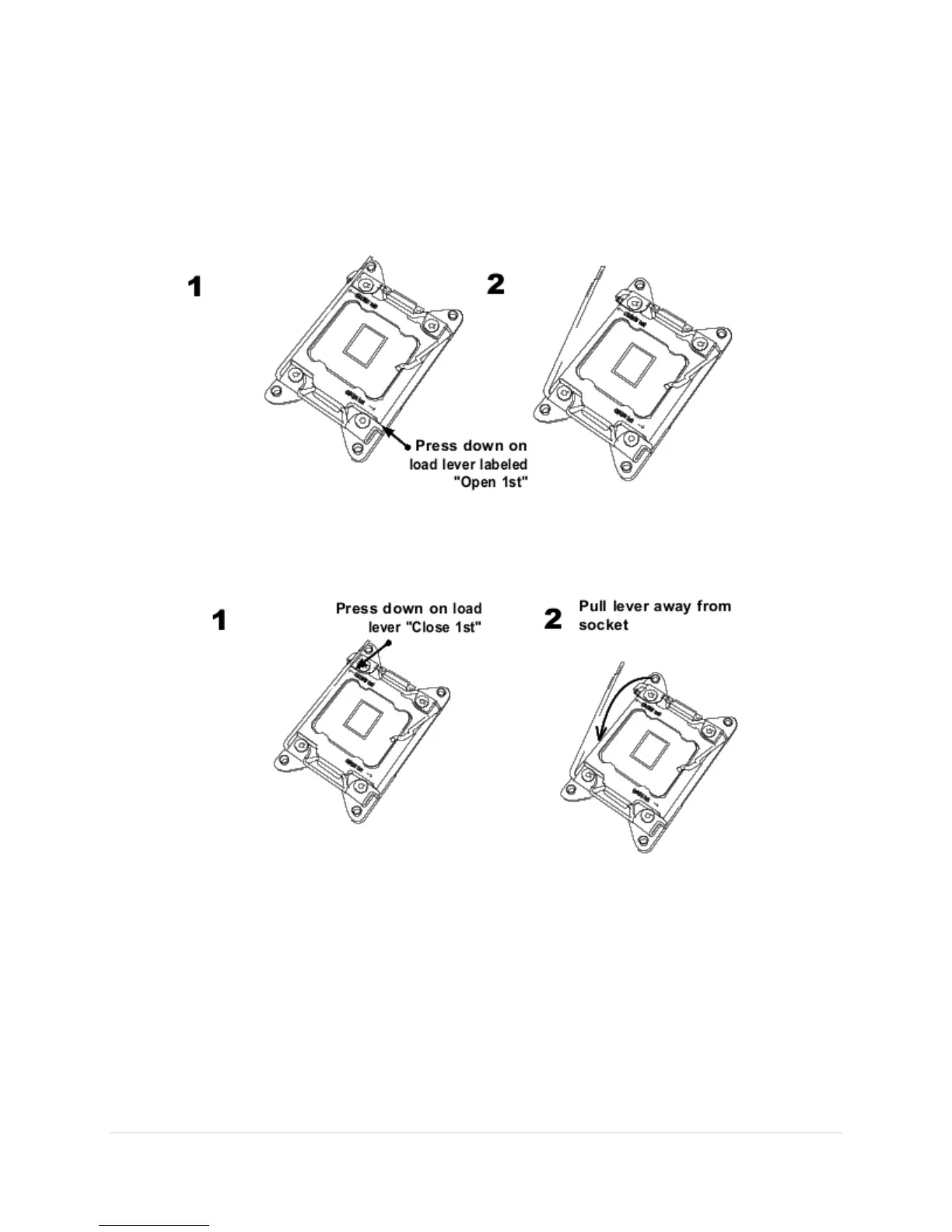
1. There are two load levers on the LGA2011 socket. To open the socket cover,
first press and release the load lever labeled "Open 1st."
2. Press the second load lever labeled "Close 1st" to release the load plate that
covers the CPU socket from its locking position.



 To Next Page