CoreMC™ 2 Reference Guide - http://musiccomputing.com/support 15 | P a g e
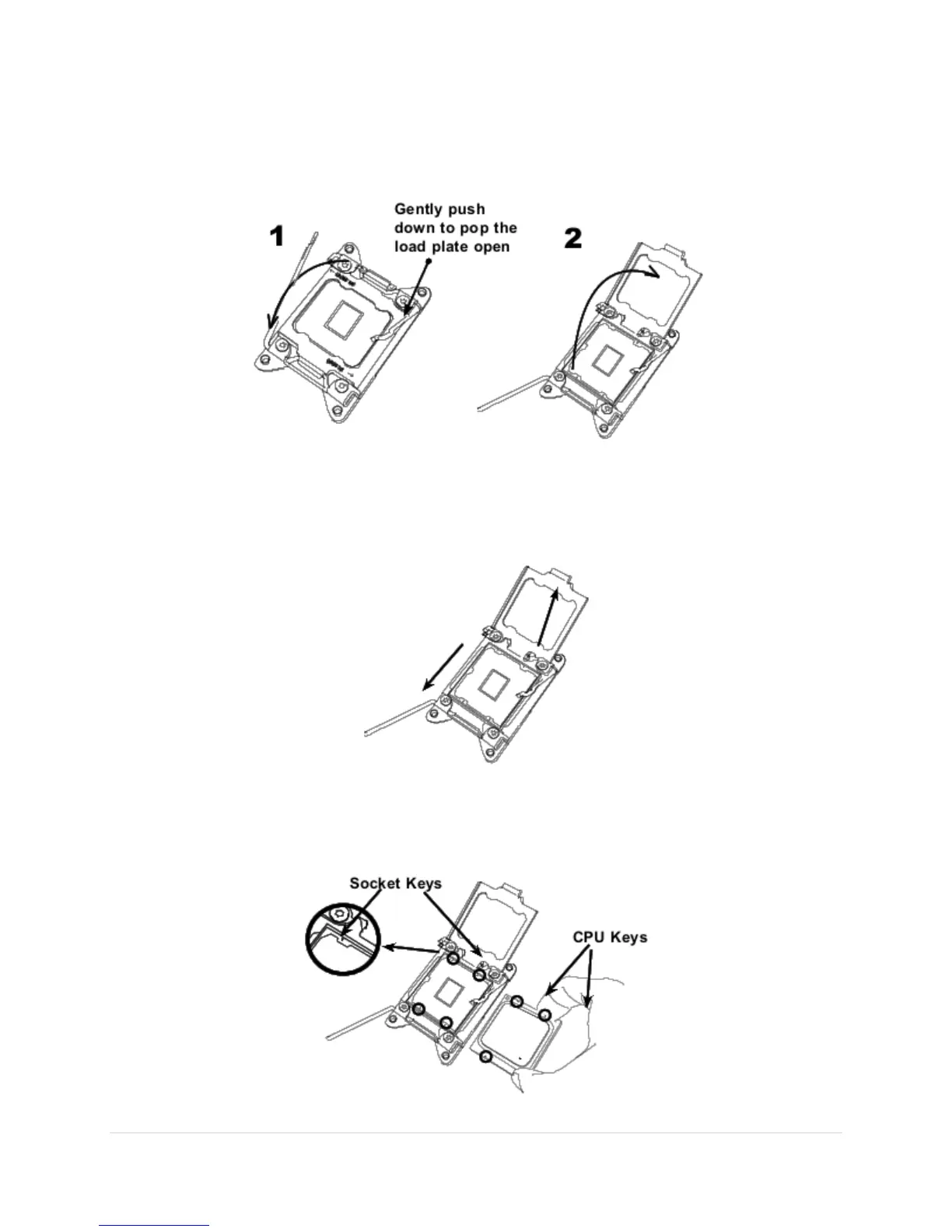
3. With the lever labeled "Close 1st" fully retracted, gently push down on the
lever labeled "Open 1st" to open the load plate. Lift the load plate to open it
completely.
4. Use your thumb and index finger to loosen the lever and open the load plate.
5. Using your thumb and index finger, hold the CPU by its edges. Align the CPU
keys, which are semicircle notches, against the socket keys.



 To Next Page