CoreMC™ 2 Reference Guide - http://musiccomputing.com/support 16 | P a g e
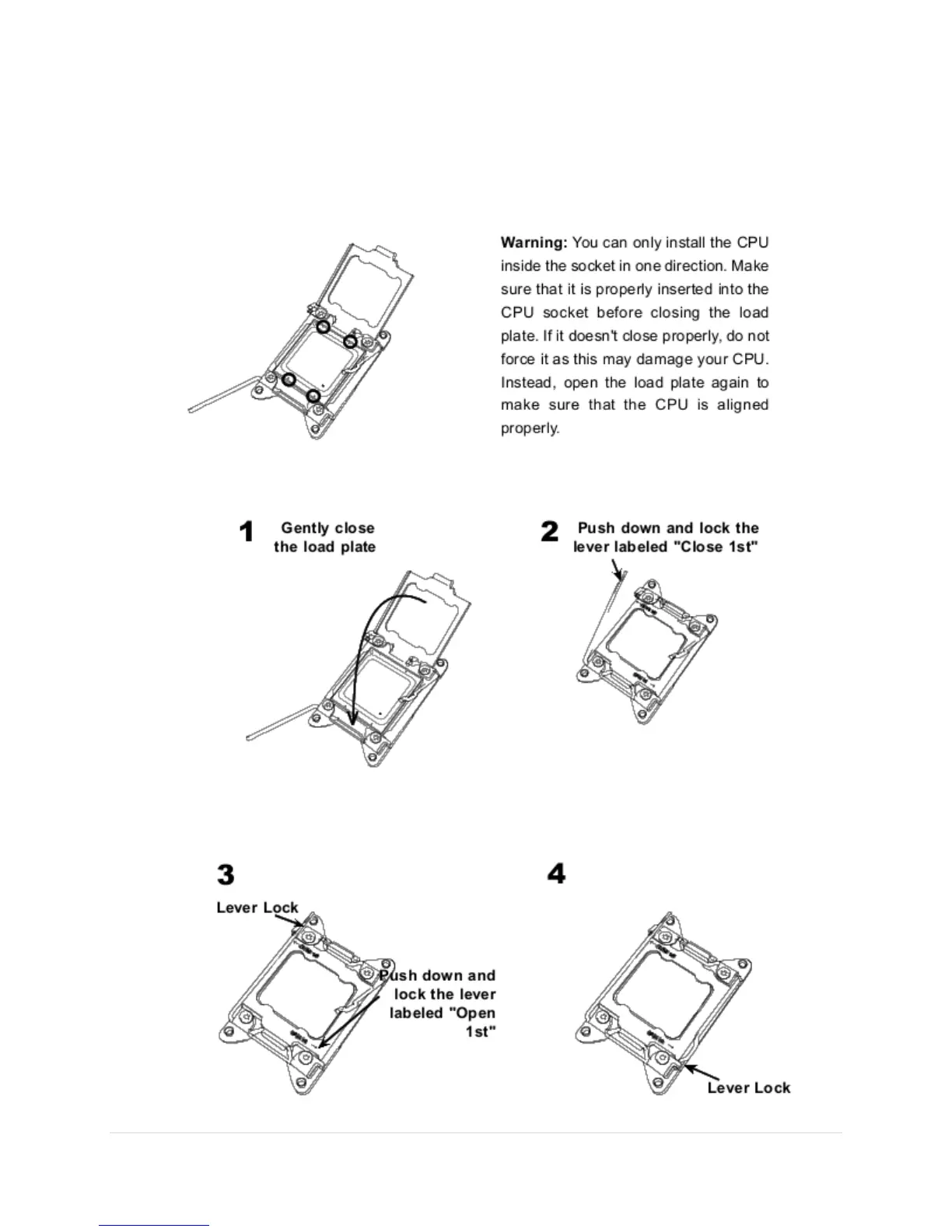
6. Once they are aligned, carefully lower the CPU straight down into the socket.
Do not drop the CPU on the socket or move the CPU horizontally or vertically.
Do not rub the CPU against the surface or against any of the socket pins to
avoid damaging the CPU or the socket.
7. With the CPU inside the socket, inspect the four corners of the CPU to make
sure that the CPU is properly installed.
8. Close the load plate with the CPU inside the socket. Lock the lever labeled
"Close 1st" first, then lock the lever labeled "Open 1st" second. Using your
thumb, gently push the load levers down to the lever locks.



 To Next Page