EasyManua.ls Logo

Mustek POWERMUST 848 - User Manual

Mustek POWERMUST 848
12 pages
Print Icon
To Next Page IconTo Next Page
Loading...
USER’S MANUAL
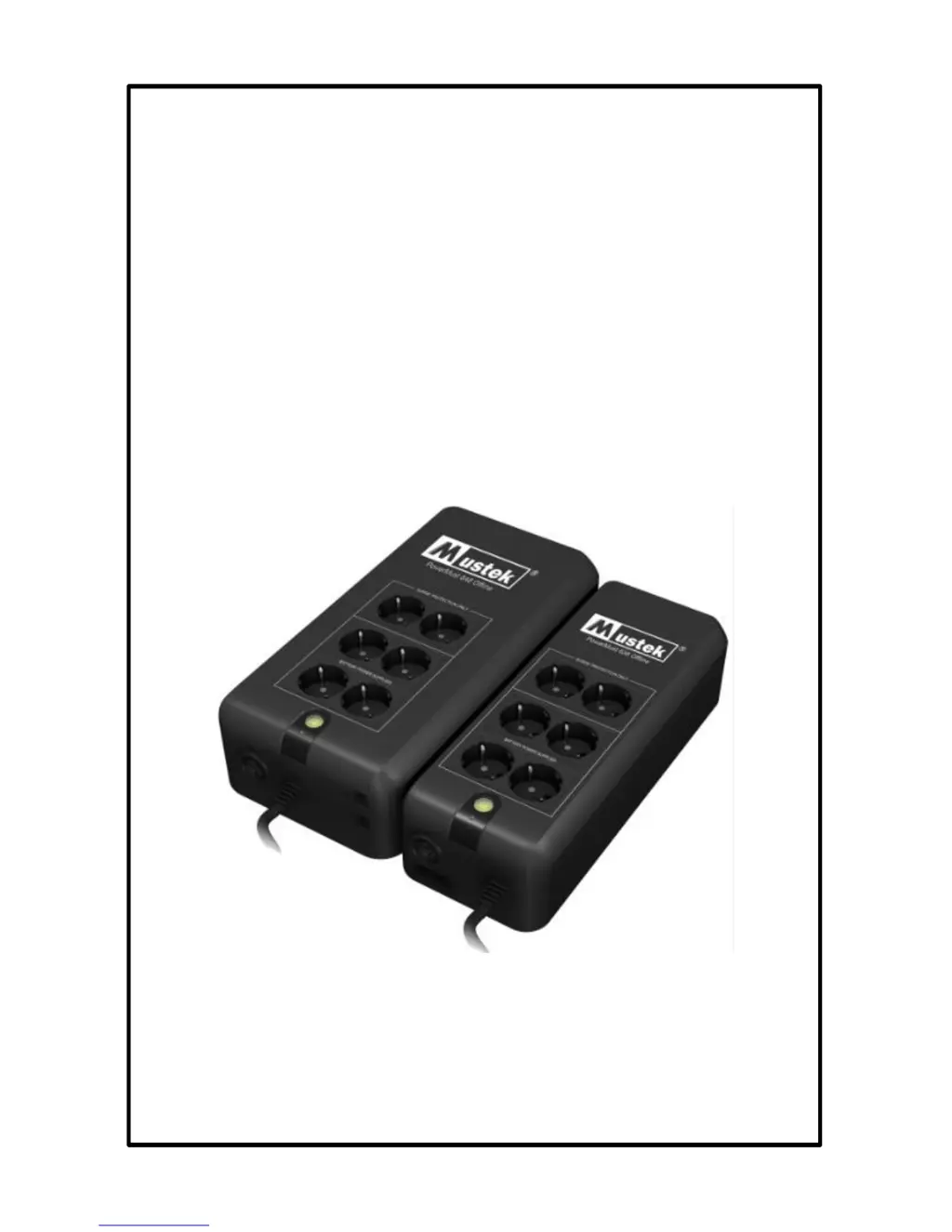
PowerMust 636 (600VA) Offline, Schuko
PowerMust 848 (800VA) Offline, Schuko
Uninterruptible Power Supply
EN

Other manuals for Mustek POWERMUST 848

Questions and Answers

  • M
    Michael BaldwinAug 8, 2025
    What to do if Mustek UPS is always on battery mode?
    • A
      andrea13Aug 8, 2025
      If your Mustek UPS is constantly running on battery, check the following: * Ensure the power cord is securely plugged in. If it's loose, re-plug it. * Inspect the fuse; if it's burned, replace it with the same type. * The AC utility power might be too high, too low, or experiencing a blackout, which is a normal condition for battery mode operation.
  • T
    thomasgarciaAug 16, 2025
    Why is the backup time shortened on my Mustek UPS when the power fails?
    • M
      Mark BoyerAug 16, 2025
      If the backup time of your Mustek UPS is shorter than expected during a power failure, consider these factors: * The UPS might be overloaded. Try removing some noncritical devices connected to it. * The battery voltage could be too low. Charge the battery for at least 4 hours. * The battery may be defective due to high temperature or improper operation. In this case, replace it with the same type of battery.
  • J
    James LeeAug 23, 2025
    How to fix no LED display on Mustek POWERMUST 848 front panel?
    • R
      rickyvanceAug 23, 2025
      If there is no LED display on the front panel of your Mustek UPS, it could be due to: * Low battery voltage: Charge the UPS unit for up to 4 hours. * Battery failure: Replace the battery with the same type.
  • K
    Kyle CampbellAug 31, 2025
    What to do if the red LED is on Mustek UPS?
    • S
      Shannon HarrisAug 31, 2025
      If the red LED is illuminated on your Mustek UPS, it indicates a battery failure. Replace the battery with the same type.

Summary

Important Safety Instructions

Electrical Safety Precautions

Covers electrical hazards, fuse replacement, and user-serviceable parts.

Battery Safety and Handling

Details precautions for battery handling, disposal, and risks of shock/short circuits.

Installation and Environmental Guidelines

Installation Environment and Requirements

Specifies installation location, temperature, humidity, and socket accessibility.

Battery Replacement Procedure

Emphasizes qualified personnel for battery replacement and specifies battery type.

Product Identification and Usage

Explains rating label symbols, user installability and operating temperature.

System Description

Top Panel Components

Details the power switch, LEDs, and types of receptacles on the top panel.

Side Panel Components

Identifies AC input, breaker, and modem/phone line surge protection.

Installation and Operation

Inspection

Instructions for inspecting the UPS for damage after unpacking.

Placement

Guidelines for positioning the UPS in a suitable, protected environment.

Charging

Procedure for charging the UPS battery before initial use.

Computer Connection

How to connect computer equipment to battery-supplied receptacles.

Peripheral Equipment Connection

Connecting peripheral devices to surge protection outlets.

Modem;Phoneline Connection

Connecting incoming internet and modem lines for surge protection.

Circuit Breaker Operation

How the circuit breaker functions and how to reset it.

Powering On;Off and DC Start

Instructions for turning the UPS on/off and using the DC start function.

Battery Replacement Steps

Guidance on replacing UPS batteries, emphasizing qualified personnel.

Specifications

Input and Output Parameters

Details voltage, frequency, line mode, and battery mode specifications.

Battery and Backup Time

Specifies battery type, backup time, and recharge time.

Display and Audible Alarms

Explains LED indicators and audible alarm conditions.

Protection and Physical Attributes

Details surge protection, dimensions, weight, and outlet configuration.

Environmental Conditions

Specifies operating temperature and humidity ranges.

Troubleshooting

System Status and Remedies

Addresses issues like intermittent alarms and continuous alarms with possible causes and remedies.

Mustek POWERMUST 848 Specifications

General IconGeneral
BrandMustek
ModelPOWERMUST 848
CategoryUPS
LanguageEnglish

Related product manuals