Troubleshooting
6 AP-74700 – Rev. 1.0 – 10/03/2008
1.1 OPERATING CONDITION DISPLAY
This chapter explains how to proceed, when the following messages are displayed on your LCD-display.
No. Message Phenomenon Check point Action
(1) Verify the L/R cover sensor
via diagnostics:
Diagnostics Æ Test Æ Sensor
Æ Cover SW
• Replace the cover sensor
if the sensor is not
responding
(2) Open and close the cover,
check if all sensors are
“clicking”.
Ensure the sensor is properly
adjusted:
Adjust the sensor-bracket
or sensor-cam when
necessary
The cover-switch is a two-
way switch. Or pin 1 and
2 or pin 2 and 3 are
closed.
Malfunction of the switch
might also result in the
following error:
“E068 CR Encoder Error”
Sensor state:
Pin 1 and 2 on the sensor
are closed, Pin 3 is open
(floating)
1 Cover Open The LCD indicates:
- The front cover is
open.
- One of the cover-
switches is not
properly activated or
connected
Pin 2 and 3 on the sensor
are closed, Pin 1 is open
(floating)
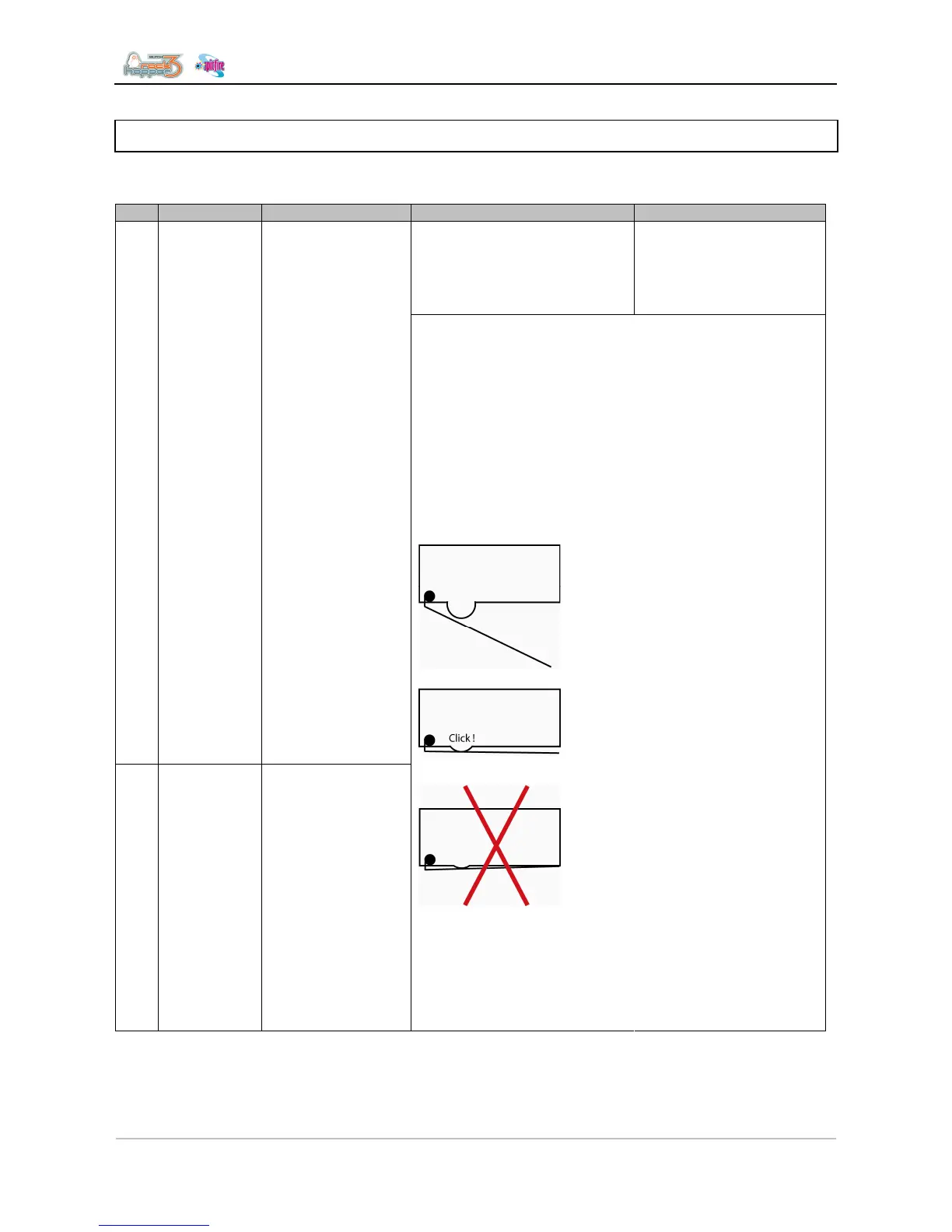
!Attention!
Be careful when
adjusting the sensor-
bracket, the sensor-lip is
not fully stressed. This
will decrease life and
possibly damage the
sensor!
Adjust the sensor and
make sure there is a 0,5
to 1mm gap as
illustrated.















 To Next Page