EasyManua.ls Logo

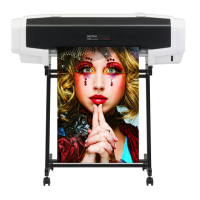
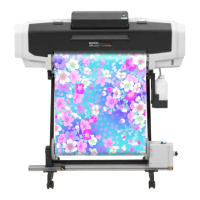
MUTOH VJ-628 ValueJet - User Manual

MUTOH VJ-628 ValueJet
80 pages
Print Icon
To Next Page IconTo Next Page
Loading...
VJ-628
Operations and Maintenance Methods
Operation Manual
Unauthorized copying or duplication of the whole or part of the contents of this manual is prohibited.
Every care has been taken in writing the contents of this manual, but please contact MUTOH or the dealer you purchased the
product from if you find any unclear, erroneous or otherwise unsatisfactory content in the manual.
Please be aware that MUTOH will not be liable in any way for failures or accidents that result from handling or operating the
printer according to any procedures other than those set forth in this manual.
Company names and product names that appear in this manual are registered trademarks of the respective companies.


Table of Contents

Questions and Answers

  • A
    Anthony WrightJul 26, 2025
    How to stop the buzzer from sounding when an error occurs on my MUTOH VJ-628 ValueJet Printer?
    • L
      Leslie WilliamsJul 27, 2025
      To stop the buzzer when an error occurs on your MUTOH Printer, short press the operation key on the operation panel while the buzzer is sounding.
  • R
    Richard CombsAug 3, 2025
    What to do if media is jammed in my MUTOH VJ-628 ValueJet?
    • A
      Ann MitchellAug 3, 2025
      If the media is jammed in your MUTOH Printer, open the front cover and remove the jammed media.
  • J
    Jennifer RiveraAug 10, 2025
    What to do if the same error occurs after re-launching my MUTOH Printer?
    • V
      victor75Aug 10, 2025
      If the same error persists after restarting your MUTOH Printer, turn the power off, wait for at least 10 seconds, and then turn the power back on.
  • S
    smithshirleyAug 17, 2025
    What to do if the error LED is ON on the operation panel of my MUTOH VJ-628 ValueJet Printer?
    • C
      carpenterstevenAug 17, 2025
      If the error LED is illuminated on the operation panel of your MUTOH Printer, check the error/warning details using VSM and address the error or warning accordingly.

Summary

Basic Operations

Introduction and Setup

Covers printer identification, system configuration, software utilities, and media conditions.

Powering ON;OFF

Procedures for turning the printer on and off.

Printing Procedures

Covers media setup, quality adjustment, and print job execution.

Media Forwarding and Rewinding

Controls for advancing or reversing media using software.

Media Cutting Operations

Procedures for cutting print media via panel or software.

Advanced Operations

Head Height Adjustment

How to adjust the print head height for media clearance.

Pressure Arm Release

Procedure for releasing media pressure arms to prevent wrinkles.

Advanced Settings

Customization options for printer functionality.

Maintenance

Maintenance Overview

Overview of periodic maintenance tasks for optimal performance.

Ink Cartridge Management

Procedures for checking ink levels and replacing cartridges.

Waste Ink Tank Maintenance

Procedure for draining and disposing of waste ink.

Part Cleaning Procedures

Instructions for cleaning critical printer components.

Consumable Part Replacement

Guide to replacing user-replaceable parts.

Transporting and Storage

Procedures for moving and storing the printer.

Appendix

Troubleshooting Guide

Procedures for diagnosing and resolving printer issues.

Product Specifications

Technical details and capabilities of the printer.

MUTOH VJ-628 ValueJet Specifications

General IconGeneral
BrandMUTOH
ModelVJ-628 ValueJet
CategoryPrinter
LanguageEnglish

Related product manuals