Loading media 35
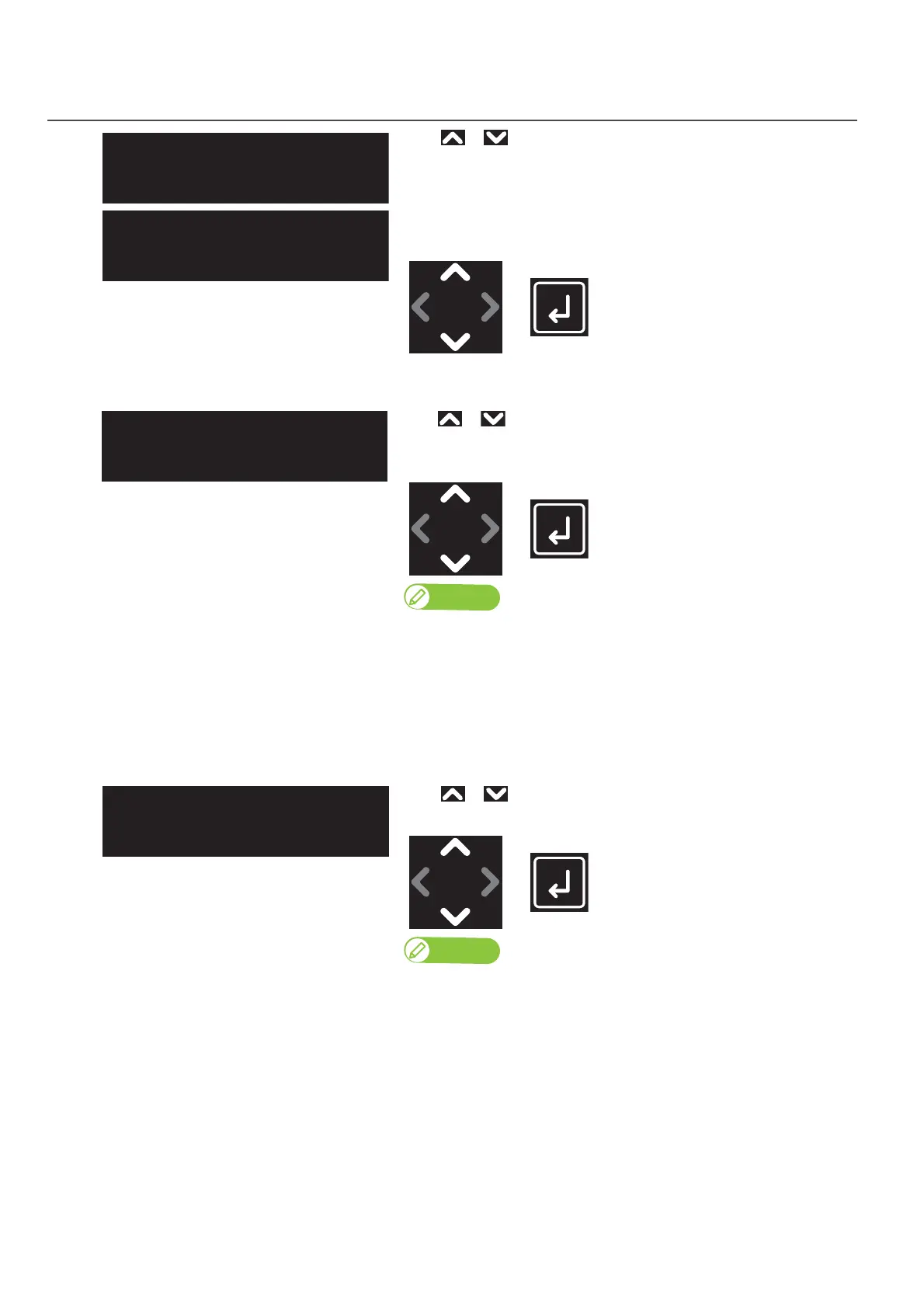
In “Auto” Setting
In “Manual” Setting
2. Media Height Setting & Printer Response Setting for Obstacle Detection
[1]
Use or to configure media height setting.
• “Auto”: Printer automatically detects height of media and lowers the
table until the obstacle sensor detects no obstacle.
• “Manual”: User manually input height of media.
Tap [Enter].
[2]
Use or to specify the offset value between the print head and
media.
Tap [Enter].
Note
[1]
The default head gap from the surface of media is set to 1.2 mm.
When you want to increase the head gap, use this menu to specify value in
range of 0.0 mm to 1.5 mm.
• Example: If “PG Offset” is set to 0.5 mm, the head gap from the surface of media will
be 1.7 mm (1.2 mm + 0.5 mm).
[2]
Use or to input the media height.
Tap [Enter].
Note
Any value from 0.0 mm to 150.0 mm can be set for the height.
**:Height:
Auto
**:Height:
Manual
**:PGOffset:
(0.0-1.5) 1.5mm
**:MediaHeight:
(0.0-150.0) 150.0mm






 To Next Page