Set2: Advanced 83
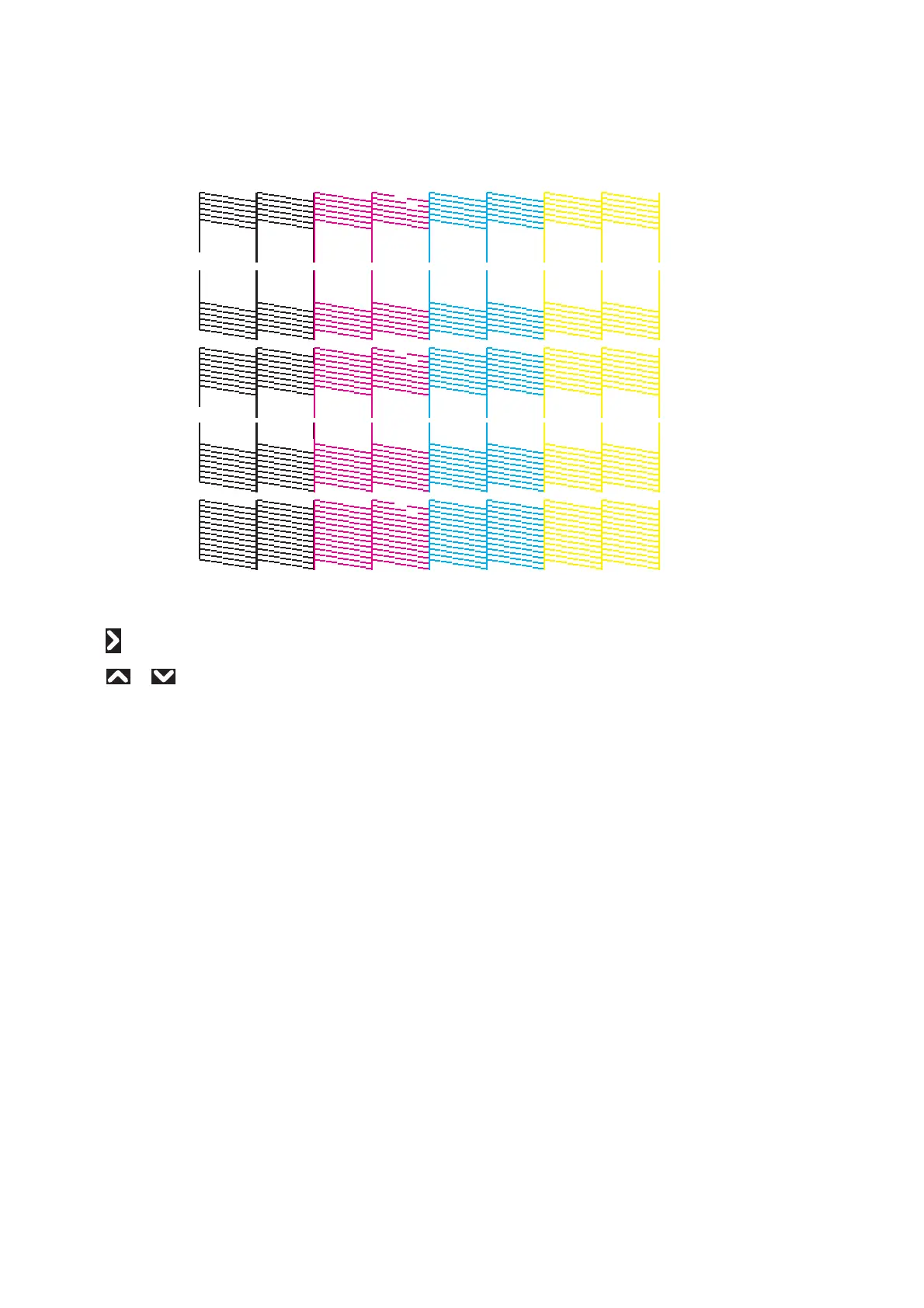
Confirm pattern
• Tap [Enter] to carry out printing.
• Look at the print and find the pattern that all the lines appear clean.
• In the example here, the pattern A and pattern C do not have missing lines.
Nozzle Settings
•Tap .
• Use or to choose the pattern that does not have missing lines, then tap [Enter].
• If there is more than one patterns not suffering from missing lines, choose the one that has more nozzles available for
printing.
ALL has the most available nozzles for printing, followed by A and B, C and D (More ALL > A = B > C = D Less).
For example, if the pattern A and pattern C do not suffer from blocked nozzles, you should choose A.






 To Next Page