EasyManua.ls Logo

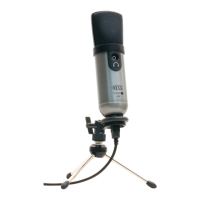
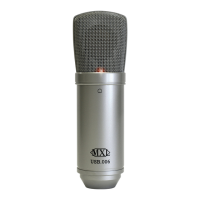
MXL studio 1 - User Manual

MXL studio 1
6 pages
Print Icon
To Next Page IconTo Next Page
Loading...
Marshall Electronics
1910 East Maple Ave.
El Segundo, CA 90245
http://www.mxl-usb.com
Warranty
Marshall microphones are guaranteed against defects in material and workmanship for one year
from date of purchase. Should you encounter any problem with this unit, promptly contact the
company you purchased it from for assistance. The original dated sales receipt will be necessary
for any warranty claim. Do not send any unit directly to us without prior authorization from our
service department! Warranty coverage is limited to repair or replacement (at our option) of the
microphone, and does not cover incidental damages due to use of this unit, nor damage caused by
accidental misuse of this product.
1
USB Microphone
Question and Answer IconNeed help?

Do you have a question about the MXL studio 1 and is the answer not in the manual?

Summary

Warranty Information

System Setup for Mac Computers

Essential Handling and Care

Key guidelines for careful handling, avoiding shocks, and proper usage distance.

Configuring Audio Output and Input

Setting up audio output and input devices and volumes on a Mac.

Adjusting Levels and Advanced Settings

Fine-tuning microphone gain, sample rate, and bit depth on a Mac.

Getting Started with Your MXL Studio 1

Microphone Package Contents

List of all items included in the MXL Studio 1 USB microphone package.

Desktop Stand Assembly and Use

Instructions for assembling and adjusting the included desktop microphone stand.

System Setup for Windows Computers

Connecting and Initial Detection

Procedure for connecting the USB microphone and initial Windows hardware detection.

Windows XP Audio Configuration

Setting the MXL Studio 1 as default audio device in Windows XP.

Windows Vista Audio Configuration

Configuring audio playback and recording devices in Windows Vista.

Windows Audio Adjustments

Headphone Volume Control

Adjusting the headphone volume via the speaker fader.

Microphone Signal Adjustment (Headphones)

Controlling microphone signal volume to headphones, separate from recording.

Microphone Signal Adjustment (Recording)

Adjusting the microphone signal level that is sent to the computer for recording.

MXL studio 1 Specifications

General IconGeneral
TypePC microphone
Microphone frequency40 - 20000 Hz
USB portYes
Connectivity technologyWired
Product colorBlack, Grey
Weight and Dimensions IconWeight and Dimensions
Microphone weight317 g
Microphone dimensions (D x H)47 x 175 mm

Related product manuals