M307 | MXR
®
Layers
™
Pedal 2
2
1
External Controls
3
4
7
6
8
5
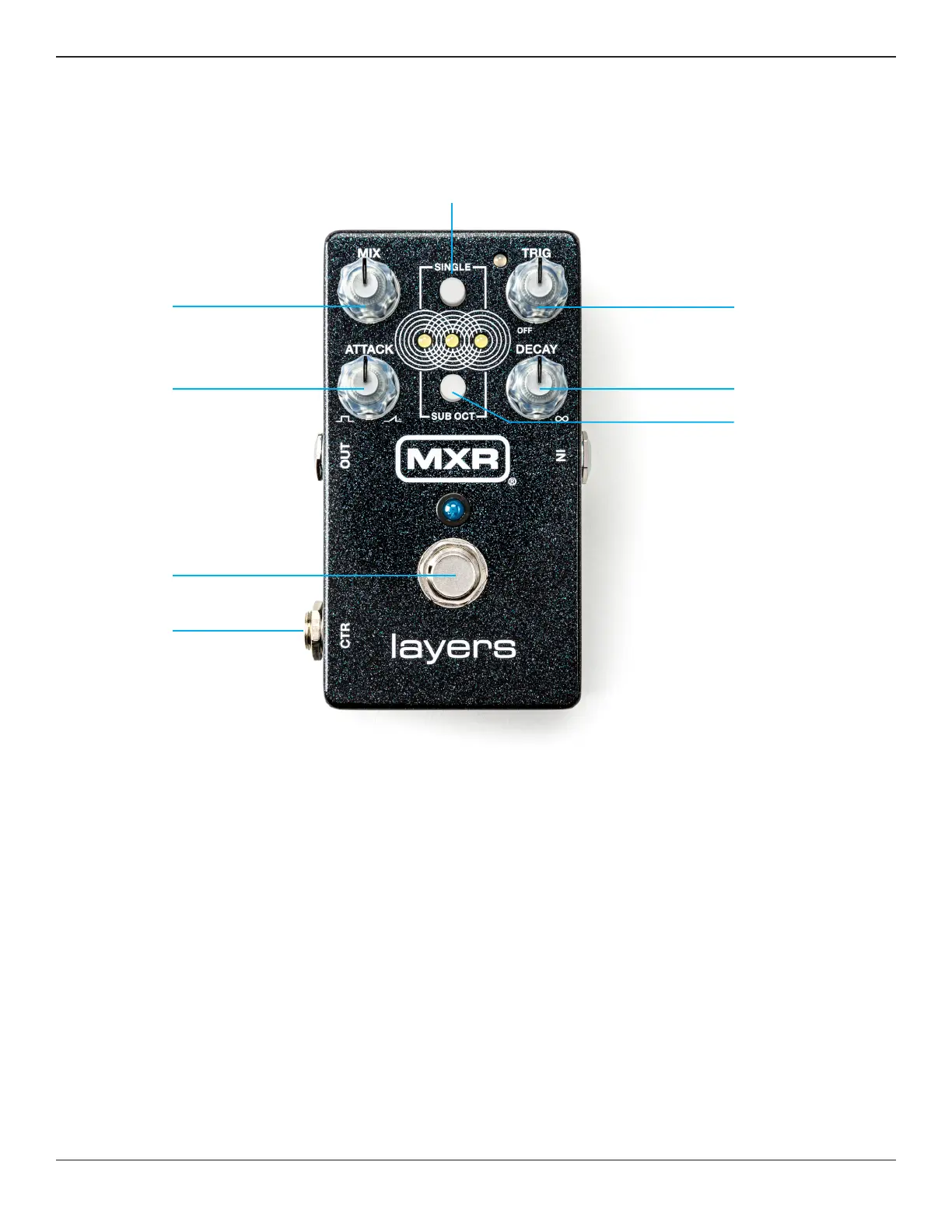
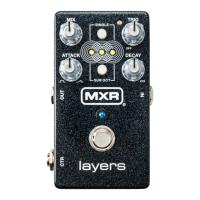
1 CTR jack can be used to connect an expression pedal
or external footswitch or to send a dry output signal when
using Dry/Wet Split mode (see Advanced Operation).
2 FOOTSWITCH governs creation and deletion of sustain
layers. Pressing the footswitch engages a layer. Holding
the footswitch holds a layer indefinitely until released.
Upon release, the layer fades out according to the DECAY
setting. A double tap will clear all layers and put the pedal in
bypass.
3 ATTACK knob sets the attack, or fade in, time of each layer.
4 MIX knob controls the level of the wet signal.
5 SINGLE button limits sustain effect to a single layer. By
default, there are 3 simultaneous layers that overlap with
each other. When SINGLE button is engaged, only one
layer will be active at a time.
6 TRIG knob sets the sensitivity for auto triggering layers
with your pick attacks. When TRIG is in the OFF position
(fully counterclockwise), auto triggering is disabled, and
only the FOOTSWITCH can activate layers. The TRIG LED
is red by default when auto triggering is enabled; when
the input signal exceeds the set threshold, the TRIG LED
will turn green. Note that, for a layer to be triggered, the
signal must exceed the threshold (i.e. the TRIG LED is
green), and the pedal must detect a pick attack.


 To Next Page