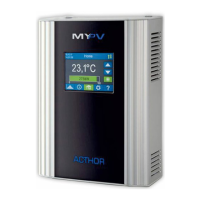
AC•THOR
®
/ AC•THOR
®
9s Operating instructions, version a0020806 3
6. Web-Interface ..................................................................................................................... 29
Search for devices in the network ......................................................................................... 29
Systems without Internet access .......................................................................................... 31
Connect Web-Interface ........................................................................................................ 31
Home (homepage) .............................................................................................................. 32
Data logger ......................................................................................................................... 32
Status information ............................................................................................................... 33
Settings .............................................................................................................................. 34
Special setting possibilities in the Web-Interface ................................................................... 35
Special settings for operating mode M3 (6kW/18 kW) ........................................................ 35
Legionella boost outputs (only with AC•THOR 9s) .............................................................. 36
Control Settings ............................................................................................................... 36
Measurement Settings ...................................................................................................... 39
EV Function ..................................................................................................................... 41
Multi units ....................................................................................................................... 42
Cloud Mode ..................................................................................................................... 43
Debug-Mode .................................................................................................................... 45
Help ................................................................................................................................... 45
7. Frequency control ............................................................................................................... 45
Explanation ..................................................................................................................... 45
Specific settings for Frequency control .............................................................................. 46
8. Potential-free input for external control ................................................................................ 46
9. Modbus RTU connection for external control ......................................................................... 47
10. Firmware update ................................................................................................................. 47
Update from server ............................................................................................................. 47
Manual Update ................................................................................................................ 47
Update with SD card............................................................................................................ 48
11. Status codes ....................................................................................................................... 48
12. Temperature sensors: Assignment and function (only with AC•THOR 9s) ................................ 48
13. Fault temperature sensors ................................................................................................... 48
14. Error messages on the Display ............................................................................................. 49
15. Fault signals by the AC•THOR Logo ...................................................................................... 49


 To Next Page
 Loading...