1616
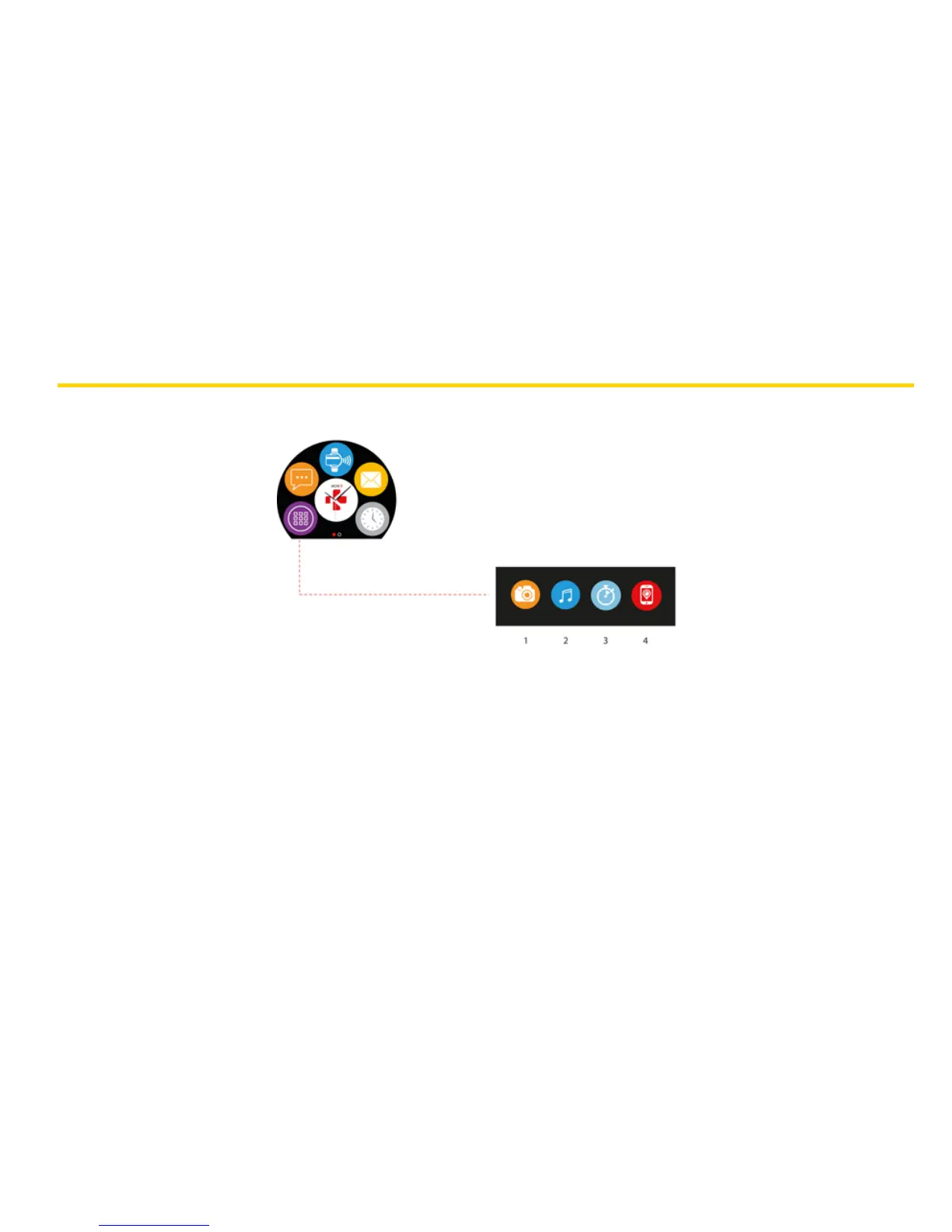
Several applications can be found in this menu:
13. APPS
(1) Camera remote: To enjoy this feature, first, make sure ZeCircle
2
is connected to your smartphone via
Bluetooth. Then, open ZeCircle
2
mobile app, click on the Settings tab > tap Camera to launch your
smartphone’s camera. Enabling Camera Remote function will let you take pictures remotely from
your ZeCircle
2
by a single tap on the camera icon.
(2) Music control: To enjoy this feature, make sure ZeCircle
2
is connected to your smartphone via Bluetooth.
Enabling Music control will let you play / pause the current song streamed on your smartphone,
choose the previous or next song.
(3) Timer: From the timer interface, press START to enable the timer, press END to stop it.
(4) Find my phone: To enjoy this feature, make sure ZeCircle
2
is connected to your smartphone via
Bluetooth. Enabling Find my phone function will make your phone ring and help you find it.







 To Next Page