X2 transponder version 2018 © MYLAPS rights reserved 21
10. Install MYLAPS Connect
When you are activating your X2 Transponder for the first time, or when you use a new computer for activation, you need to
install the MYLAPS Connect application on the computer:
Visit http://www.mylaps.com/en/software-firmware and access the download program directory or from your registration
screen. You can also find this download possibility in your account <account.mylaps.com>.
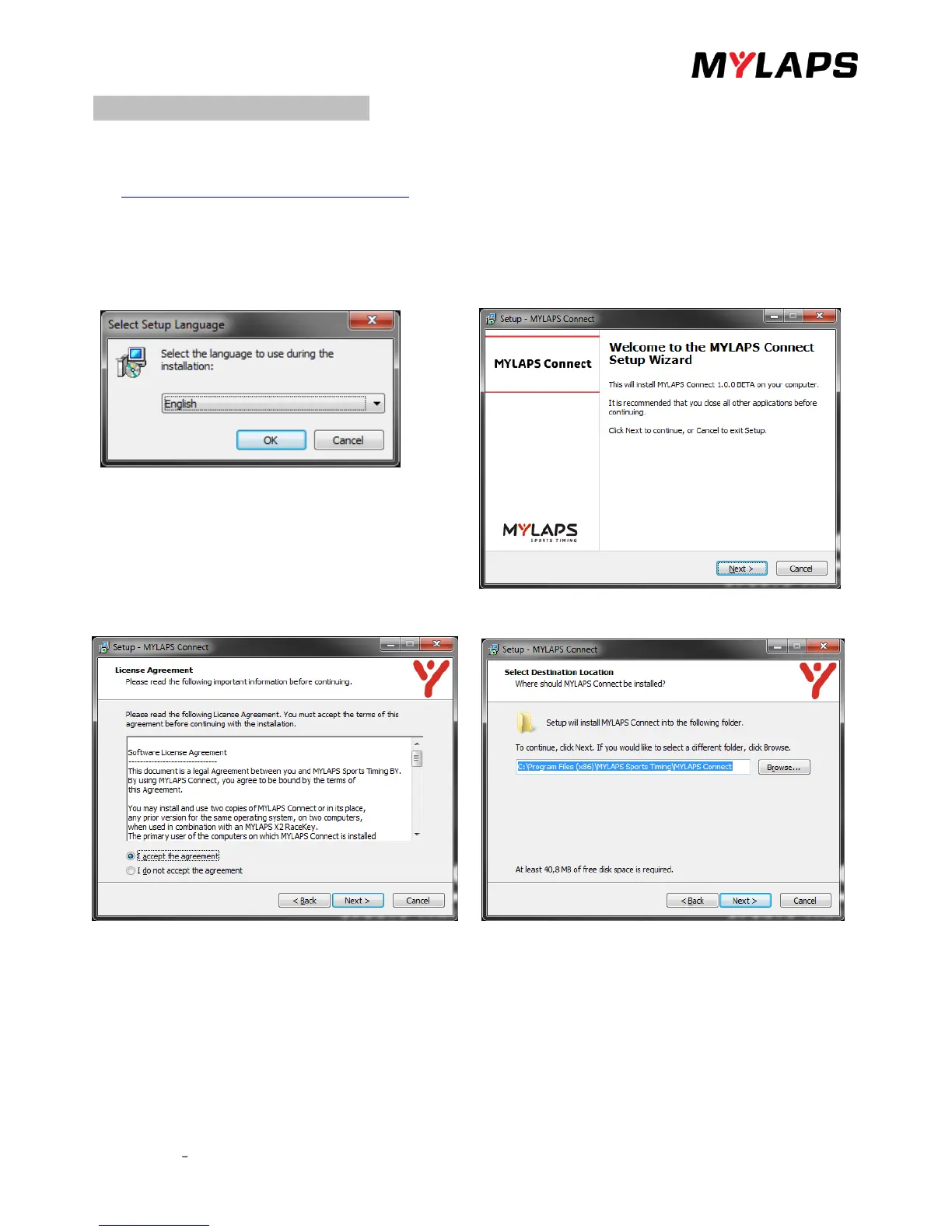
• Double click the MYLAPS Connect Setup Wizard file and download the application onto your computer by following
the setup wizard screen prompts.
• Choose your language and click <OK>.
• The set up will start, when you click on <next>
Read and "Accept" the license agreement and click <Next>. Choose a suitable location for the application and click <Next>.


 To Next Page