X2 transponder version 2018 © MYLAPS rights reserved 23
11. Activate the X2 Transponder using MYLAPS Connect
Ensure you have a current MYLAPS Connect application loaded on your computer. Also make sure your computer is
connected to the internet and that you have a subscription.
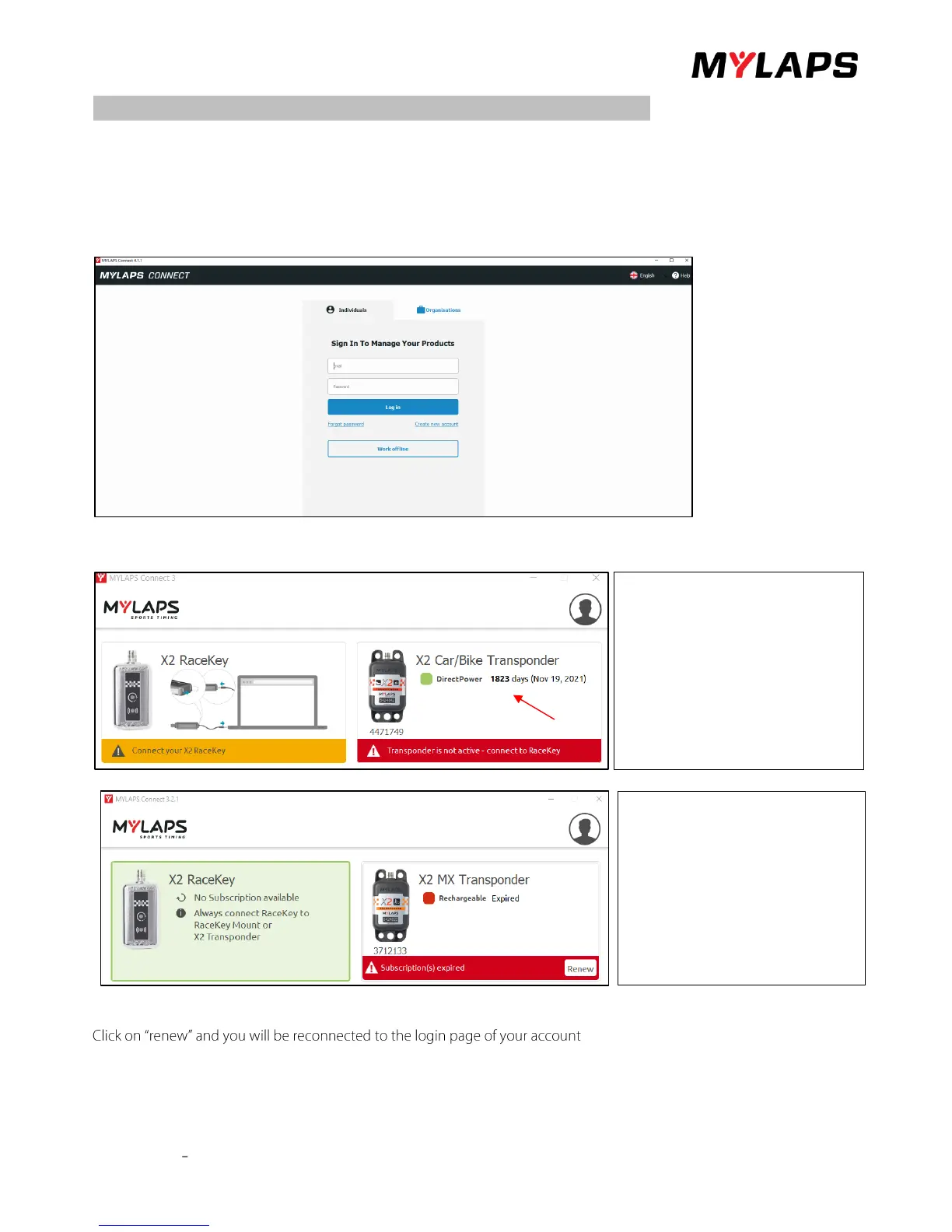
• Start MYLAPS Connect on your computer.
• Login to MYLAPS Connect with your MYLAPS Email and Password.
The home screen will appear and requests you to connect your X2 Racekey in the top left tile: Two options can be shown,
you have subscription (1) or your subscription has expired (2).
.
If your subscription has expired, you must buy subscription first, before you can activate your transponder.
, where you can renew your subscription.


 To Next Page