X2 transponder version 2018 © MYLAPS rights reserved 25
12.Firmware update
Updating X2 Racekey Firmware with MYLAPS Connect.
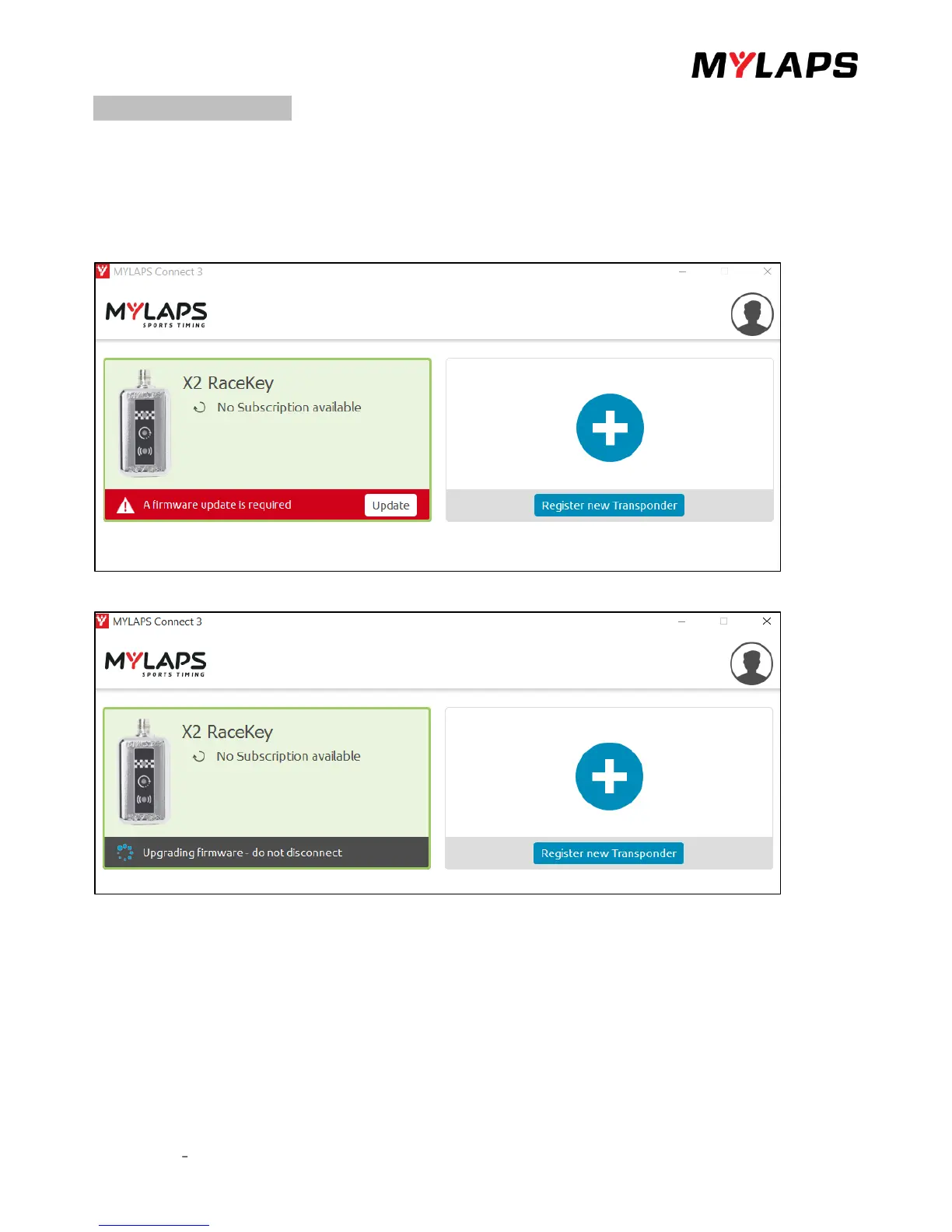
In case your X2 Racekey requires a firmware update MYLAPS Connect will notify you after connecting the X2 Racekey
Log in and connect your X2 Racekey to your computer as described in chapter 4.3.
If a Firmware update is required the following screen will appear.
Click on the update and you see that your firmware is upgrading.
A pop up appears. Follow the steps which seen on the pop up.
After upgrading the Firmware, the X2 Racekey will reboot for about 30-60 seconds and when successful show the
Subscription transfer will start and the X2 Racekey will show 3 blue LED lights when connected to MYLAPS Connect.


 To Next Page