11
Time Clock Series
Adjusting the Switching Times
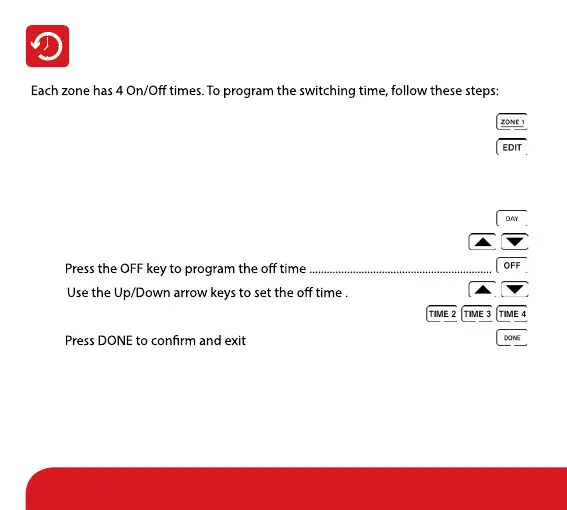
• Select the zone you wish to program, for example Zone 1 ................................
• Press EDIT ..............................................................................................................................
If the zone is operating in 5/2 day mode, you will see Mon, Tue, Wed, Thu, Fri
on the display. If it is operating in 7 day mode, you will see Mon.
• Press the Day key to select the day to program .....................................................
• Use the Up/Down arrow keys to set the on time .........................................
•
• ........................................
• Repeat for Time 2, 3 and 4 ......................................................................
•
...................................................................................


 To Next Page