EasyManua.ls Logo

N-Com BX4 PLUS - Positioning the e-box

Default Icon
32 pages
Print Icon
To Next Page IconTo Next Page
To Previous Page IconTo Previous Page
Loading...
12
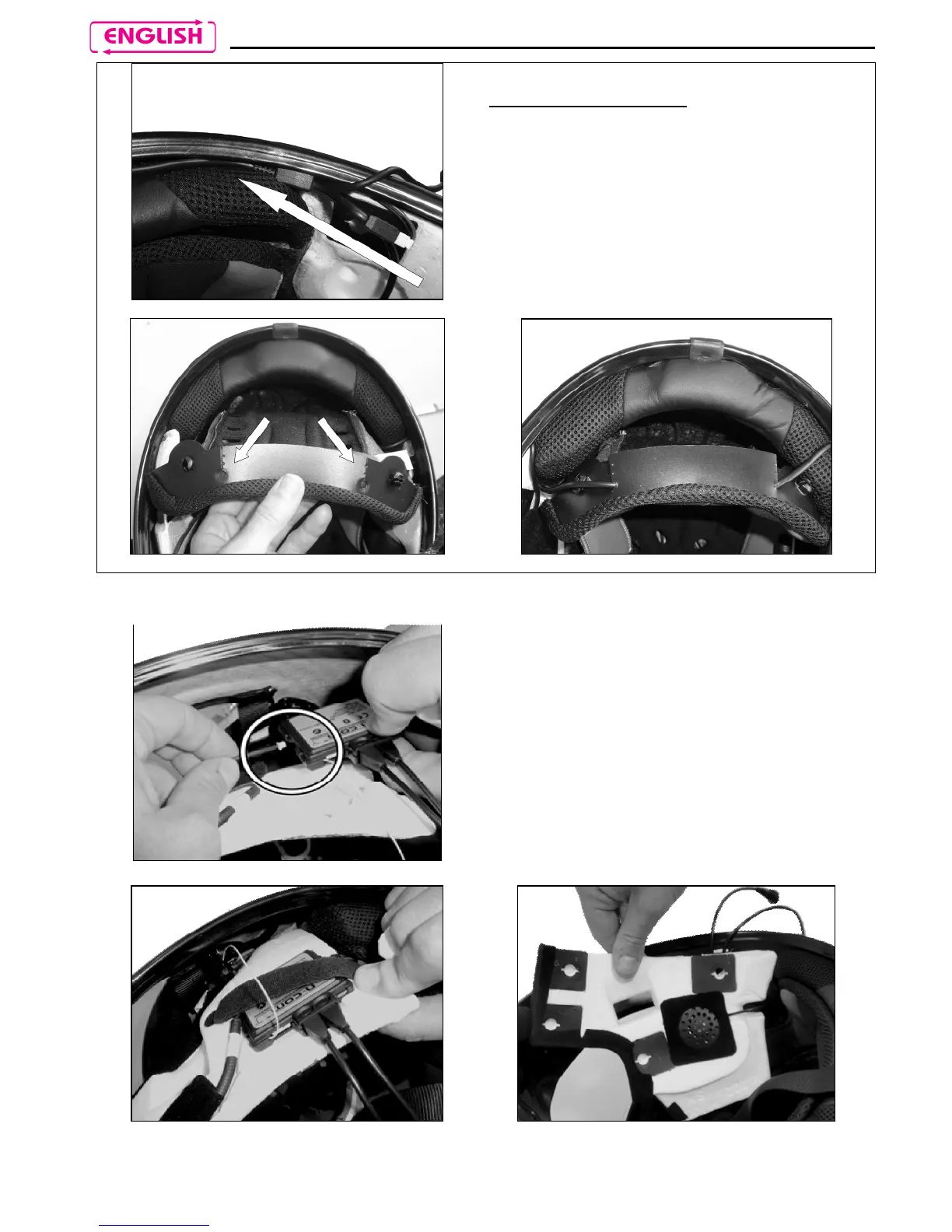
3.6. Positioning the e-box
Fig. 21
Only for X702 helmet
Position the battery connector and wiring
underneath the shell gasket (Fig. 21).
Cut along the pre-cut lines of the plastic
tab on the back of the comfort padding
(Fig. 22).
Secure the wiring underneath the plastic
tab. Close the cut parts using the cable
fixing adhesives (Fig. 23).
Fig. 22
Fig. 23
Fig. 24
Connect the microphone to the e-box.

(Fig. 24)
Position the e-
box in the left polystyrene
cheek pad housing. (Fig. 25)
Position the left-
hand side speaker in the
cheek pad housing and secure it using
the specific adhesive. (Fig. 26)
Fig. 25
Fig. 26

Table of Contents

Related product manuals