13
N.B.: BEFORE replacing the left polystyrene cheek pad, follow the instructions provided in
the following chapter.
3.7. Installing the adhesive keyboard
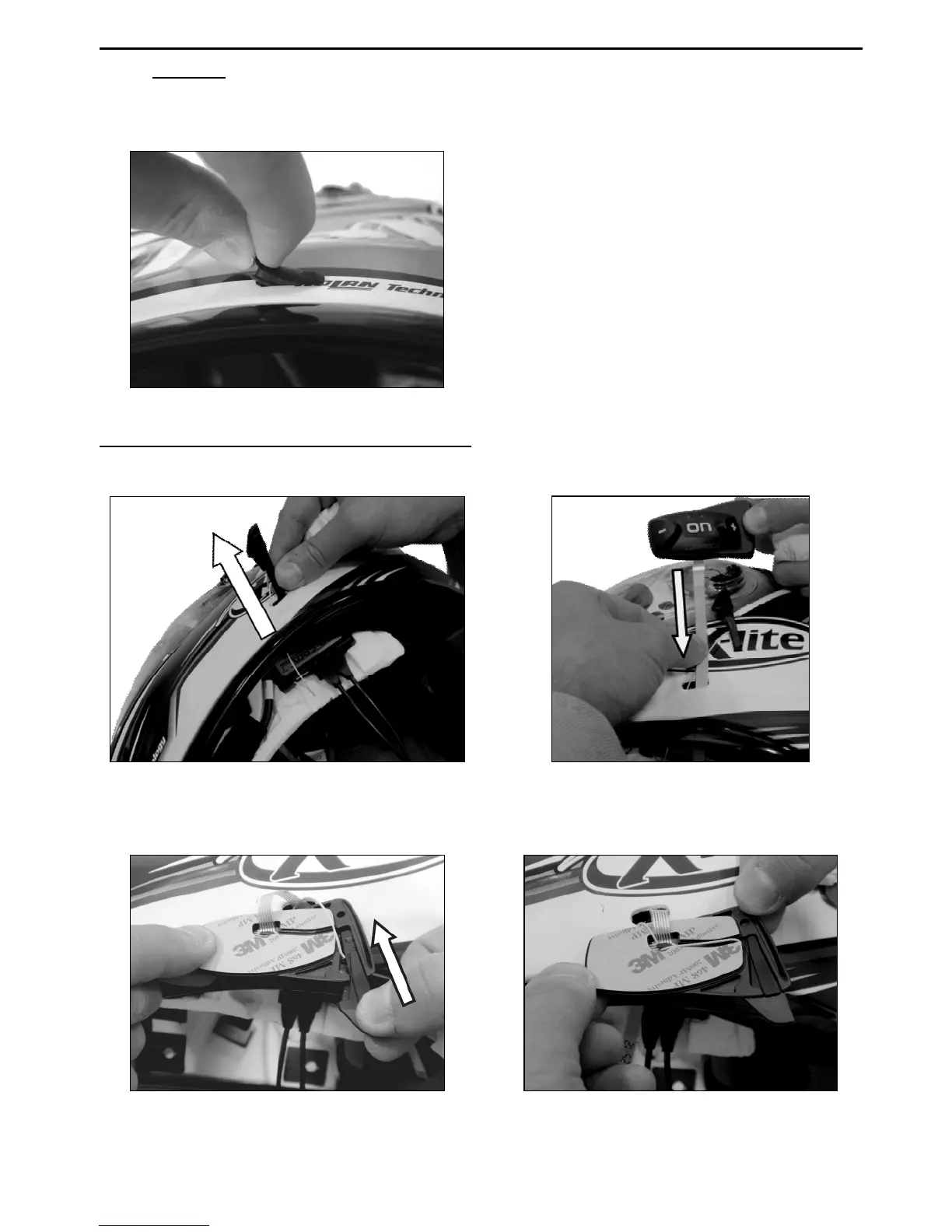
Fig. 27
Remove the N-
Com plug from the left side
of the helmet; to make this easier, it is
recommended to push the plug from the
inside of the helmet. (Fig. 27)
Thoroughly clean the outside surface of
the shell to make sure that the a
keyboard sticks properly. Before you apply
the keyboard, make sure that the shell
area is completely clean and grease or dirt
free.
Only for Jet helmets or flip-up helmets: Carry out the operation with the chin guard
open.
Fig. 28
Fig. 29
Bring the antenna outside the helmet, passing it through the hole in the shell (Fig.28)
Pass the Flex cable of the keyboard through the hole in the outer shell. (Fig. 29)
Fig. 30
Fig. 31
Insert the antenna into the groove on the plastic support of the keypad (Fig. 30).
Push the antenna until you hear a click (Fig. 31).



 To Next Page