(Revised 2012-05-01
Page 13 of 170
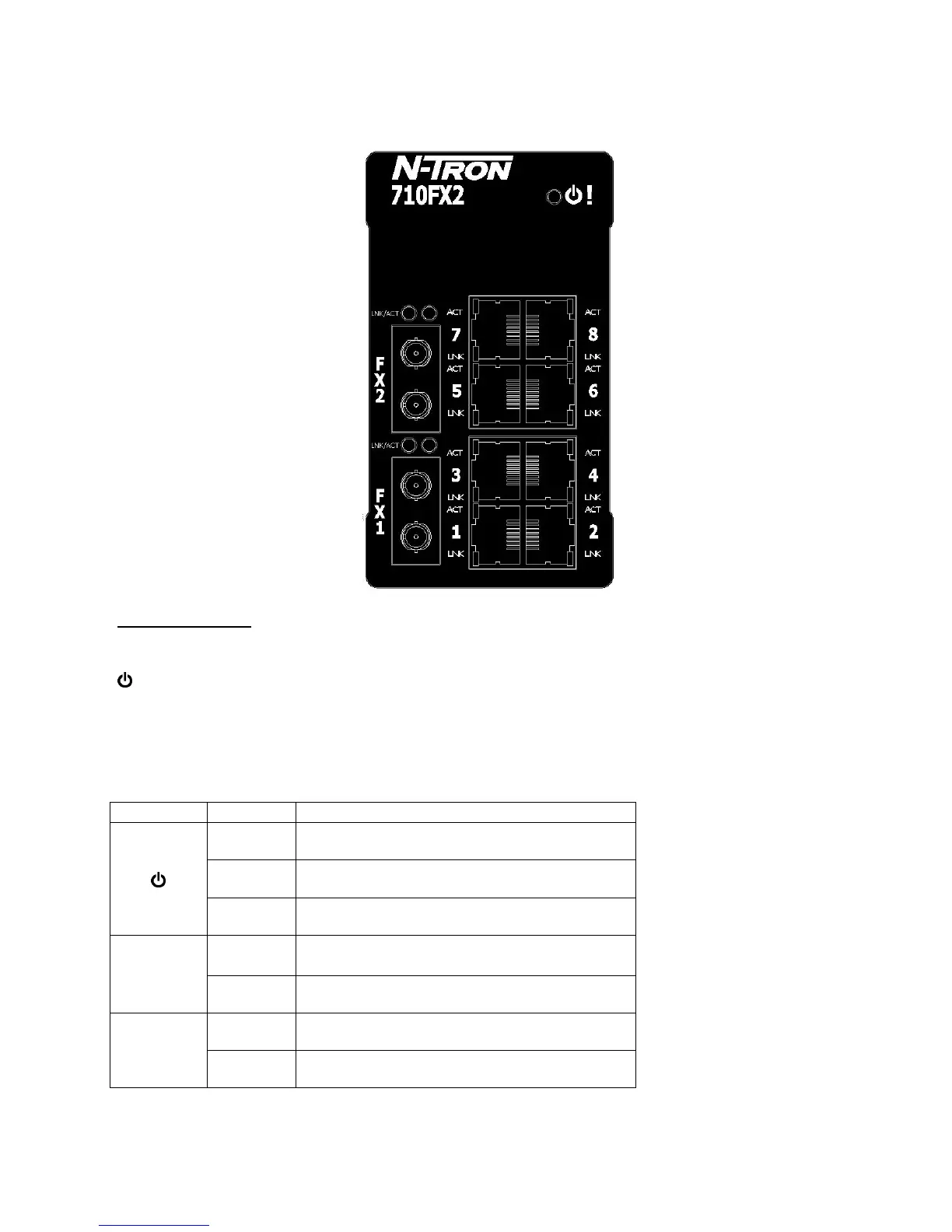
FRONT PANEL (710FX2)
From Top to Left:
RJ45 Ports Auto Sensing 10/100 Base-TX Connections
Fiber Ports 100 Base-FX Connections
LED lights when Power is supplied to the unit
NOTE: The RJ45 data port has two LEDs located on each connector. The left LED indicates LINK status,
and the right LED indicates ACTIVITY.
LEDs: The table below describes the operating modes:
LED Color Description
GREEN Power is ON
RED Power is ON and a fault condition exists
OFF Power is OFF
LNK
GREEN 10/100Mb Link between ports
OFF No Link between ports
ACT
GREEN Data is active between ports
OFF Data is inactive between ports



 To Next Page