EasyManua.ls Logo

NAD 5420 - Alignment Procedures (Continued); Focus Gain Adjustment; Tracking Gain Adjustment

NAD 5420
26 pages
Print Icon
To Next Page IconTo Next Page
To Previous Page IconTo Previous Page
Loading...
Load
the
test
disc
and
put
the
unit
into
the
PLAY
mode.
Adjust
RV103
so
that
the
tracking
error
waveform
is
symmetrical.
(See
Fig
3)
z
NOTE:
BEFORE
CONTINUING
REFER
TO
PAGE
8
FOR
GUIDANCE
ON
FOCUS
AND
TRACKING
GAIN
ADJUSTMENT.
Focus
gain
adjustment
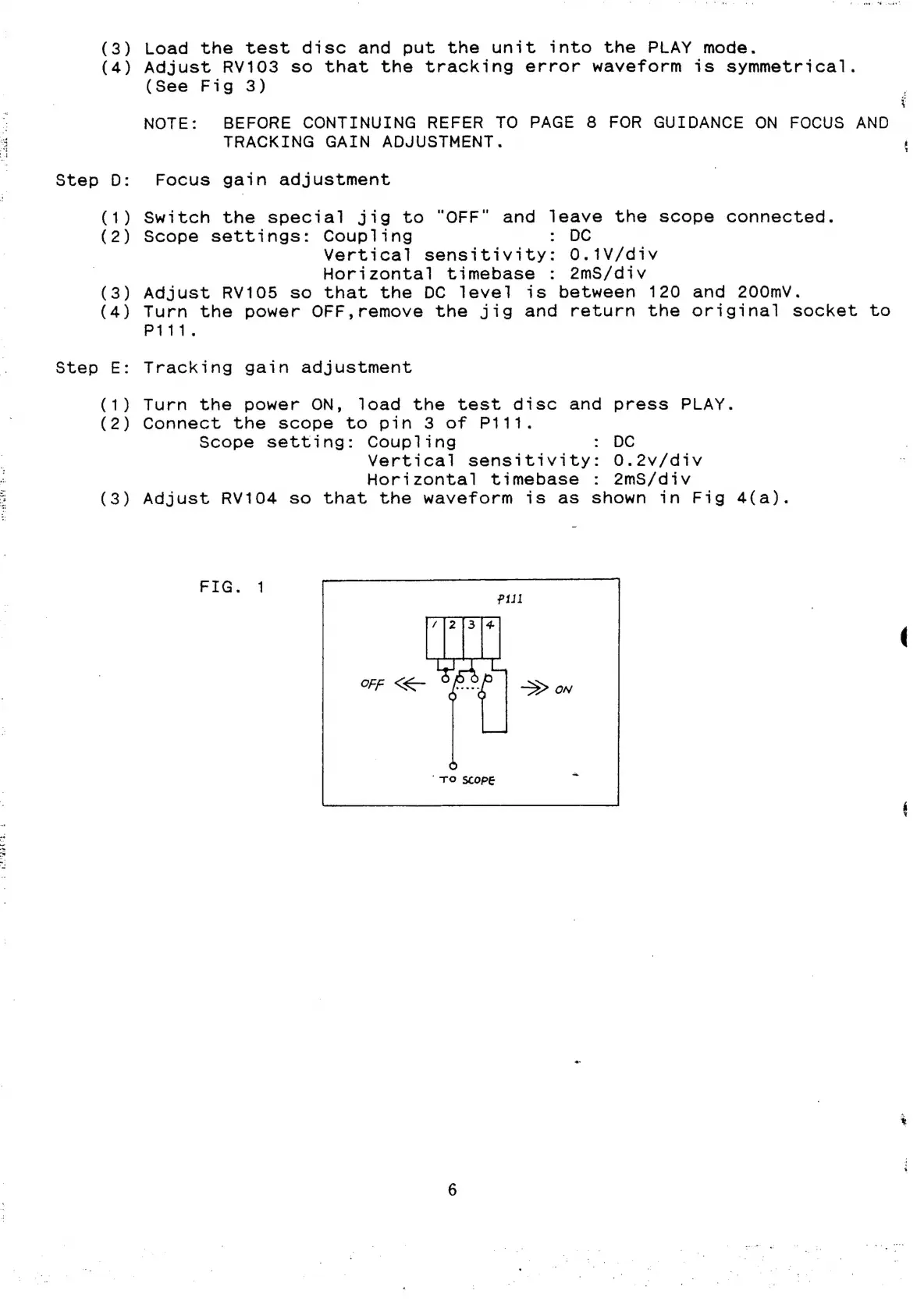
Switch
the
special
jig
to
“OFF"
and
leave
the
scope
connected.
Scope
settings:
Coupling
-
DC
Vertical
sensitivity:
0.1V/div
Horizontal
timebase
:
2mS/div
Adjust
RV105
so
that
the
DC
level
is
between
120
and
200mv.
Turn
the
power
OFF,remove
the
jig
and
return
the
original
socket
to
Piti.
Tracking
gain
adjustment
Turn
the
power
ON,
load
the
test
disc
and
press
PLAY.
Connect
the
scope
to
pin
3
of
P1111.
Scope
setting:
Coupling
:
DC
Vertical
sensitivity:
O.2v/div
Horizontal
timebase
:
2mS/div
Adjust
RV104
so
that
the
waveform
is
as
shown
in
Fig
4(a).
FiG..
4
"TO
SCOPE
od.
<a

Other manuals for NAD 5420

Related product manuals