EasyManua.ls Logo

NAD C 272 - User Manual

NAD C 272
46 pages
Print Icon
To Next Page IconTo Next Page
Loading...
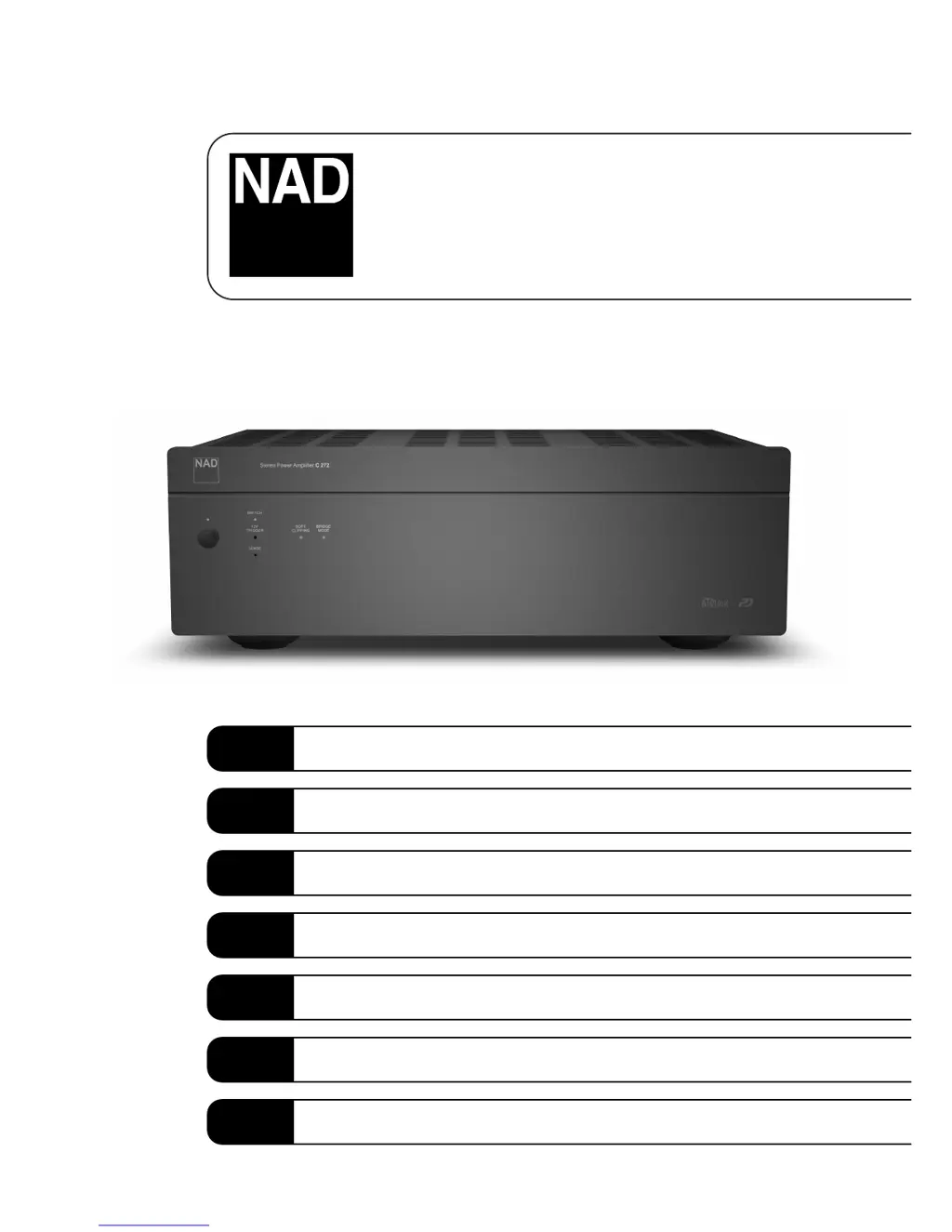
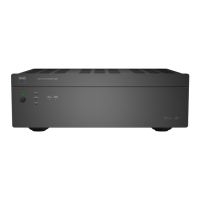
C 272
Stereo Power Amplifier
Owner’s Manual
GB
Manuel d’Installation
F
Bedienungsanleitung
D
Manual del Usuario
E
Manuale delle Istruzioni
I
Manual do Proprietário
P
Bruksanvisning
S

Other manuals for NAD C 272

Questions and Answers

Summary

Important Safety Instructions

General Safety Precautions

Covers electrical shock, fire, water exposure, placement, ventilation, cleaning, and general warnings for safe operation.

Servicing and Repair Guidelines

Emphasizes using qualified service personnel and avoiding user servicing to prevent hazards.

Antenna Grounding and Electrical Safety

Details outdoor antenna grounding requirements and power line safety precautions.

Rear Panel Connections

Power, Speaker, and Trigger Terminals

Details AC IN, SPEAKERS A/B, MONO+ terminals and the 12V TRIGGER input.

Signal Input Connections

Explains the FIXED IN and VARIABLE IN sockets for audio signal input.

Front Panel Controls

Status Indicator Lights

Describes the function of STAND-BY/PROTECTION, SOFT CLIPPING, and BRIDGE MODE LEDs.

Operational Switches and Buttons

Details the POWER button, BRIDGE MODE switch, and SOFT CLIPPING switch.

Quick Start and Installation

Quick Start Guide

Step-by-step instructions for initial setup and basic operation.

Installation and Placement Advice

Guidance on unit placement, ventilation, and cleaning for optimal performance.

Input Configurations

Fixed Input and Selection

Explanation of using FIXED IN inputs and the INPUT SELECT switch.

Variable Input and Level Control

Details on VARIABLE IN and INPUT LEVEL CONTROL for gain and balance adjustments.

Speaker Connections and Modes

Speaker Pair Connections

Instructions for connecting one or two pairs of speakers to SPEAKERS A and B terminals.

Bridge Mode Operation

Configuration for mono operation, increasing output power, and connection guidelines.

Advanced Features

Soft Clipping Function

Explanation of the Soft Clipping feature to minimize distortion at high levels.

12 V Trigger Auto On;Off

How to use the 12V trigger input for remote power control and system integration.

Vacation Power Control

Using the VACATION switch for master on/off control during extended periods.

Operational Logic and Indicators

Sleep;Wake;Sense;Defeat Logic

Controls automatic standby and wake-up based on audio signal presence.

Front Panel Indicator Functions

Detailed explanation of all front panel status and control indicators.

Auto Turn-On (ATO) Logic

ATO Logic Overview

Explanation of the three discrete methods for turning the amplifier on.

ATO Logic Chart

A table detailing LED behavior based on switch settings and activation methods.

Troubleshooting

No Sound or Single Channel Issues

Common causes and solutions for lack of audio output or one channel not working.

Audio Quality and Stereo Image Problems

Troubleshooting weak bass, diffuse sound, or missing stereo imaging.

Protection Indicator Faults

Solutions for the red POWER/PROTECTION LED staying on during operation.

Summary

Important Safety Instructions

General Safety Precautions

Covers electrical shock, fire, water exposure, placement, ventilation, cleaning, and general warnings for safe operation.

Servicing and Repair Guidelines

Emphasizes using qualified service personnel and avoiding user servicing to prevent hazards.

Antenna Grounding and Electrical Safety

Details outdoor antenna grounding requirements and power line safety precautions.

Rear Panel Connections

Power, Speaker, and Trigger Terminals

Details AC IN, SPEAKERS A/B, MONO+ terminals and the 12V TRIGGER input.

Signal Input Connections

Explains the FIXED IN and VARIABLE IN sockets for audio signal input.

Front Panel Controls

Status Indicator Lights

Describes the function of STAND-BY/PROTECTION, SOFT CLIPPING, and BRIDGE MODE LEDs.

Operational Switches and Buttons

Details the POWER button, BRIDGE MODE switch, and SOFT CLIPPING switch.

Quick Start and Installation

Quick Start Guide

Step-by-step instructions for initial setup and basic operation.

Installation and Placement Advice

Guidance on unit placement, ventilation, and cleaning for optimal performance.

Input Configurations

Fixed Input and Selection

Explanation of using FIXED IN inputs and the INPUT SELECT switch.

Variable Input and Level Control

Details on VARIABLE IN and INPUT LEVEL CONTROL for gain and balance adjustments.

Speaker Connections and Modes

Speaker Pair Connections

Instructions for connecting one or two pairs of speakers to SPEAKERS A and B terminals.

Bridge Mode Operation

Configuration for mono operation, increasing output power, and connection guidelines.

Advanced Features

Soft Clipping Function

Explanation of the Soft Clipping feature to minimize distortion at high levels.

12 V Trigger Auto On;Off

How to use the 12V trigger input for remote power control and system integration.

Vacation Power Control

Using the VACATION switch for master on/off control during extended periods.

Operational Logic and Indicators

Sleep;Wake;Sense;Defeat Logic

Controls automatic standby and wake-up based on audio signal presence.

Front Panel Indicator Functions

Detailed explanation of all front panel status and control indicators.

Auto Turn-On (ATO) Logic

ATO Logic Overview

Explanation of the three discrete methods for turning the amplifier on.

ATO Logic Chart

A table detailing LED behavior based on switch settings and activation methods.

Troubleshooting

No Sound or Single Channel Issues

Common causes and solutions for lack of audio output or one channel not working.

Audio Quality and Stereo Image Problems

Troubleshooting weak bass, diffuse sound, or missing stereo imaging.

Protection Indicator Faults

Solutions for the red POWER/PROTECTION LED staying on during operation.

NAD C 272 Specifications

General IconGeneral
BrandNAD
ModelC 272
CategoryAmplifier
LanguageEnglish

Related product manuals