INTRODUCTION
GETTING STARTED
WHAT’S IN THE BOX
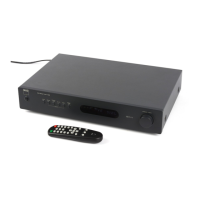
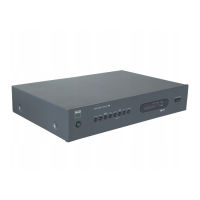
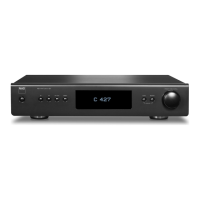
Packed with your C 427 you will nd
• An AM loop antenna.
• A FM ribbon-wire antenna with balun.
• A detachable AC power cord.
• An audio cable connector (RCA-to-RCA lead).
• The TNR 3 remote control with 2 (two) AAA batteries.
• Quick Setup Guide
SAVE THE PACKAGING
Please save the box and all of the packaging in which your C 427 arrived.
Should you move or otherwise need to transport your C 427, this is by far
the safest container in which to do so. We’ve seen too many otherwise
perfect components damaged in transit for lack of a proper shipping
carton, so please: Save that box!
CHOOSING A LOCATION
Choose a location that is well ventilated (with at least several inches to both
sides and behind), and that will provide a clear line of sight, within 23 feet/7
meters, between the C 427’s front panel and your primary listening/viewing
position—this will ensure reliable infrared remote control communications.
Avoid placing the unit in direct sunlight or near sources of heat and damp.
It is perfectly possible to stack the C 427 on top of other components.
QUICK START
In case you simply cannot wait to experience the performance of your
new C 427, we provide the following “Quick Start” instructions to get you
underway.
Please make all the connections to your C 427 with the unit unplugged. It is
also advisable to power down or unplug all associated components while
making or breaking any signal or AC power connections.
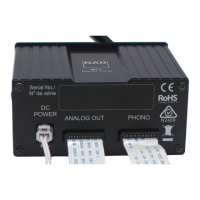
1 Use the RCA-to-RCA lead to connect the left and right audio output of
the C 427 to the tuner input of your amplier.
2 Connect AM and FM antenna.
3 Connect corresponding end of the AC power cord to the AC mains
input of the C 427 and the plug connected to a mains power source.
The Standby LED indicator embedded around the bezel of the STANDBY
button will illuminate amber.
4 Plug the AC mains plug also of your amplier to a mains power source.
Power up your amplier and set it to the tuner input where the C 427 is
connected.
5 Press the front panel STANDBY button to turn ON the C 427. The
Standby LED indicator will turn from amber to blue and the VFD is
illuminated.
6 Select AM or FM band by pressing corresponding front panel button.
7 Toggle [PRESET/TUNE/SCROLL] control knob to switch between
“Presets” and “Tune” mode. Select TUNE mode (“Tune” is displayed in the
second row of the VFD).
8 Tune to desired station by rotating the [PRESET/TUNE/SCROLL] control
knob.
5


 To Next Page