EasyManua.ls Logo

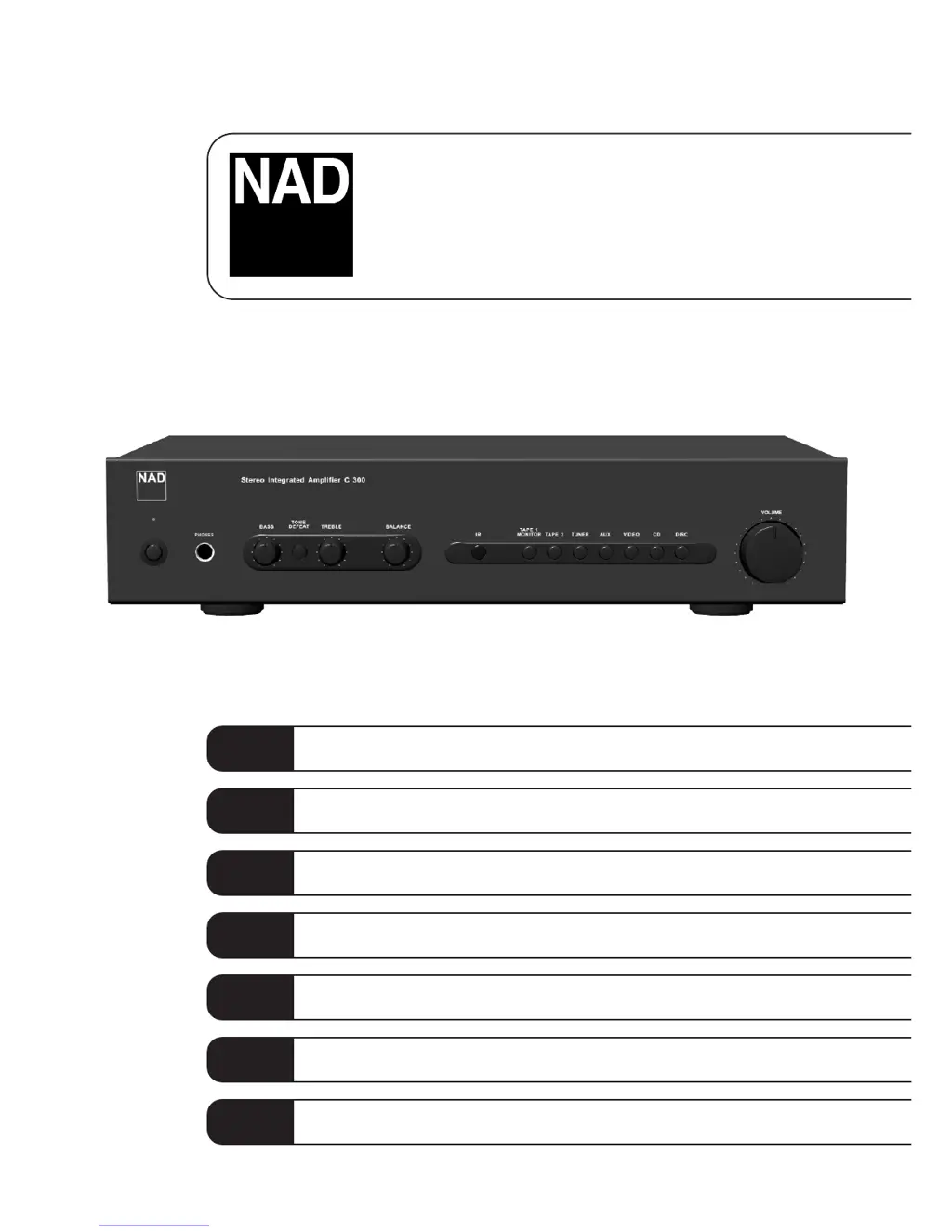
NAD C300 - User Manual

NAD C300
32 pages
Print Icon
To Next Page IconTo Next Page
Loading...
Owner’s Manual
GB
Manuel d’Installation
F
Bedienungsanleitung
D
Manual del Usuario
E
Manuale delle Istruzioni
I
Manual do Proprietário
P
Bruksanvisning
S
C300
Stereo Integrated Amplifier

Other manuals for NAD C300

Questions and Answers

  • E
    Emily VillaJul 26, 2025
    How to fix no sound on my NAD Amplifier?
    • P
      Patricia RoblesJul 26, 2025
      If your NAD Amplifier has no sound, first ensure the AC lead is properly plugged in and the power is switched on. Check that the 'Tape 1 Monitor' mode is not selected and that the mute function is off. Also, make sure headphones are not plugged in, as this can cut off sound to the speakers.
  • A
    Amanda AguirreJul 31, 2025
    What to do if NAD C300 has no sound in one channel?
    • L
      Lisa PollardJul 31, 2025
      If you're experiencing sound from only one channel on your NAD Amplifier, start by centering the balance control. Then, inspect the speaker connections to make sure they are properly connected and not damaged. Finally, check the input leads and their connections for any damage or disconnections.
  • I
    ianbairdAug 5, 2025
    Why does the power/protection LED turn red during operation on my NAD C300 Amplifier?
    • A
      anthonyvazquezAug 5, 2025
      If the power/protection LED on your NAD Amplifier turns red during operation, it could be due to overheating. Turn the amplifier off and ensure that the ventilation slots on the top and bottom are not blocked. Allow the amplifier to cool down before turning it back on. It could also indicate that the overall impedance of your loudspeakers is too low. Make sure the overall loudspeaker impedance isn’t below 4 ohms.
  • M
    morganjasonAug 10, 2025
    Why is my NAD C300 remote control not working?
    • N
      nhamiltonAug 10, 2025
      If the remote control for your NAD Amplifier isn't working, start by checking the batteries. Make sure they are not flat and are correctly inserted. Also, ensure that there are no obstructions blocking the IR transmitter or receiver windows. Direct sunlight or very bright ambient light can also interfere with the IR receiver, so try moving the unit away from direct sun or reducing the ambient light.
  • A
    Anne KempAug 14, 2025
    What to do if the power/protection LED stays red on NAD Amplifier?
    • D
      Dr. Jocelyn CohenAug 14, 2025
      If the power/protection LED stays red when you turn on your NAD Amplifier, it indicates a potential short-circuit in the loudspeaker cabling. Turn the amplifier off immediately and carefully inspect the loudspeaker cable connections for both speakers at the amplifier's back panel and the loudspeakers themselves. After checking, turn the amplifier back on.
  • K
    kwrightAug 20, 2025
    Why does my NAD C300 Amplifier have weak bass and diffuse stereo image?
    • O
      owenschadAug 20, 2025
      A weak bass or diffuse stereo image on your NAD Amplifier is often caused by speakers wired out of phase. Check the connections to all speakers in the system to ensure they are correctly wired.

Summary

Important Safety Instructions

General Safety Precautions

General warnings about electrical shock, fire, moisture, and proper handling.

Outdoor Antenna Grounding

Guidelines for grounding outdoor antennas to protect against voltage surges and static.

Servicing and Maintenance

Instructions regarding user servicing, qualified personnel, and part replacement.

Rear Panel Connections

Signal Inputs

Inputs for DISC, CD, VIDEO, AUX, TUNER, TAPE 1 & 2.

Speaker Outputs

Terminals for connecting speakers using appropriate gauge wire.

AC Power Connection

Connection point for the AC power cord to the wall socket.

Front Panel Controls

Power and Indicator Lights

Power switch and LED for status and protection.

Input Selection and Volume

Buttons to select input sources and control overall loudness.

Tone and Balance Adjustments

Bass, treble, balance, and tone defeat for audio adjustment.

Headphone and Remote Receiver

Headphone socket and infrared receiver for remote control.

Operation and Recording

Recording Functions

Signal routing for recording from selected sources to tape outputs.

Tape to Tape Copying

Instructions for copying audio between two tape recorders.

Remote Control Handset

Mute and Volume Control

Mute function and master volume control using the remote handset.

Troubleshooting

No Sound or Channel Issues

Steps for diagnosing and resolving no sound or one-channel sound problems.

Audio Quality Problems

Addresses issues with weak bass, diffuse stereo imaging, or other quality concerns.

Remote Control Malfunctions

Solutions for when the remote control handset is not working correctly.

Protection LED Errors

Explains why the protection LED remains red at startup or during operation.

NAD C300 Specifications

Power Output IconPower Output
stereo mode continuous average power output into 8 ohms25W
clipping power (maximum continuous power per channel)30W
ihf dynamic power at 8 ohms43W
ihf dynamic power at 4 ohms65W
ihf dynamic power at 2 ohms90W
Electrical Characteristics IconElectrical Characteristics
rated impedance4-8 ohms
rated distortion (thd 20hz-20khz)0.03%
damping factor (ref. 8 ohms 50hz)>100
peak undistorted output current40A
frequency response (tone control in)<± 0.5dB at 10Hz/70kHz -2dB
Line Level Inputs IconLine Level Inputs
input impedance (r and c)210kohms/320pF
input sensitivity (ref. rated power)200mV
maximum input signal5V rms
Line Level Outputs IconLine Level Outputs
maximum output level5V rms
signal to noise ratio, a-weighted (ref. 1w)>100dB
signal to noise ratio, a-weighted (ref. rated power)>114dB
Tone Controls IconTone Controls
treble (at 10khz)±6dB
bass (at 100hz)±5dB
Weight and Dimensions IconWeight and Dimensions
dimensions (w x h x d)435 x 80 x 285 mm
net weight5.0 kg
shipping weight6.2 kg

Related product manuals