EasyManua.ls Logo

NAD C320 - User Manual

NAD C320
36 pages
Print Icon
To Next Page IconTo Next Page
Loading...
Owner’s Manual
GB
Manuel d’Installation
F
Bedienungsanleitung
D
Manual del Usuario
E
Manuale delle Istruzioni
I
Manual do Proprietário
P
Bruksanvisning
S
C320
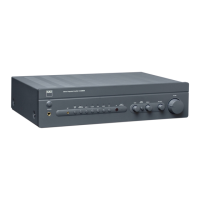
Stereo Integrated Amplifier

Other manuals for NAD C320

Questions and Answers

  • D
    Deanna VargasJul 26, 2025
    Why does the power/protection LED turn red on my NAD C320?
    • L
      Larry GilesJul 26, 2025
      If the power/protection LED on your NAD amplifier turns red during operation, it could be due to overheating. Turn the amplifier off and ensure that the ventilation slots on the top and bottom are not blocked. Allow the amplifier to cool down before turning it back on. Another cause could be that the overall impedance of your loudspeakers is too low. Make sure the overall loudspeaker impedance is not below 4 ohms.
  • C
    Cindy BradfordAug 1, 2025
    How to troubleshoot no sound on NAD Amplifier?
    • E
      Emily DavidsonAug 1, 2025
      If your NAD Amplifier has no sound, first check if the AC lead is plugged in and the power is switched on. Ensure that the Tape 1 Monitor mode is de-selected and that Mute is switched off. Also, confirm that the rear Pre-out/Main-in amp links are fitted and that headphones are disconnected.
  • A
    Anthony PottsAug 6, 2025
    Why is there no sound in one channel of my NAD C320?
    • V
      Veronica MooreAug 6, 2025
      If you're only getting sound from one channel on your NAD Amplifier, start by centering the Balance control. Then, check the speaker connections and the speakers themselves for any damage. Finally, inspect the input leads and connections to ensure they are properly connected and not damaged.
  • T
    tonyaatkinsonAug 13, 2025
    What to do if the remote control is not working for NAD C320 Amplifier?
    • M
      Mary LawrenceAug 13, 2025
      If the remote control handset for your NAD Amplifier is not working, start by checking or replacing the batteries, ensuring they are correctly inserted. Next, verify that there are no obstructions blocking the IR transmitter or receiver windows. Finally, check if the IR receiver is in direct sunlight or very bright ambient light; if so, move the unit away from direct sun or reduce the amount of ambient light.
  • E
    emilynewmanAug 19, 2025
    How to fix weak bass on NAD C320?
    • N
      Nina MccoyAug 19, 2025
      If you are experiencing weak bass or a diffuse stereo image with your NAD Amplifier, check the connections to all speakers in the system to ensure they are wired in phase.

Summary

Important Safety Instructions

General Usage and Placement Warnings

General warnings on unit placement, water proximity, heat sources, ventilation, power cord handling, and cleaning procedures.

Electrical Shock and Antenna Safety

Precautions against electric shock, servicing advice, and guidelines for antenna installation and grounding.

Rear Panel Connections

Input and Output Connectors

Details on NAD Link, Disc, CD, Video, Aux, Tuner inputs, Tape 2/1 In/Out, and Pre Out/Main In connections.

Speaker Terminals and Power

Terminals for speakers, AC power cord connection, and Soft Clipping feature explanation.

Front Panel Controls

Power, Indicators, and IR Receiver

Power button, Protection LED, headphone socket, and IR receiver for remote control.

Input Selectors

Buttons on the front panel to select the active audio input source.

Audio Adjustment Controls

Controls for adjusting Bass, Treble, Tone Defeat, Balance, and Volume.

Remote Control Handset

Operation and Compatibility

Details on operating the remote, battery replacement, and universal handset notes.

Troubleshooting

No Sound or Single Channel Issues

Troubleshooting steps for complete lack of sound or sound in only one channel.

Audio Quality and Remote Control Problems

Resolving weak bass, diffuse stereo image, and remote control handset operational issues.

Power;Protection LED Errors

Diagnosing and resolving issues indicated by the power/protection LED turning red.

NAD C320 Specifications

General IconGeneral
Input Sensitivity200mV
Power Output50W per channel (8 ohms)
Frequency Response20Hz - 20kHz
Total Harmonic Distortion0.03%
Dimensions435 x 100 x 290 mm
Input Impedance20k ohms

Related product manuals