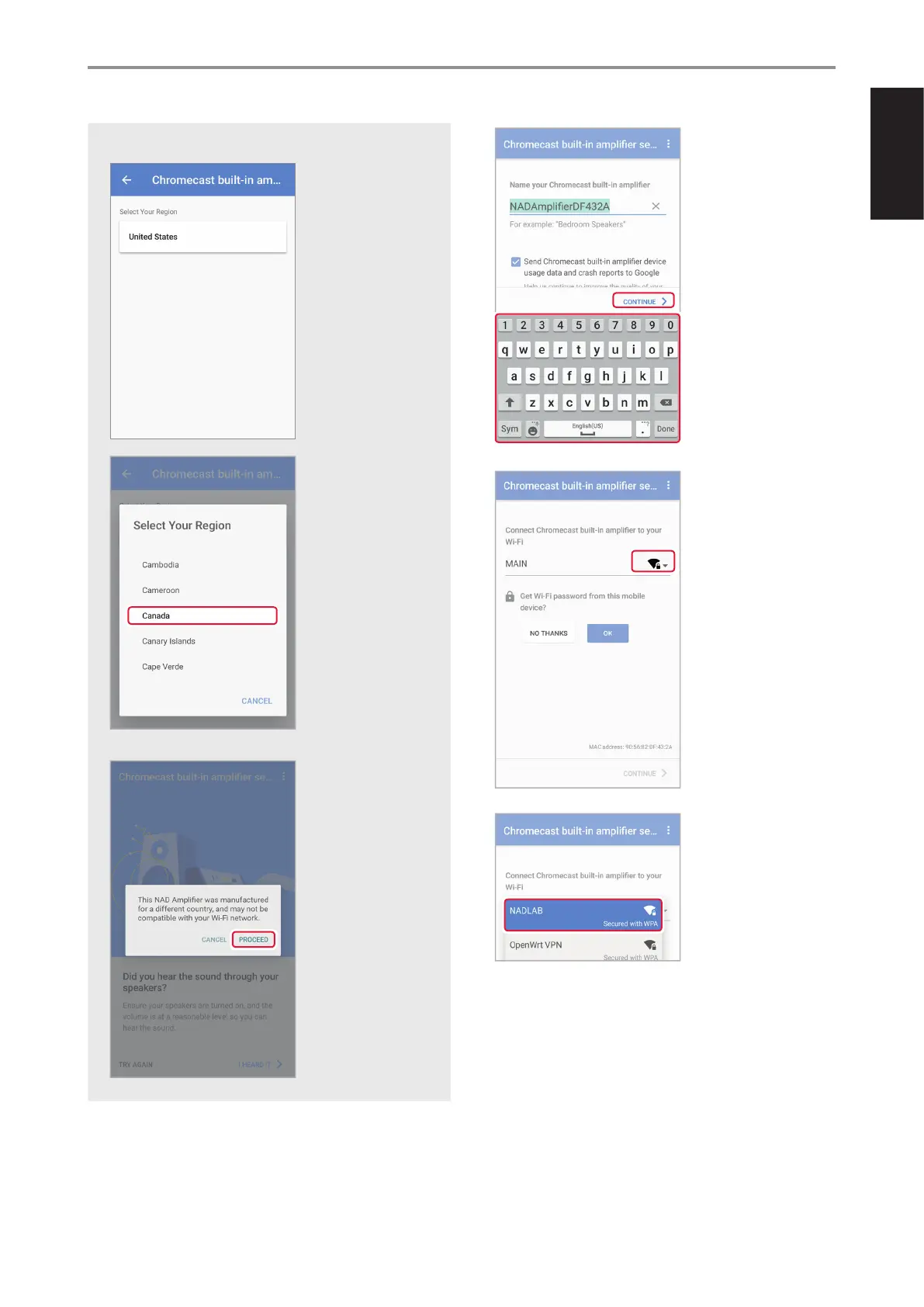
For iOS devices, you may be required to select the region or your location
as below.
In some instances, a
pop-up message like this
appears. You may select
“PROCEED” (or “OK” for iOS
device) to continue with
the next step.
11 Retain the default
Chromecast built-in
amplier name or rename
it as per your preference.
Rename your Chromecast
built-in amplier by using
the on-screen keyboard.
Select “CONTINUE” to
proceed to next step.
12 If the displayed Wi-Fi
connection is not your
preferred network, select
from the drop down menu
your preferred network.
OPERATION
USING THE C 338
11
ENGLISHFRANÇAISESPAÑOLITALIANODEUTSCHNEDERLANDSSVENSKAРУССКИЙ


 To Next Page