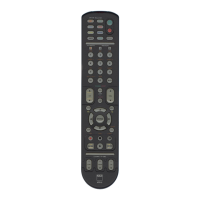
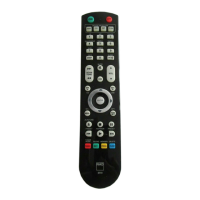
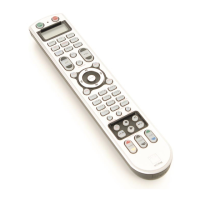
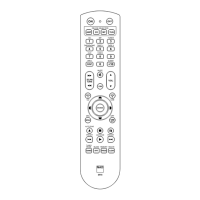
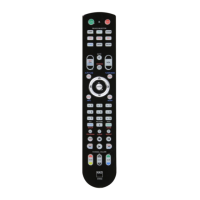
All of the function keys on the [AMP]
DEVICE SELECTOR “page” are pre-
programmed to control NAD ampliers,
preampliers and receivers. The HTR 8
can also command many other NAD
components from its [DVD], [CD], [BD]
and [TUNER] pages.
It is important to note that certain
HTR 8 keys perform dierent functions
depending on the selected DEVICE
SELECTOR “page”. The colour of the
DEVICE SELECTOR key-labelling cor-
responds to the labelling of the function
keys. Most centrally, the black [AMP]
DEVICE SELECTOR “page” corresponds to
the black keys: When the HTR 8’s [AMP]
DEVICE SELECTOR page is active; these
keys select the amplier or receiver
inputs. Similarly, the purple [DVD] DEVICE
SELECTOR “page” corresponds to several
purple labels and so on.
LEARNING CODES FROM
OTHER REMOTES
Begin by positioning the HTR 8 “nose-to-
nose” with the source remote so the two
devices’ infrared windows are about 2
inches apart.
• Enter Learning Mode: On the HTR 8,
simultaneously press-and-hold for
3 seconds both a DEVICE SELECTOR
key and the [RES] key until the Learn
LED of the HTR 8 turns steady green.
• Press the HTR 8’s function key you
wish to teach a command; the Learn
LED will turn amber.
• Press-and-hold the function key on
the source remote: The HTR 8’s Learn
LED will icker amber for a second
or two, then turn solid green. The
command is learned.
• Press the HTR 8’s DEVICE SELECTOR
key again to exit the learning mode.
If the Learn LED does not icker amber
you may need to vary the distance
between the remotes. If the Learn LED
turns red rather than green, that par-
ticular command of that source remote
command could not be learned. In rare
instances, there maybe some IR format
that is not compatible with the HTR 8.
4
ENGLISH FRANÇAIS ESPAÑOL ITALIANO DEUTSCH NEDERLANDS SVENSKA РУССКИЙ
HTR8_eng_OM_v03.indd 4 20/01/2012 1:46am


 To Next Page