Example: Punch-through AMP [SURR
MODE] key to the DVD “page”
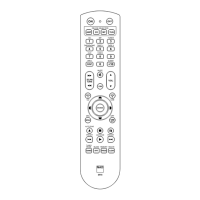
• On the HTR 8, simultaneously press-
and-hold [DVD] and [RES]; the Learn
LED turns steady green.
• Press [SURR MODE]; the Learn LED
turns amber.
• Press [AMP] twice; the Learn LED
turns green.
• Press [DVD] again to exit the learning
mode.
COPy A COMMAND FROM
ANOTHER KEy
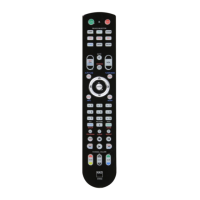
You may copy a command from any
HTR 8 key to any other. To copy a key
function, after entering the Learning
Mode, and pressing the desired key to
be copied to, simply press the device
key from which you wish to copy, having
rst pressed its DEVICE SELECTOR key if
it resides on another “page.” The status
LED will turn green; press the DEVICE
SELECTOR key again to exit Learning
Mode.
Example: Copy the Pause command
from the CD page to the AMP [j] button
• On the HTR 8, simultaneously press-
and-hold [AMP] and [RES]; the Learn
LED turns steady green.
• Press Pause [j]; the Learn LED turns
amber.
• Press [CD]; press Pause [j]; the Learn
LED turns green.
• Press [AMP] again to exit the learning
mode.
Note
The copy and punch-through func-
tions are similar. However, if you copy
a command and then subsequently
delete or overwrite the original
(source-key) command, the copied-to
key’s command remains unchanged.
If you punch-through to a command
and then delete or overwrite the
original key, the punched-through
functions also change accordingly.
MACRO COMMANDS
A “macro” command is a series of two or
more remote codes issued automatically
from a single keypress. You might use a
macro to automate a simple command
sequence, such as, “Turn on the DVD
player and then press PLAY”. Or you might
compose an elaborate macro to power
up an entire system, select a source,
choose a Listening Mode, and begin play-
back again, all from a single keypress. The
HTR 8 can store one macro on each of its
DEVICE SELECTOR and function keys.
6
ENGLISH FRANÇAIS ESPAÑOL ITALIANO DEUTSCH NEDERLANDS SVENSKA РУССКИЙ
HTR8_eng_OM_v03.indd 6 20/01/2012 1:46am


 To Next Page