EXECUTING MACROS
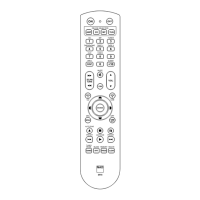
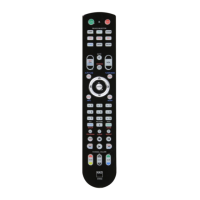
To execute a macro, press and release
[MACRO]; its key illumination lights for
5 seconds. While it remains lit, press an
HTR 8 key to which a macro has previ-
ously been stored.
The corresponding macro will run; as
each step executes, its “parent” DEVICE
SELECTOR key ashes briey; when
execution is nished, the [MACRO] key
illumination goes out. Pressing any other
HTR 8 key while a macro is executing
will abort the macro. Remember that
you must hold the HTR 8 so that its
infrared emitter can activate the target
components.
Note
When a macro executes, a 1 second
delay is automatically inserted
between its commands. If you need
more than a 1 second delay between
particular commands—for example,
to permit a component to power up
completely—you can record “empty”
steps into the macro by changing
DEVICE SELECTOR “pages” without
entering actual command functions.
KEy ILLUMINATION TIMEOUT
The HTR 8’s key-illumination can be set
to remain lit for 0-9 seconds. The default
value is 2 seconds. To set the illumination
timeout, simultaneously press-and-hold
for 3 seconds both the HTR 8’s [DISP] and
the [0-9] key, with the digit correspond-
ing to the desired timeout duration; the
Learn LED will ash twice to conrm
the new setting. When set to zero, the
illumination will not turn on at all.
Notes
· Key illumination is activated when
one presses any HTR 8 key.
· If HTR 8 senses movement, key illu-
mination is activated without having
to press a key. If HTR 8 is shaken, key
illumination is also activated.
· Key illumination is the biggest drain
on the HTR 8’s batteries. A short key
illumination timeout will extend
battery life appreciably; turning it o
altogether (set it to 0 seconds) will
lengthen it still further.
8
ENGLISH FRANÇAIS ESPAÑOL ITALIANO DEUTSCH NEDERLANDS SVENSKA РУССКИЙ
HTR8_eng_OM_v03.indd 8 20/01/2012 1:46am


 To Next Page