AUDYSSEY DYNAMIC VOLUME
Audyssey Dynamic Volume delivers consistent volume playback levels,
anticipating sudden spikes and dips in volume and compensating for them
in real time. Audyssey Dynamic Volume monitors the volume of program
material moment-by-moment, maintaining the desired listening level for all
content while optimizing the dynamic range to preserve the impact.
Audyssey Dynamic Volume includes Audyssey Dynamic EQ, which
compensates for deteriorating sound quality as volume is decreased
by taking into account human perception and room acoustics. These
two technologies enable the full frequency response of the source at its
original level to be reproduced at any listening level. Even at lower listening
volumes, Dynamic Volume ensures that the richness and dynamics of the
response are maintained.
Audyssey Dynamic Volume can be set to the following levels
Light: Provide the least adjustment to the loudest or softest sound level.
Medium: Setting that prevents loud and soft sound from being much
louder than their respective average sound levels.
Heavy: Aect volume the most by causing all sound to be of equal
loudness.
NOTE
AudysseyDynamicEQmustbesetto“On”toactivateAudysseyDynamic
Volume.IfAudysseyDynamicEQisset“O”,AudysseyDynamicVolume
willalsoremain“O”.
IMPORTANT NOTICE
IfAudysseyAutoCalibrationisnotsetup,therelativebalanceofyoursystem’s
loudspeakershastobemanuallyadjusted(withtheaidofaSPLmeter)for
AudysseyDynamicVolumeandAudysseyDynamicEQtobeeective.Ifthe
speakersarenotproperlycalibrated,thecorrespondingAudysseyDynamic
VolumeandAudysseyDynamicEQresponsescouldbedistorted.Referalso
totheitemabout“USINGSPLMETER”intheSPEAKERLEVELSsectionbelow.
TONE CONTROLS
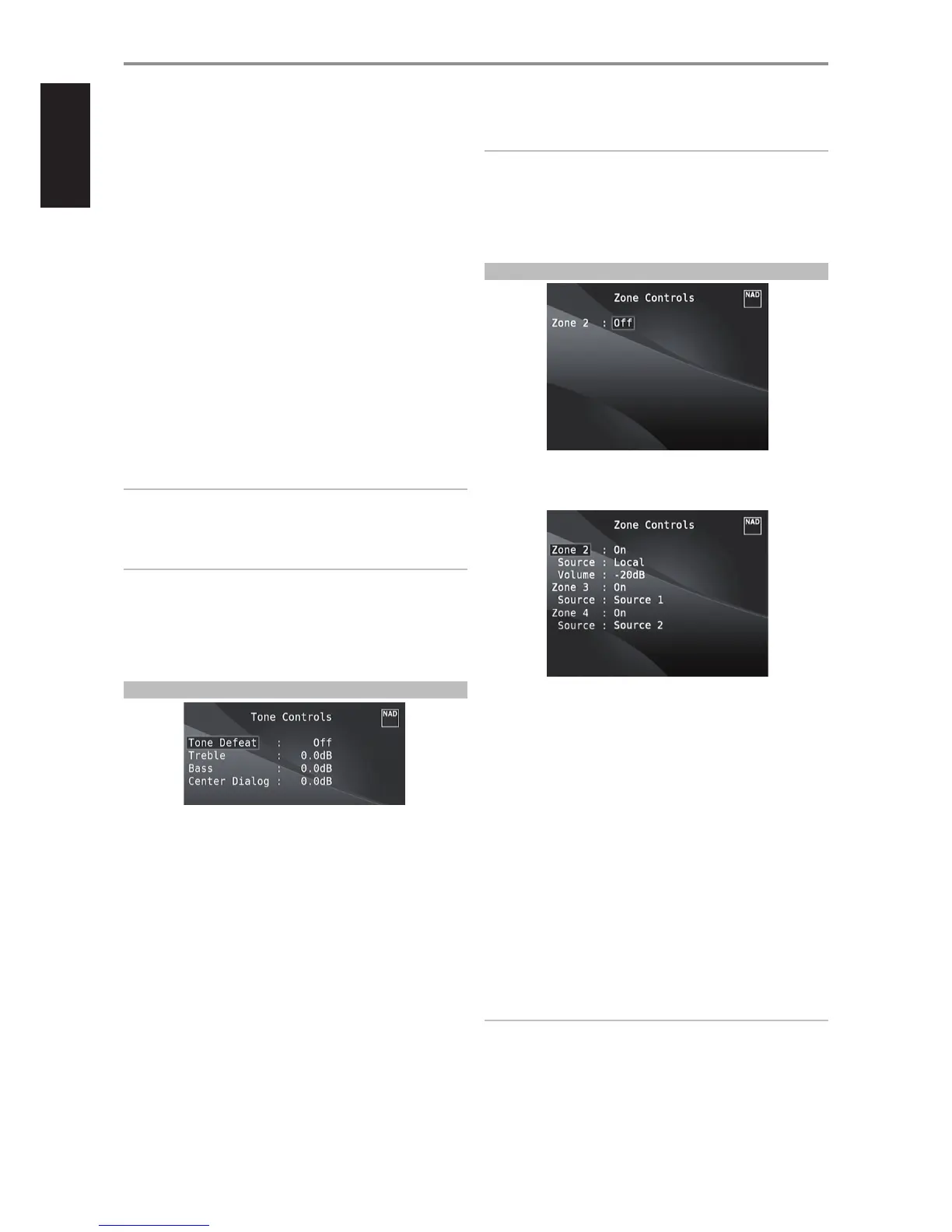
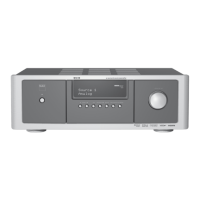
The M15 HD has three Tone Control levels – Treble, Bass and Center Dialog.
Bass and Treble controls only aect the low bass and high treble leaving the
critical midrange frequencies free of coloration. The Center Dialog (‘Dialog’
in the VFD) control boosts the ‘presence’ of the midrange region improving
intelligibility of speech.
These controls allow one to tweak on-the-y, the frequency response
of the source during playback. The control setting could be adjusted
by navigating through the Tone Controls’ OSD menu via a combination
of [ENTER] and [A/S/D/F] keys. The same can be managed directly by
pressing the front panel’s TONE CONTROLS button and then rotating the
VOLUME knob to select desired setting.
Maximum and minimum values for all three Tone Control levels are ±10 dB.
‘Tone Defeat’ gives one the choice of varying or completely bypassing
the tone control section of the M15 HD. If ‘O’ (‘Tone Active’ in the VFD) is
selected, the Tone Control circuits are active.
Select ‘On’ (‘Tone Defeat’ in the VFD) to bypass the Tone Controls eectively
defeating the eect of the tone control circuits.
NOTE
ToneControlsoptionscanbedirectlyselectedorchangedusingHTRM’s
TONEbuttonwithDEVICESELECTORsettoAMPmode.ToggleTONE
buttontoselect“Treble”,“Bass”or“Dialog”andthenusethe[D/F]to
adjusttheirrespectivelevels.PressTONEagaintosavethesettingsand
atthesametimemoveontothenextparameterorexittheparameter
settingaltogether.
ZONE CONTROLS
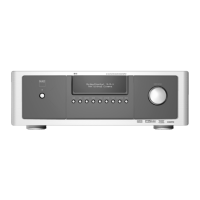
Depending on the settings made at the separate ‘Zone Setup’ menu under
the ‘Setup Menu’ section discussion, the applicable Zone can be congured
and managed via this ‘Zone Controls’ window.
Select ‘On’ to activate the applicable Zone. When activated, the Source
input for the particular Zone can be allocated by selecting through the
following inputs – All enabled Sources and Local.
Select ‘Local’ as your selected Zone’s Source input if you wish to enjoy the
same source as the main Zone and allow simultaneous listening, but with
full separate volume levels.
If a Zone is set to ‘O,’ it is deactivated or powered o.
‘Volume’ refers to the adjustable secondary Zone 2 Volume level that can be
increased or decreased using the D/F buttons of the HTRM.
When a Zone is activated, a corresponding Zone number is illuminated
at the VFD. Zone 2 is always available to be congured at ‘Zone Controls’
menu. For Zone 3 and Zone 4 to become available at the ‘Zone Controls’
window, their corresponding ‘Mode’ in the ‘Zone Setup’ menu under the
‘Setup Menu’ section should be set to ‘Zone (Audio Only).’
NOTES
• TheZR5remotecontrolwillonlycontrolZone2applications.Zone3
andZone4couldbeconguredandmanagedattheappropriateZone
OSDmenuusingthefrontpanelnavigationsbuttonsaswellasthe
correspondingkeysontheHTRMremotecontrol.
• “Zone4”isaudioonlyandnotassociatedwithanyvideoinputsources.
OPERATION
USING THE M15 HD MAIN MENU
14
ENGLISH FRANÇAIS ESPAÑOL ITALIANO DEUTSCH NEDERLANDS SVENSKA РУССКИЙ


 To Next Page