EasyManua.ls Logo

NAD M2 - User Manual

NAD M2
14 pages
Print Icon
To Next Page IconTo Next Page
Loading...
ENGLISHFRANÇAISESPAÑOLITALIANODEUTSCHNEDERLANDSSVENSKAРУССКИЙ
®
Owners Manual
M2
Direct Digital Amplier

Other manuals for NAD M2

Questions and Answers

Summary

Important Safety Instructions

Note to CATV System Installer

Guidance for CATV system installers regarding proper grounding of the cable system.

Service, Parts, Mounting, and Heat

Caution Regarding Placement

Environmental Protection Notes

Waste Battery Collection and Disposal

Record Model and Serial Number

Getting Started

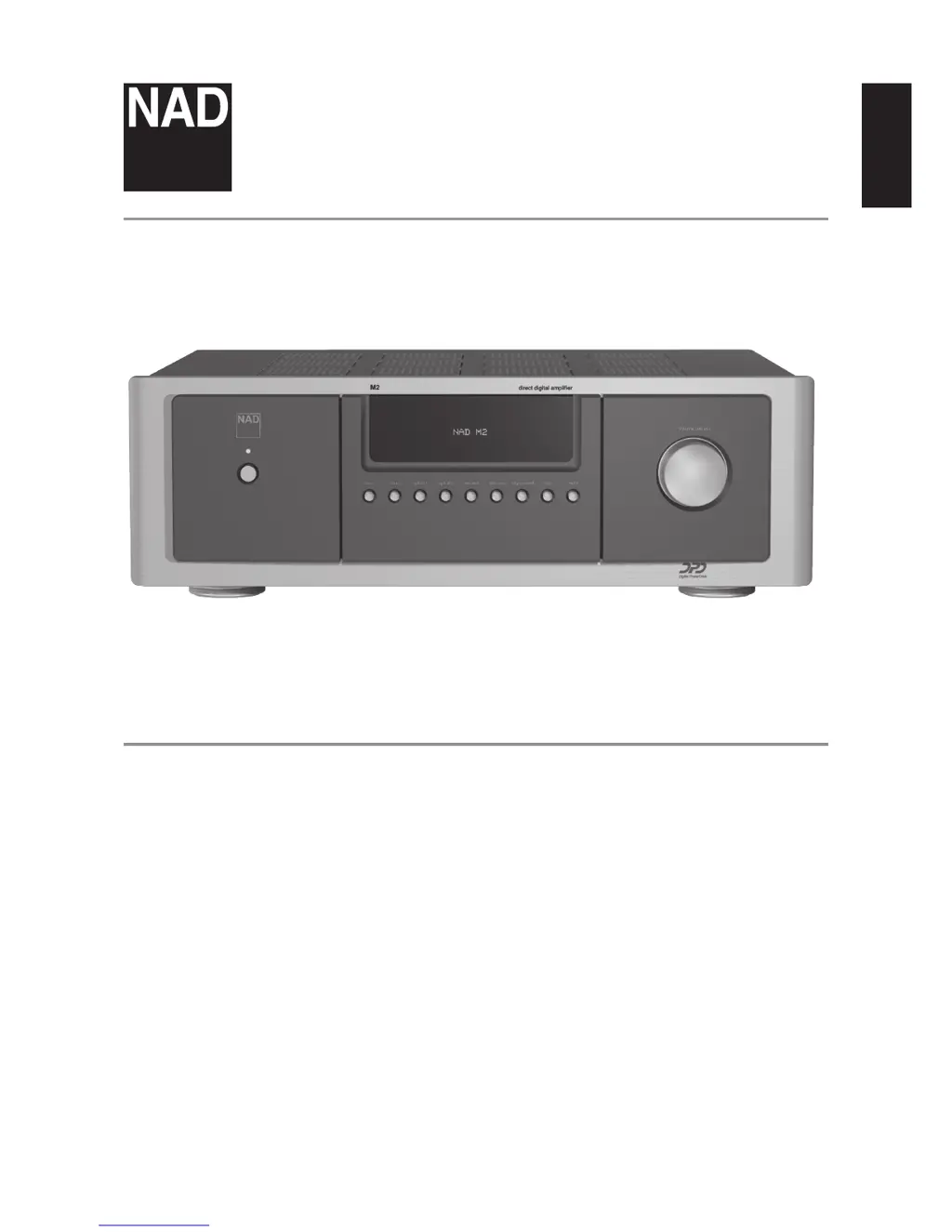
Front Panel Controls

Standby LED and Button

Indicator for standby status and button to switch the unit on/off.

Vacuum Fluorescent Display (VFD)

Displays information about source, menus, volume, and settings.

Volume Control

Adjusts amplification level with velocity-sensing for fine or rapid changes.

Input Selection Buttons

Buttons to select digital and analog source inputs like Coax, Optical, AES/EBU, Balanced, Single-Ended.

Digital Processor Loop

Feature to insert external digital filters into the signal path.

Front Panel Menu Options

Menu: Level Trim and Sample Rate

Adjust input signal level (-9dB to 0dB or FIXED) and sample rate (48/96/192 kHz).

Menu: Speaker Compensation and Polarity

Configure speaker impedance compensation and signal polarity.

Renaming a Source Input

Procedure to rename source inputs using front panel buttons and volume knob.

Rear Panel Connections

Analog and Digital Audio Inputs

Connect XLR, RCA, Coaxial, Optical, and AES/EBU digital sources.

Speaker Terminals

Connect Left and Right speakers, supports Bi-wiring.

Trigger and Control Inputs

+12V Trigger IN/OUT, RS232, and IR IN for remote control.

Power and Other Rear Panel Features

Main power switch, OFF/AUTO trigger, and fuse holder.

Rear Panel Grounding and Power

Ground Terminal and Speaker Connections

Grounding terminal and detailed instructions for connecting speakers and bi-wiring.

Remote Control Inputs

RS232 and IR IN ports for external control.

Power Switch and AC Input

Master power switch and AC mains input connection.

Fuse Holder and Replacement

Location and procedure for replacing the fuse.

Grounding the M2 and Digital PowerDrive

Grounding Illustration

Example illustration of connecting the M2 to ground via the rear panel terminal.

Digital PowerDrive Technology

Explanation of NAD's proprietary amplifier technology for dynamic power.

M2 Remote Control Functions

Power and Input Selection

ON/OFF buttons and digital source input selection (Coax, Optical, AES/EBU).

Audio Control Features

MUTE, DIM, and VOL controls for audio output and display brightness.

Device Selector and CD Player Controls

Switch between CD/DVD modes and controls for CD playback.

DVD Player Controls

Controls for DVD playback, menu navigation, and display.

Troubleshooting Guide

Protection Errors

Causes and solutions for VFD protection errors like AMP SHORT or CHANNEL ERROR.

Power and Standby Issues

Troubleshooting no power, unit stuck in standby, or inability to switch on.

No Sound or One Channel Sound

Diagnosing and resolving issues with no audio output or single-channel sound.

Remote Control Response Issues

Solutions for when the M2 does not respond to remote control commands.

Technical Specifications

Digital Input Specifications

Details on input impedance, sample rate, frequency response, and channel separation for digital inputs.

Analog Input Specifications

Details on input impedance, sensitivity, max level, frequency response, and channel separation for analog inputs.

Overall Performance Specifications

Continuous output power, distortion, clipping power, dynamic power, and signal/noise ratio.

Power Consumption and Dimensions

Details on power usage in different modes and the unit's physical dimensions and weight.

Summary

Important Safety Instructions

Note to CATV System Installer

Guidance for CATV system installers regarding proper grounding of the cable system.

Service, Parts, Mounting, and Heat

Caution Regarding Placement

Environmental Protection Notes

Waste Battery Collection and Disposal

Record Model and Serial Number

Getting Started

Front Panel Controls

Standby LED and Button

Indicator for standby status and button to switch the unit on/off.

Vacuum Fluorescent Display (VFD)

Displays information about source, menus, volume, and settings.

Volume Control

Adjusts amplification level with velocity-sensing for fine or rapid changes.

Input Selection Buttons

Buttons to select digital and analog source inputs like Coax, Optical, AES/EBU, Balanced, Single-Ended.

Digital Processor Loop

Feature to insert external digital filters into the signal path.

Front Panel Menu Options

Menu: Level Trim and Sample Rate

Adjust input signal level (-9dB to 0dB or FIXED) and sample rate (48/96/192 kHz).

Menu: Speaker Compensation and Polarity

Configure speaker impedance compensation and signal polarity.

Renaming a Source Input

Procedure to rename source inputs using front panel buttons and volume knob.

Rear Panel Connections

Analog and Digital Audio Inputs

Connect XLR, RCA, Coaxial, Optical, and AES/EBU digital sources.

Speaker Terminals

Connect Left and Right speakers, supports Bi-wiring.

Trigger and Control Inputs

+12V Trigger IN/OUT, RS232, and IR IN for remote control.

Power and Other Rear Panel Features

Main power switch, OFF/AUTO trigger, and fuse holder.

Rear Panel Grounding and Power

Ground Terminal and Speaker Connections

Grounding terminal and detailed instructions for connecting speakers and bi-wiring.

Remote Control Inputs

RS232 and IR IN ports for external control.

Power Switch and AC Input

Master power switch and AC mains input connection.

Fuse Holder and Replacement

Location and procedure for replacing the fuse.

Grounding the M2 and Digital PowerDrive

Grounding Illustration

Example illustration of connecting the M2 to ground via the rear panel terminal.

Digital PowerDrive Technology

Explanation of NAD's proprietary amplifier technology for dynamic power.

M2 Remote Control Functions

Power and Input Selection

ON/OFF buttons and digital source input selection (Coax, Optical, AES/EBU).

Audio Control Features

MUTE, DIM, and VOL controls for audio output and display brightness.

Device Selector and CD Player Controls

Switch between CD/DVD modes and controls for CD playback.

DVD Player Controls

Controls for DVD playback, menu navigation, and display.

Troubleshooting Guide

Protection Errors

Causes and solutions for VFD protection errors like AMP SHORT or CHANNEL ERROR.

Power and Standby Issues

Troubleshooting no power, unit stuck in standby, or inability to switch on.

No Sound or One Channel Sound

Diagnosing and resolving issues with no audio output or single-channel sound.

Remote Control Response Issues

Solutions for when the M2 does not respond to remote control commands.

Technical Specifications

Digital Input Specifications

Details on input impedance, sample rate, frequency response, and channel separation for digital inputs.

Analog Input Specifications

Details on input impedance, sensitivity, max level, frequency response, and channel separation for analog inputs.

Overall Performance Specifications

Continuous output power, distortion, clipping power, dynamic power, and signal/noise ratio.

Power Consumption and Dimensions

Details on power usage in different modes and the unit's physical dimensions and weight.

NAD M2 Specifications

General IconGeneral
Amplifier class-
Frequency range20 - 20000 Hz
Audio output channels2.0 channels
Peak power per channel250 W
Signal-to-Noise Ratio (SNR)- dB
Total Harmonic Distortion (THD)0.004 %
AC (power) inYes
PurposeHome
Product colorSilver
Connectivity technologyWired
AC input voltage100-240 V
AC input frequency50 - 60 Hz
Power consumption (standby)1 W
Package weight25600 g
Weight and Dimensions IconWeight and Dimensions
Depth502 mm
Width435 mm
Height148 mm
Weight20200 g

Related product manuals